Crypto-Sign Securing The PDA
30 likes | 154 Vues
This document outlines a comprehensive process where users enroll a Crypto-Sign template on their PDA to secure wireless transactions. Initially, users create a Crypto-Sign template which is registered with a server. This template becomes part of the user profile. During transactions requiring authentication, users submit their Crypto-Sign through the PDA. The server validates this Crypto-Sign against the stored template to authenticate the user and grant access. Following successful authentication, the server updates the Crypto-Sign template, ensuring robust security for new electronic document transactions.


Crypto-Sign Securing The PDA
E N D
Presentation Transcript
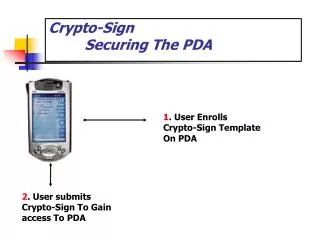
Crypto-Sign Securing The PDA 1. User Enrolls Crypto-Sign Template On PDA 2. User submits Crypto-Sign To Gain access To PDA
Crypto-Sign - Securing The Wireless TransactionRegistration User Enrolls Crypto-Sign Template On PDA User Registers With Server on PDA Server Captures Template From PDA As Part Of User Profile Information Transaction Transaction Requires Authentication UserID User Submits Crypto-Sign On PDA Server Authenticates Crypto-Sign Against Template And Releases User ID For A Successful Test. Server Updates Crypto-Sign Template.