The 5 Stages of Video Production: From Concept to Distribution
Explore the essential 5 stages of video production: Concept/Pitch, Pre-production, Production, Post-Production, and Distribution. Begin by crafting a compelling project proposal to secure funding, then storyboard your ideas and sequence events during pre-production. As cameras roll in production, orchestrate sets and scripts for optimal execution. In post-production, edit your shots and add effects before finally distributing your masterpiece to the public, whether through DVDs or streaming platforms. Learn how to navigate each phase effectively for a successful film.

The 5 Stages of Video Production: From Concept to Distribution
E N D
Presentation Transcript
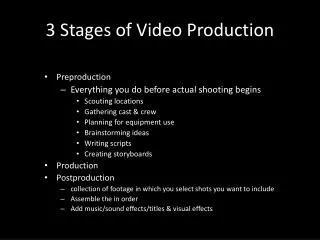
1 - Concept/Pitch • Financiers have to be convinced that the movie will be a huge, star-studded box office success • Fill out a ‘Project Proposal Form’ with all the relevant details • Be as persuasive as possible to secure a large investment in the movie
2 - Pre-production • All great movies started out as a Storyboard • Sketch out some ideas for the sequence of events in your movie • Lay the separate shots out on a table and reposition them in various sequences
3 - Production (Shoot) • Lights, Camera, Action… This is where the cameras start rolling • You will need to organise sets, props, action sequences, scripts etc
Post-Production • This is where the separate shots are brought into the editing suite and trimmed • Titles, special effects and transitions can be added using Windows Movie Maker or Pinnacle DV editing software
Distribution • The final cut has to be rendered, and the finished movie made available to the general public? • DVD’s with menus can be created with Pinnacle DV • Movies can be streamed on the web via Windows Media Player