Web Application Concepts
This guide explores the fundamental concepts of the client-server model in web applications. It explains the roles of servers and clients, detailing how they communicate over the Internet. Servers handle requests from clients, sending back the requested data while potentially interacting with other servers. Clients, like web browsers, make requests and display data. The guide also discusses coding distinctions for client and server sides, highlighting relevant programming languages such as PHP, Python, Ruby, JavaScript, HTML, and CSS. Learn about the rise of web applications and how they eliminate the need for local software installations.

Web Application Concepts
E N D
Presentation Transcript
Refresh • What is a server? • What is a Client • How does the Internet work?
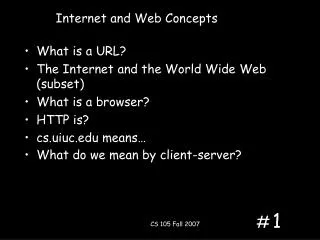
Server Client Model • Servers- Wait for requests from clients - Sends requested data to client - May have to communicate with other servers • Client- Sends requests to server -Waits and receives reply from server -Can connect to a small number of servers at any one time
How do clients make request to a server • Applications/ programs- e.g. printer software needs updating the software will request from a server whether there is an update. If so can I have it.
What about the internet? • Same relationship • Program being a web browser is the client • You load the web browser and the browser requests from a server your home page. It may have to get the information from another server across the globe.
We have two sides of a coin- Client and Server • We have to plan our code differently for each side of the coin. • Coding at the Server end • Coding at the Client end • Summary- Which code runs on what machine. Server or Client? So what is a web browser- server or client coding?
Coding at the server end • Server builds web pages. For the client to then view. (all the hard work done by the server) • The server also needs to process inputs from the client. E.g. YouTube pausing video • A server can also act as a form of permanent storage e.g. databases • Server side languages PHP, python and Ruby.
Coding at the client end • The hard work is down by the client (most often the web browser via plugins) • Code is sent by the server and the client creates the builds it. • Needs to makes sure client is able to run code that is sent. Does it need a plugin update? etc. • Can interact with local storage e.g. cookies • Programming is normally in JavaScript as well as HTML and CSS.
There is a new sheriff in townWeb Applications! • You no longer need to have a application stored on your PC to do the work. • Server side coding • Application accessed through the internet via web-browser • Examples- Google Docs, iCloud, Deezer, Gmail, Angry birds(web app) Did you know about Chrome Books. These are Laptops that mainly use web apps.
Questions from me? • Summaries the client server model. • How do we access the internet? • Brief outline of client and server side scripting