Implementing MATLAB Concepts in Java: Lecture 22 - Understanding Matrix Operations
80 likes | 200 Vues
In Lecture 22 of CS100, we explore the implementation of MATLAB's functionalities in Java. We discuss how to effectively use overloading and the 'this' keyword as a constructor. This lecture critiques the method of matrix addition and highlights the issues of code duplication and lack of abstraction in the current implementation. We also cover matrix concatenation techniques, both row-wise and column-wise, and present strategies for implementing row and column operations in a concise manner. Grasp the intricacies of Java and MATLAB integration with practical examples and class implementations.


Implementing MATLAB Concepts in Java: Lecture 22 - Understanding Matrix Operations
E N D
Presentation Transcript
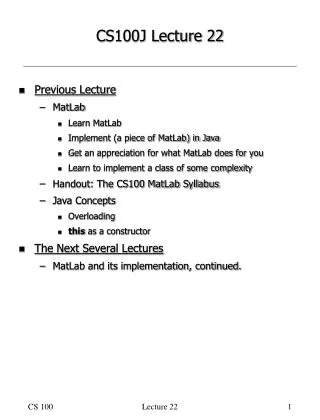
CS100J Lecture 22 • Previous Lecture • MatLab • Learn MatLab • Implement (a piece of MatLab) in Java • Get an appreciation for what MatLab does for you • Learn to implement a class of some complexity • Handout: The CS100 MatLab Syllabus • Java Concepts • Overloading • this as a constructor • The Next Several Lectures • MatLab and its implementation, continued. Lecture 22
Sample Client Code // ones(2,3) + ones(2,3) ML.add( ML.ones(2,3), ML.ones(2,3) ) // 5 + ones(2,3) ML.add( new ML(new ml(5)), ML.ones(2,3) ) • The second example suggest that it might be useful to add an additional overloaded constructor for ML: // Construct scalar matrix v. public ML(int v) { this(1,1); values[0][0] = new ml(v); } • so the example could be: // 5 + ones(2,3) ML.add( new ML(5), ML.ones(2,3) ) • etc. Lecture 22
Critique of ML Method add • Most of the code (all but the 3 invocations of ml.add) has nothing to do with the fact that this is the method for addition. • To implement subtraction, almost all code (except for the 3 invocations of ml.add) would be identical. • We could implement each of the other element-by-element matrix operations in about 30 seconds each: • Copy the definition of ML.add • Replace “add” with “sub”, or “mult”, or “div”, etc. • Write ml.add, ml.mult, ml.div, etc. • Terrible: • Grotesque duplication of code. • Loss of “single point of change”. • No abstraction. • Surely, there must be a way to avoid duplicating the common code. • Coming later. Lecture 22
MatLab • Matrices with the same number of rows can be concatenated horizontally (comma optional). >> [ 1 2 3 ] ans = 1 2 3 >> [ ones(2,3) , (2 .* ones(2,2))] ans = 1 1 1 2 2 1 1 1 2 2 • Matrices with the same number of columns can be concatenated vertically. >> [ 1 ; 2 ; 3] ans = 1 2 3 >> [ ones(2,3) ; (2 .* ones(1,3))] ans = 1 1 1 1 1 1 2 2 2 Lecture 22
MatLab • A constant matrix can be written with a combination of horizontal and vertical matrix concatenations. >> [ 1, 2, 3; 4, 5, 6; 7, 8, 9] ans = 1 2 3 4 5 6 7 8 9 Lecture 22
Implementation Strategy • ML.row(x,y) implements binary row concatenation, i.e., [x, y] • ML.col(x,y) implements binary column concatenation, i.e., [x ; y] • Defer concatenation of more than 2 rows or columns at a time. Until then: /* [a, b, . . ., y, z] */ ML.row(a, ML.row(b, ... ML.row(y, z)) ... ) /* [a; b; . . .; y; z] */ ML.col(a, ML.col(b, ... ML.col(y, z)) ... ) • (Actually ML.row and ML.col are associative, so the grouping is arbitrary.) Lecture 22
class ML: Method row // [x, y] static ML row(ML x, ML y) { if (x.h != y.h) thrownew RuntimeException ("operands must have same height"); else { ML result = new ML(x.h, x.w+y.w); for (int r = 0; r < x.h; r++){ for (int c = 0; c < x.w; c++) result.values[r][c] = x.values[r][c]; for (int c = 0; c < y.w; c++) result.values[r][x.w+c] = y.values[r][c]; } return result; } } Lecture 22
class ML: Method col // [x; y] static ML col(ML x, ML y) { if (x.w != y.w) thrownew RuntimeException ("operands must have same width"); else { ML result = new ML(x.h+y.h, x.w); for (int c = 0; c < x.w; c++){ for (int r = 0; r < x.h; r++) result.values[r][c] = x.values[r][c]; for (int r = 0; r < y.h; r++) result.values[x.h+r][c] = y.values[r][c]; } return result; } } Lecture 22