Understanding Operating Systems: Functions, Services, and Architecture
This overview of operating systems explores their essential roles as intermediaries between application programs and hardware, enhancing user convenience and system efficiency. Key services provided by operating systems include program execution, error handling, resource allocation, and managing I/O devices. It covers critical concepts, such as the kernel, interrupts, and concurrency, illustrating how operating systems ensure reliable and secure computing. Understanding these components helps in grasping the evolution and functionality of modern computer systems across various platforms.

Understanding Operating Systems: Functions, Services, and Architecture
E N D
Presentation Transcript
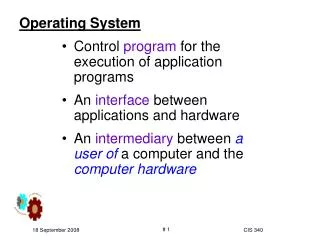
Operating System • Control program for the execution of application programs • An interface between applications and hardware • An intermediary between a user of a computer and the computer hardware CIS 340
Operating System Objectives • Convenience • Makes the computer more convenient to use • Efficiency • Allows computer system resources to be used in an efficient manner • Ability to evolve • Permit effective development, testing, and introduction of new system functions without interfering with service
Layers of Computer System CIS 340
Services Provided by the Operating System • Program development • Editors and debuggers • Program execution • Access to I/O devices • Controlled access to files • System access
Services Provided by the Operating System • Error detection and response • Internal and external hardware errors • Memory error • Device failure • Software errors • Arithmetic overflow • Access forbidden memory locations • Operating system cannot grant request of application
Services Provided by the Operating System • Accounting • Collect usage statistics • Monitor performance • Used to anticipate future enhancements • Used for billing purposes
Operating System: Other Services • Allows multiple, concurrent computations • Allows through enabling resources allocation • Controls interactions between concurrent computations • Enforces rules to securely execute the computations without losing integrity • Supports interactions of computations among different computer systems • Handles networking interactions CIS 340
Operating System Definitions Resource allocator • Manages and allocates resources Control program • Controls the execution of user programs • Controls operations of I/O devices Kernel • Portion of operating system running at all times in main memory • All and anything else being application programs • Contains most frequently used functions • Also called the nucleus CIS 340
Migration of OS Concepts and Features through Platforms Batch TIME SHARE CIS 340
Computer-System Architecture • Control Unit • Arithmetic / Logic Unit • Memory CIS 340
Hardware Features HW realization supporting OS services • Memory protection • Do not allow the memory area containing the monitor to be altered • User program executes in user mode • Certain instructions may not be executed • Monitor executes in system mode • Kernel mode • Privileged instructions are executed • Protected areas of memory may be accessed CIS 340
Hardware Features HW realization supporting OS services • Timer • Prevents a job from monopolizing the system • Privileged instructions • Certain machine level instructions to be executed only by the monitor • Interrupts • Early computer models did not have this capability CIS 340
Computer-System Operation: Premises • I/O devices and the CPUcan execute concurrently • Each device controller handles a particular device type • Each device controller has a local buffer • CPU moves data from/to main memory to/from local buffers • I/O is from the device to local buffer of controller • Interrupt generated by device controller informs CPU about end of controller’s task CIS 340
Def: Interrupts: Expectations • Transfers control to the interrupt service routine • Interrupt vector contains the addresses of all the service routines • Interrupt architecture saves the address of the interrupted instruction • A trap is a software-generated interrupt caused either by an error or a user request. • An operating system is interrupt driven CIS 340
Interrupt service routine (ISR) • An interrupt handler, • also known as an interrupt service routine (ISR), • is a callback subroutine in an operating system or device driver • whose execution is triggered by the reception of an interrupt. • have a multitude of functions, which vary based on the reason the interrupt was generated and the speed at which the interrupt handler completes its task. • An interrupt handler is a low-level counterpart of event handlers. • These handlers are initiated by either hardware interrupts or interrupt instructions in software, • used for servicing hardware devices and transitions between protected modes of operation such as system calls. CIS 340
Interrupt vector • In computing, an interrupt vector is • the memory address of an interrupt handler, • or an index into an array called an interrupt vector table or dispatch table containing the memory addresses of interrupt handlers. • When an interrupt is generated, • the processor saves its execution state via a context switch, and • begins execution of the interrupt handler at the interrupt vector. CIS 340
I/O Devices Sloooooooooooow EX: System Utilization: CIS 340
EX: Uniprogramming Processor must wait for I/O instruction to complete before preceding Processor must wait for I/O instruction to complete before preceding CIS 340
EX: Multiprogrammingwith Three Programs Processor experiences less lapses CIS 340
CONSIDER:Utilization Histograms CIS 340
Process • Consists of three components • An executable program • Associated data needed by the program • Execution context of the program • All information the operating system needs to manage the process
Memory Management • Process isolation • Automatic allocation and management • Support of modular programming • Protection and access control • Long-term storage
Virtual Memory • Allows programmers to address memory from a logical point of view • No hiatus between the execution of successive processes while one process was written out to secondary store and the successor proceess was read in
Virtual Memory and File System • Implements long-term store • Information stored in named objects called files
Paging • Allows process to be comprised of a number of fixed-size blocks, called pages • Virtual address is a page number and an offset within the page • Each page may be located any where in main memory • Real address or physical address in main memory
OS Key Elements CIS 340
Problems Arising with System Software • Improper synchronization • Ensure a process waiting for an I/O device receives the signal • Failed mutual exclusion • Memory overwrites • Nondeterminate program operation • Program A should only depend on input to it • Activities of other programs should not influence Program A’s outcome • Deadlocks CIS 340
System Structure • A series of levels • Each level performs a related subset of functions • Each level relies on the next lower level to perform more primitive functions LEVELS (1-4) Process Hardware Levels (5-7) Concepts with Multiprogramming (8-13) Deal with External Objects CIS 340
Process Hardware Levels • Level 1 • Electronic circuits • Objects are registers, memory cells, and logic gates • Operations are clearing a register or reading a memory location • Level 2 • Processor’s instruction set • Operations such as add, subtract, load, and store • Level 3 • Adds the concept of a procedure or subroutine, plus call/return operations • Level 4 • Interrupts CIS 340
Concepts with Multiprogramming • Level 5 • Process as a program in execution • Suspend and resume processes • Level 6 • Secondary storage devices • Transfer of blocks of data • Level 7 • Creates logical address space for processes • Organizes virtual address space into blocks CIS 340
Deal with External Objects (p 1 / 2) • Level 8 • Communication of information and messages between processes • Level 9 • Supports long-term storage of named files • Level 10 • Provides access to external devices using standardized interfaces CIS 340
Deal with External Objects (p 2 / 2) • Level 11 • Maintains the association between the external and internal identifiers • Level 12 • Provides full-featured facility for the support of processes • Level 13 • Provides an interface to the operating system for the user CIS 340
Modern Operating Systems: Concepts • Microkernel architecture • Multithreading • Symmetric multiprocessing (SMP) CIS 340
Modern Operating Systems • Distributed operating systems • Provides the illusion of a single main memory space and single secondary memory space
Modern Operating Systems • Object-oriented design • Used for adding modular extensions to a small kernel • Enables programmers to customize an operating system without disrupting system integrity
Windows Architecture • Modular structure for flexibility • Executes on a variety of hardware platforms • Supports application written for other operating system
Operating System Organization • Modified microkernel architecture • Not a pure microkernel • Many system functions outside of the microkernel run in kernel mode • Any module can be removed, upgraded, or replaced without rewriting the entire system
Kernel-Mode Components • Executive • Contains base operating system services • Memory management • Process and thread management • Security • I/O • Interprocess communication • Kernel • Consists of the most used components
Kernel-Mode Components • Hardware abstraction layer (HAL) • Isolates the operating system from platform-specific hardware differences • Device drivers • Translate user I/O function calls into specific hardware device I/O requests • Windowing and graphics systems • Implements the graphical user interface (GUI)
Windows Executive • I/O manager • Cache manager • Object manager • Plug and play manager • Power manager • Security reference monitor • Virtual memory manager • Process/thread manager • Configuration manager • Local procedure call (LPC) facility
User-Mode Processes • Special system support processes • Ex: logon process and the session manager • Service processes • Environment subsystems • User applications
Client/Server Model • Simplifies the Executive • Possible to construct a variety of APIs • Improves reliability • Each service runs on a separate process with its own partition of memory • Clients cannot not directly access hardware • Provides a uniform means for applications to communicate via LPC • Provides base for distributed computing