
Documentation
E N D
Presentation Transcript
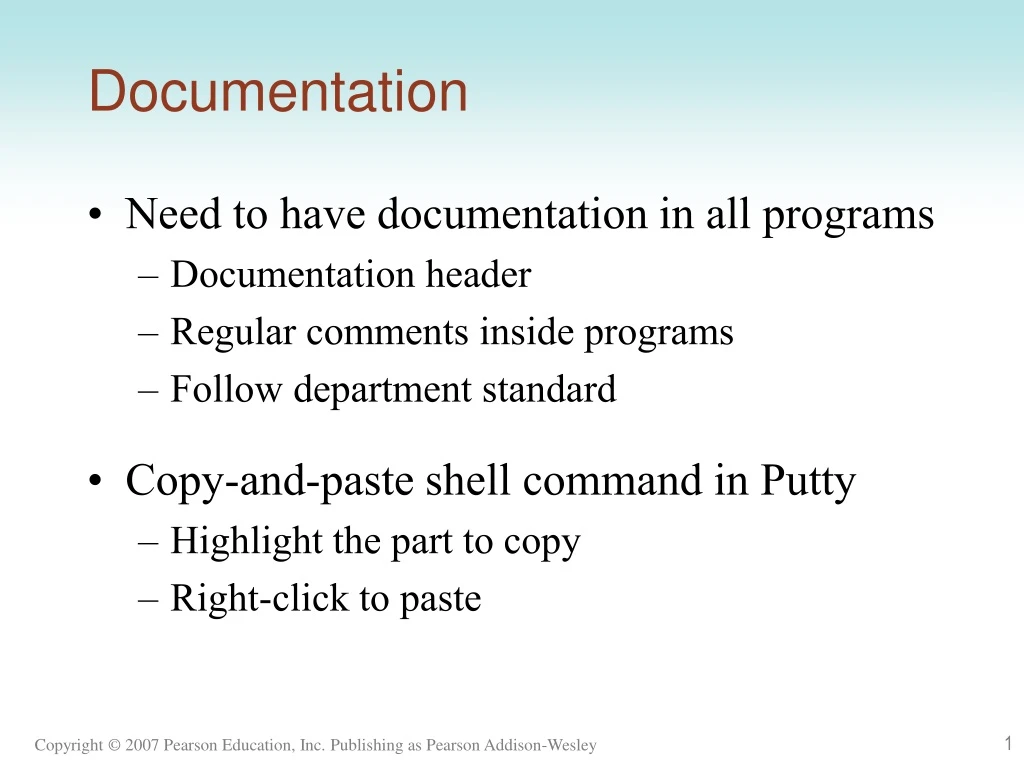
Documentation • Need to have documentation in all programs • Documentation header • Regular comments inside programs • Follow department standard • Copy-and-paste shell command in Putty • Highlight the part to copy • Right-click to paste
Review • Q. What does #include do? • Q. What is namespace std? • Q. How many main( ) function(s)? • Q. What does a preprocessor do? • cout cout<<“Hello “<< “World!”<<endl; • “\n” and endl
Variable • Named memory location • Used to hold data • Name • Type • Different type holds different kinds of data • Capacity • How large is this location? • Determined by type • Duration • Gets recycled after lifetime is over
To define a variable • Specify type and name intnum; // reserve a location of four bytes in RAM // used for storing an integer // reference the location using name num • Define several variables of same type in an instruction int rate, hour, pay; //reserve three locations with four bytes each
Rules for choosing variable names • Use numbers, letters, underscore • Cannot start with number • Cannot be keywords • Make it meaningful • C++ is case sensitive! • Hour and hour are two different variables!
Variable Type: Integer • positive and negative whole numbers, e.g. 5, -52, 343222 • short, int, long • represented internally in binary 16 is represented as 00010000 • To define: int number;
Variable Type: Floating point number • Real number (integral and fractional part) 2.5, 3.66666666, -.000034, 5.0 • float, double, long double • Stored internally as mantissa and exponent (base 2) 16.0 is represented as mantissa 1.0 and exponent 4
Variable Type: Floating point number • To define: • float amount; • double hour, rate;
Variable Type: Boolean • Logical variable • Named for George Boole • Values: true and false • To define: bool flag;
Variable Type: Character • represent individual character values E.g. ’A’ ’a’ ’2’ ’*’ ’”’ ’ ’ • stored in 1 byte of memory • special characters: escape sequences ’\n’ ’\b’ ’\r’ ’\t’ ‘\’’ • To define: char letter;
string type • A sequence of characters • Can contain zero or more character • “” empty string • “A” string with one char • “Hello” string with five characters
string type • Be careful with single and double quotes (“ versus ")when using word processor • Not a primitive type (size varies) • A string can have arbitrary number of characters
To define a string • Same syntax //reserve 2 or 4 bytes to store the //address of the string //store the string dynamically in //another place string course_name;
For whole numbers short (2 bytes) int (4 bytes) long (4 or 8 bytes) For floating point numbers float (4 bytes) double (8 bytes) For single character char (1 byte) For Boolean (true/false) values bool (1 bit) For string string (varies) In summary
More examples float x, y; int num1, num2; float salary; string flower_name;
Assignment operator = • Two-step action • Evaluate the value of right hand side • Assign the value to left hand side int num; num = 5; num = num + 1; num = num * 2; num = num * num;
Left hand side must be a variable 12 = item; // ERROR! Left hand side does not reference a location a + 5 = a; //Same error
Variable initiation • Combine variable declaration and initial assignment into a single instruction int num = 5; //declare an integer variable num //assign 5 to num • Can also write them separately int num; num = 5;
Variable declaration without initial values • An uninitialized variable has a random value, i.e. we do not know what value is stored int num; char letter; float rate;
Literal vs. Variable • A literal is a value that is written into a program’s code. "hello, there" (string literal) 12 (integer literal) ‘C’(character literal) 3.5 (floating point number literal) • Value of a literal cannot be changed. 3 is always 3. • Value of a variable can be changed.
Output a variable • The current value of the variable will be printed • Don’t enclose a variable name in double quotes int num= 5; num = num * num; cout << "The value of num is " << num << endl;
More examples char letter = 'c';//declare letter, assign ‘c’ to letter //don’t forget single quote Q. What about the following? char letter = c;//c is considered as a variable //Error! may or may not compile
More examples bool flag = true; // true is a keyword string name = "John"; //use double quote string name = John; // Error! John is treated as a variable name
What is the output? int a=5, b=7, c=10; a = a + 3; b = a + c; cout << a << " " << b << " " << c << endl; Every object (string, variable, or manipulator) needs a separate << in a cout instruction. //Error! cout << a << " " << b << " " c << endl;
Characters and strings • A character is stored as its ASCII value (Appendix B) • ‘A’ 65 • ‘B’ 66 • ‘y’ 121 • ‘$’ 36 • A string is stored as a sequence of characters • “John” • Always has the NULL character (‘\0’) at the end
‘A’ and “A” • Q. Are they the same? • 'A' is a single character, stored in 1 byte of memory • "A" is a string of length one, stored as 2 bytes of memory
Summary • Variable basics • How to declare and initialize • Various types • Assignment operator • Difference between characters and strings • Output variable values using cout • Literals
Review • Section 2.3 Variable types and declarations • http://www.cppforschool.com/tutorial/variable-memory-concept.html