Oracle 12c Container Databases: Beginner to Advanced
780 likes | 984 Vues
Explore Oracle's container databases from beginner to advanced levels - from CDB/PDB concepts to shared/exclusive components, backup, recovery, and more. Learn migration options to 12c and the value of PDB. Discover the evolution of Oracle releases from the past to Oracle 12c.


Oracle 12c Container Databases: Beginner to Advanced
E N D
Presentation Transcript
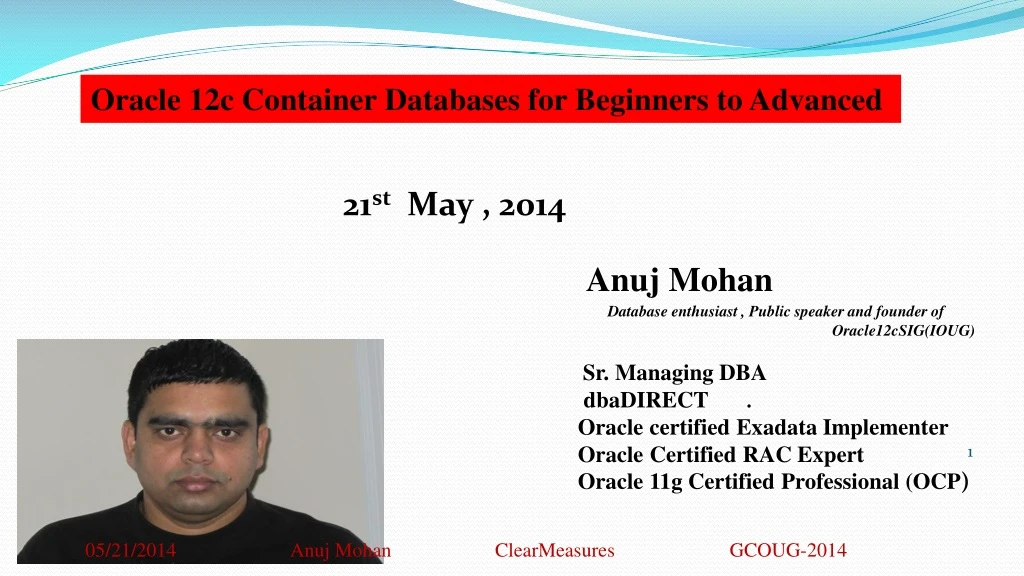
Oracle 12c Container Databases for Beginners to Advanced 21stMay , 2014 Anuj Mohan Database enthusiast , Public speaker and founder of Oracle12cSIG(IOUG) Sr. Managing DBA dbaDIRECT . Oracle certified Exadata Implementer Oracle Certified RAC Expert Oracle 11g Certified Professional (OCP) 05/21/2014 Anuj Mohan ClearMeasuresGCOUG-2014
AGENDA • Oracle’s Previous Releases • CDB/PDB Introduction and Concepts • Shared / Exclusive components • Accessing CDB's/PDB's • Backup and Recovery • Quick overview: migration options • to 12c from previous versions. • PDB - Explanation of Value (EOV) 05/21/2014 Anuj Mohan Clear Measures GCOUG-2014
Oracle’s Evolution .05/21/2014 Anuj Mohan ClearMeasuresGCOUG-2014
1982: RSI became Oracle Corporation • 1983: version 3, supported COMMIT and ROLLBACK functionality for transactions. extended platform support to include Unix environments • 1984: version 4, which supported read-consistency • 1985: version 5, which supported the client–server • 1986: Oracle version 5.1 started supporting distributed queries • 1988: version 6 supported PL/SQL embedded within Oracle Forms v3 (version 6 could not store PL/SQL in the database proper), row-level locking and hot backups 05/21/2014 Anuj Mohan ClearMeasuresGCOUG-2014
1999: Oracle8i • Internet • Java virtual machine 1992: Oracle version 7 • Referential integrity • Stored procedures • Triggers. 2001: Oracle9i • 400+ New features • Oracle RAC replace OPS 1997: Oracle version 8 • Object-oriented • Multimedia applications 05/21/2014 Anuj Mohan ClearMeasuresGCOUG-2014
2003: Oracle Database 10g • Automatic Storage Management • Oracle Data Pump • Virtual Private Database • Automatic Shared Memory Management • ADDM and SQL Tuning Advisor • Automatic Workload Repository • Automatic Segment Management • Flashback Table • 2007: Oracle Database 11g • Database Replay • SQL Performance Analyzer • Active Data Guard • Snapshot Standby • Flashback Data Archives • Edition-Based Redefinition • RAC One Node, and Clusterware • Grid Ifrastructure (R2) • Data Recovery Advisor • Few years later EXADATA 05/21/2014 Anuj Mohan ClearMeasuresGCOUG-2014
2013: Oracle 12c • Container / Pluggable databases • Online Datafile and Partition Movement • Policy-Based Automatic Redaction • Flex ASM • SQL Plan Management enhancements • Information Lifecycle Management (ILM) • Automatic Data Optimization (ADO) 05/21/2014 Anuj Mohan ClearMeasuresGCOUG-2014
AGENDA • Oracle’s Previous Releases • CDB/PDB Introduction and Concepts • Shared / Exclusive components • Accessing CDB's/PDB's • Backup and Recovery • Quick overview: migration options • to 12c from previous versions. • PDB - Explanation of Value (EOV) 05/21/2014 Anuj Mohan ClearMeasuresGCOUG-2014
05/21/2014 Anuj Mohan ClearMeasuresGCOUG-2014
Understanding in simple words • CDB is a normal database with additional capability of storing one or more non CDB • These non CDB's within CDB are called PDB • PDB's can be plugged and unplugged easily from one container to another container. In previous example we have two PDBs hrpdb and salespdb • ***CDB Container database • ***PDB pluggable database 05/21/2014 Anuj Mohan ClearMeasuresGCOUG-2014
PDB3 SGA and PGA and BG Processes PDB1 PDB2 Pluggable Databases Instance Container Database 05/21/2014 Anuj Mohan ClearMeasuresGCOUG-2014
Option for creating Container Database 05/21/2014 Anuj Mohan ClearMeasuresGCOUG-2014
PDB using DBCA 05/21/2014 Anuj Mohan ClearMeasuresGCOUG-2014
PDB using DBCA 05/21/2014 Anuj Mohan ClearMeasuresGCOUG-2014
Ways to get a PDB inside CDB • From an existing remote PDB • From PDB$SEED • From an existing local PDB • Unplug from a CDB and plug into another CDB 05/21/2014 Anuj Mohan ClearMeasuresGCOUG-2014
Ways to get a PDB inside CDB • Cloning a remote PDB (Clone anuj@CDB1 as mohan@CDB2) • Connect to CDB1 and place Anuj in read only mode • Connect to CDB2 as sys and run clone command (if using a common user you need to grant "create pluggable database" container=all) • create pluggable database mohan from anuj@CDB2_dbl** admin user sys identified by sys_pwd file_name_convert = (‘/u01/pdbs/anuj’,’/u01/pdbs/mohan’); • alter pluggable database Mohan open; * Endian format,character set, etc must be compatible between CDBs ** CDB2_dbl is database link used for communication between CDB1 and CDB2 05/21/2014 Anuj Mohan ClearMeasuresGCOUG-2014
Ways to get a PDB inside CDB • Creating an PDB (Anuj) from PDB$SEED • Set db_file_name_convert • SQL> alter system set PDB_FILE_NAME_CONVERT ='/u01/datafiles/pdbseed/','/u01/datafiles/Anuj/' scope=both; System altered. • Run create pdb command • SQL> CREATE PLUGGABLE DATABASE Anuj ADMIN USER PDB_Anj IDENTIFIED BY PDB_Anj default tablespace users datafile ‘/u01/datafiles/Anuj/users_01.dbf’ size 1000M;ROLES=(DBA); Pluggable database created. • Open PDB in read write mode • SQL> alter pluggable database Anuj open; 05/21/2014 Anuj Mohan ClearMeasuresGCOUG-2014
Ways to get a PDB inside CDB • Cloning a PDB (Clone Anuj as Mohan) • Connect to CDB root as sys • Open Anuj in read-only mode and run create pdb • alter pluggable database Anuj close; • alter pluggable database Anuj open read only; • create pluggable database Mohan from Anuj admin user sys identified by sys_pwd file_name_convert = (‘/u01/pdbs/anuj’,’/u01/pdbs/mohan’); • Open the database • alter pluggable database mohan open; 05/21/2014 Anuj Mohan ClearMeasuresGCOUG-2014
Ways to get a PDB inside CDB • Unplug and plug • Connect to source(CDB1) as sys • Shut down Anuj • alter pluggable database Anuj close; • alter pluggable database Anuj unplug into ‘/u01/datafiles/Anuj/Anuj.xml’; • If you do not want to keep this PDB anymore on Current CDB you can drop it but make a copy of data files before drop. • drop pluggable database Anuj 05/21/2014 Anuj Mohan ClearMeasuresGCOUG-2014
Ways to get a PDB inside CDB • Unplug and plug continue… • Connect to Destination(CDB2) as sys • select dbms_pdb.check_plug_compatibility( pdb_descr_file=>’/u01/datafiles/Anuj/Anuj.xml’, store_report=>true) from dual; • Check for errors in pdb_plug_in_violations table • move PDB files and use nocopy • create pluggable database Anuj using ‘/u01/datafiles/Anuj/Anuj.xml’ nocopy; ** Similar to transportable databases ** XML file has PDB metadata 05/21/2014 Anuj Mohan ClearMeasuresGCOUG-2014
AGENDA • Oracle’s Previous Releases • CDB/PDB Introduction and Concepts • Shared / Exclusive components • Accessing CDB's/PDB's • Backup and Recovery • Quick overview: migration options • to 12c from previous versions. • PDB - Explanation of Value (EOV) 05/21/2014 Anuj Mohan ClearMeasuresGCOUG-2014
Common Component in Container Databases (CDB’s) • Background processes – • Memory areas – buffer cache, log buffer, etc. • Datafiles (Undo / Redo /system / • Undo tablespace • Single ADR location • PDB’s may have their own datafiles 05/21/2014 Anuj Mohan ClearMeasuresGCOUG-2014
Common vs. Local Concept • Common VS Local Concept • Can be defined on CDB or PDB Level • Users Defined on root or local PDB • Roles Defined on root or local PDB • Privileges Defined on root or local PDB • Objects Defined on root or local PDB 05/21/2014 Anuj Mohan ClearMeasuresGCOUG-2014
Common and Local Privileges • A common privilege is privilege granted across all containers • A privilege granted to a single PDB is a local privilege • Local users can only utilize privileges locally in the current PDB • Common users can only utilize privileges locally in the current PDB • Common users connected to the root container can utilize privileges across container, such as creating a common user 05/21/2014 Anuj Mohan ClearMeasuresGCOUG-2014
Common and Local Roles • local user can only create local roles. Local roles can be granted to local or common users. Local roles can be granted to common roles. • common user can create common roles and/or local roles. Common roles can be granted to local or common users. Common roles can be granted to local roles • SQL> create role bill_master CONTAINER=ALL; • SQL> create role bill_local CONTAINER=CURRENT; 05/21/2014 Anuj Mohan ClearMeasuresGCOUG-2014
Grant and Revoke Privileges and Roles • Grant common privilege by common user • SQL> grant prv1 to cm_user CONTAINER=ALL; • Grant local privilege by common user • SQL> grant prv2 to pdb01_user CONTAINER=CURRENT; • Grant a local privilege by a local user • SQL> grant prv2 to pdb01_user; • Revoke common privilege by common user • SQL> revoke prv1 from cm_user CONTAINER=ALL; 05/21/2014 Anuj Mohan ClearMeasuresGCOUG-2014
Create Common User • Connect to CDB and Create Common User SQL> show con_id CON_ID ----------- 1SQL> show con_name CON_NAME----------------CDB$ROOT • SQL> create user C##_main identified by qweasdzxc2 container=ALL; User created. 05/21/2014 Anuj Mohan ClearMeasuresGCOUG-2014
Grant some role and privilege to common user • SQL> grant dba to C##_main container=ALL; • Grant succeeded. • SQL> grant select any table to C##_main container=ALL; • Grant succeeded. • select grantee, granted_role from dba_role_privs where grantee ='C##_MAIN'; GRANTEE GRANTED_ROLE--------------------------------------------- ----------------------------------C##_main DBAC##_mainDBA • select grantee, privilege from dba_sys_privs where grantee ='C##_MAIN'; GRANTEE PRIVILEGE--------------------------------------------- ----------------------------------C##_main UNLIMITED TABLESPACEC##_main SELECT ANY TABLEC##_main UNLIMITED TABLESPACEC##_main SELECT ANY TABLE 05/21/2014 Anuj Mohan ClearMeasuresGCOUG-2014
Common User Information • Connect to PDB using just created common user • SQL> show con_name • CON_NAME------------------------------ANUJPDBSQL> show con_id • CON_ID------------------------------3 • SQL> select grantee, granted_role from dba_role_privs where grantee ='C##_MAIN'; • GRANTEE GRANTED_ROLE--------------------------------------------- ----------------------------------C##_main DBA • SQL> select grantee, privilege from dba_sys_privs where grantee ='C##_MAIN'; • GRANTEE PRIVILEGE--------------------------------------------- ----------------------------------C##_main UNLIMITED TABLESPACEC##_main SELECT ANY TABLE 05/21/2014 Anuj Mohan ClearMeasuresGCOUG-2014
While connected to PDB try to create common user • create user C##_main1 identified by qweasdzxc container=ALL;create user C##_main1 identified by qweasdzxc container=ALL *ERROR at line 1:ORA-65050: Common DDLs only allowed in CDB$ROOT • create user C##_main1 identified by qweasdzxc *ERROR at line 1:ORA-65094: invalid local user or role name • SQL> create user main1 identified by qweasdzxc; /* User local to PDB */ User created. • SQL> grant dba to main1; Grant succeeded. • SQL> grant create any table to main1; Grant succeeded. 05/21/2014 Anuj Mohan ClearMeasuresGCOUG-2014
Check roles/privileges you just granted • SQL> select grantee, privilege from dba_sys_privs where grantee =‘MAIN1'; • GRANTEE PRIVILEGE--------------------------------------------- ----------------------------------main1 CREATE ANY TABLEmain1 UNLIMITED TABLESPACE • SQL> select grantee, granted_role from dba_role_privs where grantee =‘MAIN1'; • GRANTEE GRANTED_ROLE--------------------------------------------- ----------------------------------main1 DBA 05/21/2014 Anuj Mohan ClearMeasuresGCOUG-2014
Connect to CDB and check privileges of local user we just granted • SQL> show con_name • CON_NAME------------------------------CDB$ROOT • SQL> select grantee, privilege from dba_sys_privs where grantee =‘MAIN1'; • no rows selected • SQL> select grantee, granted_role from dba_role_privs where grantee =MAIN1'; • no rows selected 05/21/2014 Anuj Mohan ClearMeasuresGCOUG-2014
SQL> select grantee, granted_role from cdb_role_privs where grantee =‘MAIN1'; GRANTEE GRANTED_ROLE-------------------------------------------------------------------------------- main1 DBA • SQL> select grantee, privilege from cdb_sys_privs where grantee =‘MAIN1'; GRANTEEPRIVILEGE----------------------------------------main1 CREATE ANY TABLE main1 UNLIMITED TABLESPACE 05/21/2014 Anuj Mohan ClearMeasuresGCOUG-2014
USER_%% Show list of all the Objects owned by the current user in a PDB • ALL_%% Show list of all the Objects accessible by the current user in a PDB • DBA_%% Show list of all the Objects in the root or a pluggable database • CDB_%% Show list of all the Objects in the container database. CDB_%% use new column CON_ID 05/21/2014 Anuj Mohan ClearMeasuresGCOUG-2014
Creating Objects • Local object can be created by common and local users • Common objects can NOT be created by user defined common users.To create Common objects you need to use by Oracle supplied common user (sys/system) 05/21/2014 Anuj Mohan ClearMeasuresGCOUG-2014
DBA_USERS • Name Null? Type -------------------------------- -------- ---------------------------- USERNAME NOT NULL VARCHAR2(128) USER_ID NOT NULL NUMBER PASSWORD VARCHAR2(4000) ACCOUNT_STATUS NOT NULL VARCHAR2(32) LOCK_DATE DATE EXPIRY_DATE DATE DEFAULT_TABLESPACE NOT NULL VARCHAR2(30) TEMPORARY_TABLESPACE NOT NULL VARCHAR2(30) CREATED NOT NULL DATE PROFILE NOT NULL VARCHAR2(128) INITIAL_RSRC_CONSUMER_GROUP VARCHAR2(128) EXTERNAL_NAME VARCHAR2(4000) PASSWORD_VERSIONS VARCHAR2(12) EDITIONS_ENABLED VARCHAR2(1) AUTHENTICATION_TYPE VARCHAR2(8) PROXY_ONLY_CONNECT VARCHAR2(1) COMMON VARCHAR2(3) LAST_LOGIN TIMESTAMP(9) WITH TIME ZONE 05/21/2014 Anuj Mohan ClearMeasuresGCOUG-2014
CDB_USERS • Name Null? Type ------------------------------ -------- ---------------------------- USERNAME NOT NULL VARCHAR2(128) USER_ID NOT NULL NUMBER PASSWORD VARCHAR2(4000) ACCOUNT_STATUS NOT NULL VARCHAR2(32) LOCK_DATE DATE EXPIRY_DATE DATE DEFAULT_TABLESPACE NOT NULL VARCHAR2(30) TEMPORARY_TABLESPACE NOT NULL VARCHAR2(30) CREATED NOT NULL DATE PROFILE NOT NULL VARCHAR2(128) INITIAL_RSRC_CONSUMER_GROUP VARCHAR2(128) EXTERNAL_NAME VARCHAR2(4000) PASSWORD_VERSIONS VARCHAR2(12) EDITIONS_ENABLED VARCHAR2(1) AUTHENTICATION_TYPE VARCHAR2(8) PROXY_ONLY_CONNECT VARCHAR2(1) COMMON VARCHAR2(3) LAST_LOGIN TIMESTAMP(9) WITH TIME ZONE CON_ID NUMBER 05/21/2014 Anuj Mohan ClearMeasuresGCOUG-2014
AGENDA • Oracle’s Previous Releases • CDB/PDB Introduction and Concepts • Shared / Exclusive components • Accessing CDB's/PDB's • Backup and Recovery • Quick overview: migration options • to 12c from previous versions. • PDB - Explanation of Value (EOV) 05/21/2014 Anuj Mohan ClearMeasuresGCOUG-2014
Tools to manage CDBs and PDBs • Your favorite SQL *Plus • 12c EM gives dropdown option to select PDB • Sql developer • Any third party software you prefer • Toad • Dbartisan 05/21/2014 Anuj Mohan ClearMeasuresGCOUG-2014
Connecting CDB and PDB • [oracle@test121 ~]$ export ORACLE_SID=AnujC[oracle@test121 ~]$ sqlplus / as sysdba SQL> select name,open_mode from v$database;NAME OPEN_MODE--------- --------------------ANUJC READ WRITESQL> show con_idCON_ID------------------------------1 SQL> show userUSER is "SYS" 05/21/2014 Anuj Mohan ClearMeasuresGCOUG-2014
Connecting CDB and PDB continued… • select pdb_id,pdb_name from cdb_pdbs; PDB_ID PDB_NAME---------- --------------------------------------------- 2 PDB$SEED 3 ANUJPDB 4 ANUJP02 • There are ways you can access PDBs • Using tns sqlplus C##_MAIN/qweasdzxc@ANUJPDB /* Tnsnames.ora */ SQL> select NAME, OPEN_MODE, CON_ID from V$PDBS; NAME OPEN_MODE CON_ID------------------------------ ---------- ----------ANUJP DB READ WRITE 3 05/21/2014 Anuj Mohan ClearMeasuresGCOUG-2014
Connecting CDB and PDB continued… • Connect using service name • Sqlplus C##_MAIN/qweasdzxc@anuj-w530:1521/ANUJPDB /* Service Name */ • Connect using Local/TWO_TASK • set LOCAL=ANUJPDB /* on windows */ • set TWO_TASK=ANUJPDB /* on unix*/ • sqlplus C##_MAIN/qweasdzxc • How to check which PDB you are connected • Show CON_ID • Show CON_NAME • Using SYS_CONTEXT select sys_context('userenv','CON_ID') from dual; 05/21/2014 Anuj Mohan ClearMeasuresGCOUG-2014
CDB Startup stages • CDB Startup stages • Shutdown • Instance and database both down • Nomount • Instance is started. V$ views are accessible • Mount • CDB control file is opened • Root is mounted • PDBs are also in mount stage • Open • CDB is open for read /write • PDBs will be still in mount stage by default 05/21/2014 Anuj Mohan ClearMeasuresGCOUG-2014
PDBs Startup • PDBs Startup • When you open your CDB , that will bring your PDBs to mount stage. At this stage you can use below options to open your PDBs • Connect to CDB • Alter pluggable database pdb_name open; • Alter pluggable database all open ; /* open all PDBs */ • Select name,open_mode from v$pdbs; 05/21/2014 Anuj Mohan ClearMeasuresGCOUG-2014
Shutting CDBs and PDBs • Shutting CDBs and PDBs • To shutdown CDBs you use “shutdown *****” commands • Shutdown immediate • Shutdown transactional • Shutdown abort • Their possible states are MOUNT/OPEN/CLOSE 05/21/2014 Anuj Mohan ClearMeasuresGCOUG-2014
Closing PDBs • Closing PDBs • Connect to CDB • Alter pluggable database all except pdb_name close/open; • Alter pluggable database pdb_name close immediate; • Connect to PDB • Username/password@PDB as sysdba • Shutdown immediate • OR • Alter pluggable database close • Connect to CDB and check • Select name,open_mode from v$pdbs; 05/21/2014 Anuj Mohan ClearMeasuresGCOUG-2014
Open restrict • You can Open your PDBs in restricted /read only and read write based on your requirement • Alter pluggable database open restricted • Alter pluggable database open read only • Alter pluggable database open 05/21/2014 Anuj Mohan ClearMeasuresGCOUG-2014
Init Parameters • Parameter file is defined at CDB level i.e one parameter file per CDB • There are some parameter which can be defined for PDB but it will be defined in init.ora of CDB hosting that pdb • v$parameter (ISPDB_MODIFIABLE='TRUE') • select ispdb_modifiable,count(*) from v$parameter group by ispdb_modifiable; ISPDB COUNT(*)----- ----------TRUE 151FALSE 213 SQL> select name from v$parameter where ispdb_modifiable=‘TRUE’ and rownum<4; NAME-------------------------------------------------------------------------------- timed_statisticstimed_os_statisticsresource_limit • Change in PDB parameter value becomes effective after CDB restart or close and open of PDB 05/21/2014 Anuj Mohan ClearMeasuresGCOUG-2014
AGENDA • Oracle’s Previous Releases • CDB/PDB Introduction and Concepts • Shared / Exclusive components • Accessing CDB's/PDB's • Backup and Recovery • Quick overview: migration options • to 12c from previous versions. • PDB - Explanation of Value (EOV) 05/21/2014 Anuj Mohan ClearMeasuresGCOUG-2014
Backup and Recovery 05/21/2014 Anuj Mohan ClearMeasuresGCOUG-2014