Understanding Database Systems: Structure, Management, and Design Principles
This overview provides a comprehensive understanding of database systems, which are integrated collections of related data essential for various applications, such as in universities where they manage information on students, courses, and faculty. We explore the role of database management systems (DBMS), their advantages over traditional file systems, and the importance of data integration, consistency, and security. Ideal for beginners, this guide highlights key concepts, including data modeling, schema design, and relational data structures, enabling better comprehension of effective data management practices.

Understanding Database Systems: Structure, Management, and Design Principles
E N D
Presentation Transcript
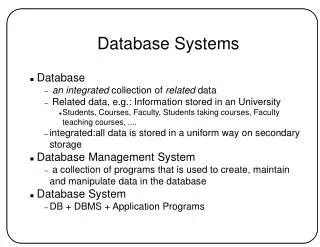
Database Systems • Database • an integrated collection of related data • Related data, e.g.: Information stored in an University • Students, Courses, Faculty, Students taking courses, Faculty teaching courses, .... • integrated:all data is stored in a uniform way on secondary storage • Database Management System • a collection of programs that is used to create, maintain and manipulate data in the database • Database System • DB + DBMS + Application Programs
Users Database System Organization: A Simplified View DBS Application Programs Query and transaction Processing Management of Stored Data DBMS Meta-data Database
Databases vs File Systems • What is wrong with a File System? • Data Integration and Data Sharing • Features of DBMS that cannot be provided with a file system • Data Consistency • Controlled Redundancy • Program-Data Independence • Integrity Enforcement • Concurrency Control • Backup and Recovery • Security and Privacy • Multiple views of Data
Performance • Expandability/Flexibility • Reduced Applicaiton Development Time • Enforcement of Standards • Economies of Scale The Price You Pay !! • High initalcost • High overhead • Not special purpose When is DBMS Inappropriate? • Database is small and has simple structure • applications are simple and special-purpose • applications with real-time requirements • concurrent, multi-user access to data is not needed Additional Advantages
The Three Levels of Abstraction • Internal Level • describes the physical storage structure of the DB • Conceptual Level • describes the structure of the whole DB • hides storage and implementationdetails • External Level • point of view of users Logical and Physical Data Independence
Database Design • is the activity of specifying the schema of a database in a given data model • Database Schema • is the structure of a database that • captures data types, relationships, constriants on the data • is independent of any application program • changes infrequently • Database instance or state • the actual data in the database at a given time • Data Model • a set of primitives for defining the structure of a DB • a set of operations for specifying the retrievals and updates on a DB • relational, hierarchical, network, object-oriented, ..... Data Modeling / Database Design
The most popular implementation model • simplest, has the most uniform data structures,has a formal mathematical model, powerful query languages (relational algebra), existence of 4th generation languages • but, not suitable for some applications • Everything is represented by relations • Formally: Given sets D1, D2, ....Dn (not necessarily distinct), a relation R D1 X D2 X ...X Dn • Di's are the domains and n is the arity (degree) of R • elements of R are called tuples • number of tuples in R is the cardinality of R Relational Model (Codd 1970)
Relational Model (continued) • relational data model helps to view a relation as a table • each row represents a tuple (record) • each column represnts an attribute (field) • Observe the following properties: • no two rows are identical • the ordering of tuples is unimportant • the ordering of columns is important PART Part # PName Color Weight P1 Nut Red 12 P2 Bolt Blue 17 P3 Screw Green 16
A relation scheme R specifies • the attribute names Aiof R • the domain Di (datatype + format) for each Ai • datatype is a set of atomic data values: no attribute is set-valued (1st Normal Form or, 1-NF) no attribute is composite • format is the specification of the representationof a data values • A collection of relation schema used to represent the information in the database is the database scheme • A relation instance r of R (denoted r(R)) is the set of tuples that compose the relation at a given intance, i.e. the current values. • cardinality |r(PARTS)| = 3, the arity |PARTS| = 4 • In general, |R| > 0, |r(R)| 0 Relation Schema
Keys • Let R be a realtion schema and K R • K is a superkey of R if it can uniquly identify any tuple in any r(R). There are no tuples t and t' such that t[K] = t'[K} • K is a candidate key if K is a minimal superkey. There is no K' K such that K' is also a superkey of r(R) • A primary key is one of the candidate keys, remaining candidate keys are alternate keys E.g.: CLASS (Course#, Prof, Sched, Room) Identify superkeys, candidate keys Key is a property of a relation schema but is not of a relation
Relational Database Schema • A database schema is a set of relation schemas and a set of integrity constraints • Integrity constraints • structural • key constraints: uniqueness of keys • entity integrity constraint: no primary key value can be null • referential integrity constraint • semantic
In the relational model, the only way an entity can reference another entity is through the value of the primary key of the second entity • A foreign key (FK) is a set of one or more attributes of a relation R1 that forms a primary key (PK) of another relation R2 • This means • the attributes in FK have the same domain as the primary key attributes of R2 • the value of FK in any tuple t1 of r(R1) is either null or matches with a value of PK for some tuple t2 in r(R2), i.e., t1[FK] = t2[PK] Referential Integrity Constraints SSN EName DNO EMP Each employee must belong to some department DEPT DNO DName Mgr
Referential Integrity Constraints (continued) • we say attributes FK of R1 reference or refer to the relation R2 • Referential integrity constraints can be defined for the same relation, i.e., tuples may refer to another tuple in the same relation SSN EName DNO SUPERSSN EMP
Relational Query Languages • Query languages allow manipulation and retrieval of data from a database • Relational model supports simple, powerful query languages • strong formal foundation based on logic • allows for optimization • Two mathematical languages form the basis for rel languages (e.g., SQL) and for implementation • Relational Algebra: More operational, useful for representing execution plans • Relational Calculus: Lets users describe what they want, rather than how to compute it (non-operational, declarative) • Basic operations: • selection, projection, cross-product, set-difference, union, intersection, join, division
SQL (Structured Query Language) is the query language for the System R developed at IBM San Jose [Astraham, Gray, Lindsay, Selinger ..] • SQL is now the query language for IBM's DB2 and the de-facto standard on most commercial RDBMS • SQL is a comprehensive language providing statements for data definition, query and update. Hence it is both DDL and DML • SQL allows to create views, it can be embedded in a general-purpose programming language (C or PASCAL) • SQL has one basic statement for retrieving data from the database: the SELECT statement SELECT <attribute list> FROM <table list> WHERE <condition> • Standards: • SQL or SQL1 (ANSI 1986) • SQL2 or SQL-92 (ANSI 1992) • SQL3 underway: extends SQL with OO and other concepts SQL
SQL Data Types • Numeric • Integers of various ranges: INTEGER (or INT), SMALLINT • Real numbers of various precision: FLOAT, REAL, DOUBLE PRECISION • Formatted numbers: DECIMAL(i,j) or DEC(i,j) or NUMERIC(i,j) • Character Strings • Fixed length n: CHAR(n) or CHARACTER(n) • Variable length of maximum n: VARCHAR(n) or CHAR VARYING(n) (default n =1) • Bit strings • Fixed length n: BIT(n) • Varying length of maximum n: VARBIT(n) or BIT VARYING(n)
SQL Data Types (continued) • Date & Time [SQL2] • DATE (10 positions): YYYY-MM-DD • TIME (8 positions): HH:MM:SS • TIME(i) defines i decimal fractions of seconds (8+1+i positions): HH:MM:SS:ddd...d • TIME WITH TIME ZONE includes the displacement from standard universal time zone [+13:00 to -12:59] (6 additional positions): HH:MM:SS+/-HH:MM • TIMESTAMP:date, time with 6 fractions of seconds and optional time zone • INTERVAL: Year/Month or Day/TIME
DDL • DDL is used to define the (schema of) database • to create a database schema • to create a domain • to create, drop. alter a table • to create, remove an index [defunct in SQL2] • to create or drop a view • to define integrity constraints • to define access privileges to users (Oracle: CONNECT, RESOURCE, DBA) • to GRANT or REVOKE privileges ON/TO object/user • SQL2 supports multiple schemas • CREATE SCHEMA name AUTHORIZATION user; • CREATE SCHEMA EMPLOYEE AUTHORIZATION atluri;
Create Domain • CREATE DOMAIN name_dom AS VARCHAR(30); • CREATE DOMAIN project_dom AS CHAR(20); • CREATE DOMAIN dept_dom AS VARCHAR(20) DEFAULT 'none'; • CREATE DOMAIN city_dom CHAR(20) DEFAULT NULL; • CREATE DOMAIN hour_dom FLOAT DEFAULT 0; • CREATE DOMAIN gender_dom CHAR(1) CHECK (VALUE IN ('F', 'f', 'M', 'm'));
EMP(Name,SSN,DNO,BirthPlace) DEPT(DName,DNO,MGRSSN) PROJECT(PName,PNO,PLocation,DNum) WORKSON(ESSN,PNO,Hours) CREATE SCHEMA 'COMPANY'; CREATE TABLE EMP ( EName name_dom NOT NULL, SSN CHAR(9) NOT NULL, DNO INTEGER NOT NULL, BirthPlace city_dom, PRIMARY KEY(SSN), FOREIGN KEY (DNO) REFERENCES DEPT (DNO) ); SQL Schema
Constraints on attributes • NOT NULL constraint • DEFAULT value allows the specification of default value (without the default clause, the default value is NULL) • PRIMARY KEY (attribute-list) • UNIQUE (attribute list) allows the specification of alternative key • FOREIGN KEY (key) REFERENCES table (key) Enforcement of Time Constraints • Immediate • Deferrable (until commit time) Actions if a referential integrity constraint is violated (referential triggered actions): • SET NULL • CASCADE (propagate action) • SET DEFAULT) Qualifying actions by the triggering condition: ON DELETE and ON UPDATE FOREIGN KEY (DNO) REFERENCES DEPT (DNO) ON DELETE SET DEFAULT ON UPDATE CASCADE Constraints
Keyword CONSTRAINT may be used to name a constraints Helpful in modifying or dropping the constraint CREATE TABLE EMP ( EName name_dom NOT NULL, SSN CHAR(9) NOT NULL, DNO INTEGER NOT NULL, BirthPlace city_dom, CONSTRAINT Emp_PK PRIMARY KEY(SSN), CONSTRAINT Emp_FK FOREIGN KEY (DNO) REFERENCES DEPT (DNO) ); Naming of the Constraints
System Catalog (Dictionary) Dictionary stores a set of tables that describe the database: • Base Relations (tables) • possible attributes:table-name, creator, #of-tuples, tuple-length, #of- attributes, .. • Attributes of Relations (columns) • possible attributes: table-name, attribute-name, format, order, key. ,, • Indexes • possible attributes: table-name, index-name, key-attribute, .. • Authorization • Integrity • In Oracle, the dictionary is made up of tablespaces (one or more physical files): SYSTEM, USERS, TEMP, APPLICATIONS
DROP Command DROP command can be used to remove • a schema: DROP SCHEMA Company CASCADE; DROP SCHEMA Company RESTRICT • CASCADE option removes everything: tuples, tables, domains, ... • RESTRICT option removes the schema if it has no elements in it • a table: DROP TABLE EMP CASCADE; DROP SCHEMA EMP RESTRICT • CASCADE option removes the table and all references to it • RESTRICT option removes the table if it is not referenced
The ALTER allows to: • alter the domain of an attribute ALTER TABLE Student • ALTER GPA NUMBER(4,2); • set or drop default value of an attribute ALTER TABLE Student ALTER GPA DROP DEFAULT; ALTER TABLE Student ALTER GPA SET DEFAULT 0.00; • add a new attribute to a relation ALTER TABLE Student ALTER Admission DATE; • drop an attribute (not in SQL1) ALTER TABLE Student DROP GPA [CASCADE/RESTRICT]; ALTER Command
The general form of a SELECT statement: SELECT <attribute list> FROM <table list> WHERE <condition> GROUP BY <attribute list> HAVING <condition> ORDER BY <attribute,{ASC/DESC} pair> The Select Statement
Projection: SELECT A,B FROM R • Selection: SELECT * FROM R WHERE F • Product of two tables: A X B SELECT R., S. FROM R, S Relational Operators in SQL
More Queries • Query: List the names of all employees that work in CS SELECT Name FROM EMP WHERE Dept = CS • Renaming of attributes: SELECT Name AS CSName FROM EMP WHERE Dept = CS SELECT DISTINCT BirthPlace FROM EMP (UNIQUE is not valid any more in SQL2)
Some More .. • Give the number of all employees in the CS Department SELECT COUNT() FROM EMP WHERE Dept = CS • Give the number of employees in each department SELECT Dept, COUNT() FROM EMP GROUPBY Dept • Give the names of the departments that have more than 50 employees. Also list the number of employees in those departments SELECT Dept, COUNT() FROM EMP GROUPBYDept HAVING COUNT() > 50 • More SQL Built-in Functions SUM, AVG,MAX,MIN (List the employee names who make more than the average salary of all employees)