Navigating the Digital Library: A Roadmap for Effective Research and Resource Management
170 likes | 292 Vues
This guide from Trinity College provides a structured approach to navigating digital resources, designed to save time and enhance research effectiveness. It covers essential steps in the research journey: Searching, Choosing, Organizing, Presenting, and Evaluating resources. Learn how to effectively use search engines and educational sites, discover serendipitous findings, and evaluate the accuracy and reliability of information. With thoughtful organization and presentation strategies, you can improve your research outcomes and ensure timely access to valuable resources.


Navigating the Digital Library: A Roadmap for Effective Research and Resource Management
E N D
Presentation Transcript
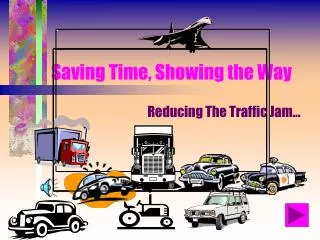
Saving Time, Showing the Way Reducing The Traffic Jam...
Finding a Way ….. with A Road Map P.L. Duffy Resource Centrehttp://www.students.trinity.wa.edu.au/library/default.htm Rosemary HortonTrinity College
The Pile to a Catalogue; the Net to a Plan • We wouldn’t give them just a pile of books • We give them a catalogue • We need to save them some time
Steps on a Journey • Searching • Choosing • Organising • Presenting • Evaluating
Searching • Finding Sites • Search Engines • Education Sites • Reviews • Serendipity
Searching : Search Engines • Search Engines • http://library.trinity.wa.edu.au//library/search.htm • Recommendations • Reading Help • Trying It Out Searching
Searching: Education Sites • Recommendations • Exploring • Happenstance • Listservs • Teachers and Education.http://library.trinity.wa.edu.au/teaching/teachers.htm Searching
Searching: Reviews • Subject Journals/magazines • Subject Websites • Eg English Websiteshttp://library.trinity.wa.edu.au//teaching/engteaching.htm Searching
Searching: Serendipity • Just Looking • Finding Something Else
Evaluating Web Sites • http://library.trinity.wa.edu.au//library/study/evaluating.htm Choosing • Accuracy, • Authority, Reliability • Objectivity, • Currency • Coverage • Appropriate • Right Level
Organising • Frontpage • Front Page Web Design • Structure • Navigation • Themes
Folder View Folder View
Navigation View Navigation View
Edit View Editing View
Presenting • Outline • Font Size • Pictures • Other Media
Evaluating • Is it used? • How is it used? • How can you make it faster? • How can you make it easier to navigate? • How do you keep up-to-date?
Conclusion Where do you go from here?