Enhance Workflow Efficiency with Business Central ERP
0 likes | 6 Vues
In todayu2019s competitive business landscape, efficiency is more than a buzzwordu2014itu2019s a necessity. Organizations constantly strive to streamline operations, reduce manual tasks, and enhance productivity. One powerful tool that can drive these goals is Business Central ERP. This cloud-based solution by Microsoft offers robust features to automate processes, improve data management, and boost overall workflow efficiency.


Enhance Workflow Efficiency with Business Central ERP
E N D
Presentation Transcript
Enhance Workflow Efficiency with Business Central ERP In today’s competitive business landscape, efficiency is more than a buzzword—it’s a necessity. Organizations constantly strive to streamline operations, reduce manual tasks, and enhance productivity. One powerful tool that can drive these goals is Business Central ERP. This cloud-based solution by Microsoft offers robust features to automate processes, improve data management, and boost overall workflow efficiency. What is Business Central ERP? Microsoft Dynamics 365 Business Central ERP is an all-in-one enterprise resource planning (ERP) solution designed for small to mid-sized businesses. It integrates various business functions such as finance, sales, inventory, supply chain, and project management into a single, unified platform. By connecting different departments, Business Central ERP eliminates data silos and promotes a seamless flow of information.
How Business Central ERP Enhances Workflow Efficiency? 1. Automation of Repetitive Tasks Manual tasks like data entry, invoice processing, and report generation can consume valuable time. Business Central ERP automates these processes, reducing manual errors and freeing up employees to focus on more strategic tasks. For instance, the system can automatically generate purchase orders when inventory levels hit a certain threshold. This automation not only saves time but also ensures that critical supplies are always in stock. 2. Streamlined Financial Management Financial management is often a complex and time-consuming process. With Business Central ERP, businesses can automate financial tasks such as bookkeeping, budgeting, and financial reporting. The platform provides real-time insights into financial performance, helping management make informed decisions quickly. Automated reconciliation and integrated financial data also reduce the risk of errors and improve accuracy. 3. Improved Inventory and Supply Chain Management For businesses dealing with physical goods, inventory management is crucial. Business Central ERP offers advanced inventory tracking features, including real-time updates, automated reordering, and demand forecasting. The system optimizes the supply chain by providing insights into stock levels, order statuses, and supplier performance. This ensures timely deliveries and minimizes stockouts or overstock situations, enhancing operational efficiency. 4. Enhanced Project Management When managing projects, efficiency is key to meeting deadlines and staying within budget. Business Central ERP offers robust project management tools that help businesses plan, execute, and monitor projects effectively.
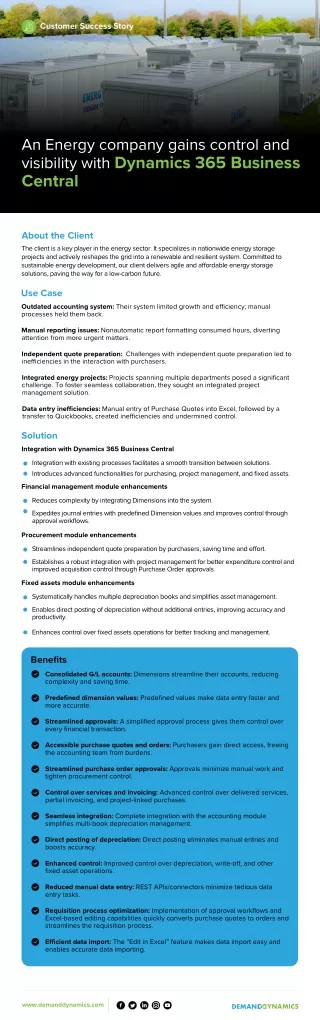
From resource allocation to budget tracking, the system provides managers with the insights needed to manage projects efficiently. Automated workflows also keep tasks on track and provide timely notifications of any delays or budget overruns. 5. Seamless Integration with Other Tools One standout feature of Business Central ERP is its ability to integrate seamlessly with other Microsoft tools such as Microsoft 365, Power BI, and Teams. This integration enhances collaboration and ensures that data flows smoothly across different platforms. For example, sales teams can easily pull up financial data within Excel, or project managers can track progress using Microsoft Teams without switching systems. This integrated approach reduces complexity and enhances productivity. Real-World Impact: A Quick Example A mid-sized retail business implemented Business Central ERP to manage its sales and inventory processes. Before implementation, the business struggled with manual data entry, slow sales reporting, and inventory discrepancies. After migrating from other ERPs to Business Central ERP, the company achieved: •30% increase in operational efficiency by automating sales and inventory processes. •Accurate sales forecasting, leading to better inventory management. •Improved financial reporting, reducing the monthly closing cycle by 50%. These improvements after Business Central Implementation not only boosted productivity but also helped the business save costs and enhance customer satisfaction. Is Business Central ERP Right for Your Business? If your organization faces challenges with manual workflows, data inaccuracies, or inefficient processes, Business Central ERP could be a game-changer. Its flexibility, scalability, and automation capabilities make it suitable for businesses across various industries, from retail and manufacturing to professional services and distribution.
Conclusion Efficiency is at the heart of business success. By implementing Business Central ERP, companies can automate routine tasks, improve process accuracy, and ensure a seamless flow of information across departments. The result is not just enhanced workflow efficiency but also a stronger foundation for growth and innovation. If you’re ready to take your business operations to the next level, now is the time to explore how Business Central ERP can transform your workflows and drive sustainable success.