Simplify Processes with Business Central Implementation
In todayu2019s fast-paced business environment, managing operations efficiently and staying ahead of competition are essential goals for any company. Whether you're a small business or an enterprise, integrating an all-in-one ERP solution can be the key to unlocking operational efficiency. Dynamics 365 Business Central Implementation helps businesses achieve this by streamlining processes, reducing manual tasks, and providing real-time insights across finance, sales, and operations.


Simplify Processes with Business Central Implementation
E N D
Presentation Transcript
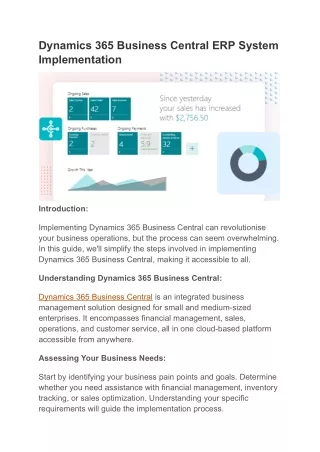
Simplify Processes with Business Central Implementation In today’s fast-paced business environment, managing operations efficiently and staying ahead of competition are essential goals for any company. Whether you're a small business or an enterprise, integrating an all-in-one ERP solution can be the key to unlocking operational efficiency.Dynamics 365 Business Central Implementation helps businesses achieve this by streamlining processes, reducing manual tasks, and providing real-time insights across finance, sales, and operations. What is Dynamics 365 Business Central? Dynamics 365 BCis a comprehensive cloud-based ERP solution from Microsoft that helps businesses manage financials, sales, supply chain, and operations. It offers a unified platform for managing day-to-day activities, providing actionable insights that help
businesses make informed decisions. However, to leverage its full potential, a Business Central Implementation process is critical. Why Choose Dynamics 365 Business Central Implementation? Implementing Dynamics 365 Business Central is an important step toward simplifying your business processes and achieving efficiency. Here’s how it can transform your operations: 1.Centralized Data Management By integrating all your business functions—finance, inventory, sales, and customer relationships—into one platform, you eliminate the need for disparate systems. This provides a centralized view of your business, ensuring that all departments work with up- to-date information. 2.Automated Workflows With Business Central, routine tasks such as order processing, invoicing, inventory tracking, and financial reconciliation can be automated. This significantly reduces the time spent on manual activities and lowers the risk of human error. 3.Real-Time Insights The platform offers powerful analytics and reporting tools that allow you to monitor performance in real-time. Whether it’s understanding your cash flow, tracking inventory levels, or analyzing sales trends, Dynamics 365 provides actionable insights that help with decision-making. 4.Scalability As your business grows, so too can Business Central. The solution is flexible and scalable, allowing you to add new features, integrate with other applications, or expand your operations without disruption. 5.Improved Collaboration Business Central enhances team collaboration by providing a unified platform where all team members have access to the same data and workflows. This enables quicker decision-making and improved communication across departments.
Key Stages in Dynamics 365 Business Central Implementation The implementation of Business Central is a structured process, ensuring that it is seamlessly integrated into your existing workflows. Here are the key stages: 1.Assessment and Planning The first step is a comprehensive analysis of your business processes, existing systems, and objectives. This helps in understanding what customizations are required and how Business Central can best be configured to meet your needs. 2.System Design and Customization Once the assessment is complete, the design and customization phase begins. This includes configuring modules, setting up workflows, and integrating with other business systems. This is the stage where Business Central is tailored to fit your specific business processes. 3.Data Migration Data migration is one of the most critical steps. It involves transferring data from legacy systems into Business Central, ensuring that the information is clean, accurate, and properly formatted. This phase ensures that all your historical data is accessible within the new system. 4.Testing and Training Before the solution goes live, it undergoes rigorous testing to ensure that everything functions as expected. During this phase, users are trained to understand the new system and how to use it efficiently. Adequate training is essential to ensure smooth adoption and minimize operational disruptions. 5.Go-Live and Support Once the system is fully configured and tested, it is deployed for daily use. However, post- implementation support is just as crucial. It’s important to have ongoing support to troubleshoot any issues and optimize the system further as your business evolves. Benefits of Business Central Implementation 1.Increased Efficiency
By automating manual processes and centralizing data, Business Central reduces the time your team spends on administrative tasks, allowing them to focus on more strategic activities. 2.Enhanced Accuracy With real-time data and automated processes, Business Central reduces human error and ensures that your operations run smoothly. 3.Cost Savings Streamlined workflows, better inventory management, and faster financial reporting result in significant cost savings. Additionally, with a cloud-based solution, you reduce IT maintenance costs. 4.Better Decision-Making The ability to access real-time, actionable data ensures that you make informed decisions based on accurate insights. Conclusion Dynamics 365 Business Central Implementation can be a game-changer for businesses looking to simplify their operations and stay ahead in the competitive market. The solution not only helps automate and streamline your processes but also provides a unified platform that offers real-time insights and scalability. If you're ready to take your business to the next level with Business Central, partnering with experienced consultants and implementation experts can ensure a smooth transition and maximum value from the platform. Simplify your business processes and drive efficiency with Dynamics 365 Business Central today.