Front-End Web Development by Tops Technology: Learn HTML, CSS & JS
Learn front-end web development with Tops Technology. Master HTML, CSS & JavaScript in 30 days through real projects to build strong coding & web design skills.


Front-End Web Development by Tops Technology: Learn HTML, CSS & JS
E N D
Presentation Transcript
Front-End Web Development in 30 Days Learn HTML, CSS & JavaScript with 10 Hands-On Projects by Tops Technology
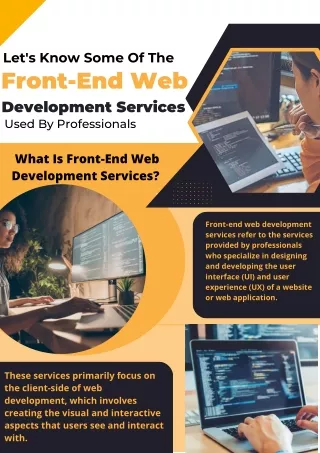
Introduction Front-End Web Development is the process of creating the visual and interactive parts of a website everything users see, click, or touch on the screen. It focuses on user interface (UI) and user experience (UX) design using web technologies. Front-end developers are responsible for turning ideas and designs into functional, responsive websites that work across different devices and browsers. Importance It’s the first impression of any website or web application. A well-designed front-end ensures easy navigation, speed, and user engagement. It helps businesses create brand identity and build trust with users.
Technologies Front-end development mainly uses three core technologies: 1. HTML (HyperText Markup Language): Defines the structure and content of a web page. 2. CSS (Cascading Style Sheets): Adds design, layout, colors, and animations to make the page look attractive. 3. JS(JavaScript ): Adds interactivity — such as form validation, pop- ups, sliders, and dynamic content.
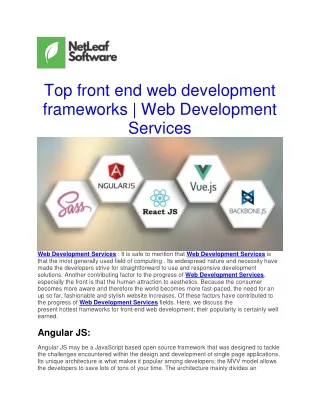
Frameworks and Libraries To speed up development and enhance features, developers often use: CSS Frameworks: Bootstrap, Tailwind CSS JavaScript Libraries: React.js, Vue.js Version Control Tools: Git & GitHub Future Scope Front-End Development offers numerous career opportunities such as: Front-End Developer UI/UX Engineer Web Designer JavaScript Developer
With constant innovation in web technologies, skilled front-end developers are always in demand in startups, agencies, and big tech companies. Set Up Before starting, you need a few essential tools: 1.Code Editor: Install Visual Studio Code — it’s free, powerful, and beginner-friendly. 2. Web Browser — Use Google Chrome or Firefox Developer Edition for testing your websites. 3. Extensions — Add helpful VS Code extensions like Live Server, Prettier, and Auto Rename Tag. 4. Version Control — Install Git and create a GitHub account to store and share your projects online.
Tip - Keep your workspace organized — create a dedicated folder for all your daily projects. Mindset Becoming a front-end developer takes practice, patience, and problem-solving : Stay consistent. Be curious. Learn by doing. Embrace challenges. Tip - Remember — consistency is more powerful than perfection.
Day 1: Introduction to Front-End & Setup Goal of the Day: Learn what front-end development is and set up your tools (VS Code, Chrome, Git). Checklist: • Watch a short intro video or read notes • Install and test VS Code • Create your first “Hello World” HTML file Tip: Keep a daily coding folder to save your progress. Day 2: HTML Basics – Page Structure Goal of the Day: Learn the structure of an HTML document and common tags. Checklist: • Learn <html>, <head>, <body> • Add headings, paragraphs, and line breaks • Practice creating simple pages Tip: Always close your tags properly.
Day 3: Links, Lists, and Images Goal of the Day: Learn to connect pages and add images. Checklist: • Practice <a>, <ul>, <ol>, <img> • Create navigation menus • Add external links and images Tip: Use relative paths for local images. Day 4: Forms and Inputs Goal of the Day: earn to collect user data using forms. Checklist: • Learn <form>, <input>, <label>, <select> • Create a feedback or contact form Tip: Always use <label> for better accessibility.
Day 5: Semantic HTML Goal of the Day: Understand semantic elements for SEO and accessibility. Checklist: • Practice <header>, <nav>, <section>, <footer> • Create a page layout using semantic tags Tip: Use semantic tags for better readability. Day 6: Introduction to CSS Goal of the Day: Learn how to style web pages with CSS. Checklist: • Practice inline, internal, and external CSS • Change colors, fonts, and backgrounds Tip: Use external CSS files for cleaner code.
Day 7: CSS Box Model & Selectors Goal of the Day: Learn spacing, margins, borders, and element targeting. Checklist: • Study the box model • Learn ID, class, and pseudo selectors Tip: Use DevTools to visualize box spacing. Day 8: Layouts with Flexbox Goal of the Day: Learn Flexbox for responsive layouts. Checklist: • Practice display: flex • Learn justify-content and align-items Tip: Use Flexbox Froggy to master alignment.
Day 9: CSS Grid Basics Goal of the Day: Learn the fundamentals of CSS Grid. Checklist: • Use grid-template-columns and rows • Design a grid-based photo gallery Tip: Combine Grid with Flexbox for powerful layouts. Day 10: Responsive Design & Queries Goal of the Day: Learn to create mobile-friendly designs. Checklist: • Study breakpoints and media queries • Test on different screen sizes Tip: Design for mobile first.
Day 11: CSS Transitions and Animations Goal of the Day: Learn how to add motion effects. Checklist: • Use transition and transform • Create hover animations Tip: Keep animations simple and smooth. Day 12: Mini Project Personal Homepage Goal of the Day: Build a simple homepage using HTML & CSS. Checklist: • Create sections for intro, skills, and contact • Apply all CSS basics Tip: Focus on clean structure and alignment.
Day 13: Introduction to JavaScript Goal of the Day: Understand what JavaScript is and where to use it. Checklist: • Write your first script using <script> • Use alert() and console.log() Tip: Test all code in the browser console. Day 14: Variables and Data Types Goal of the Day: Learn var, let, const, and data types. Checklist: • Practice numbers, strings, booleans • Try simple math operations Tip: Always use let and const instead of var.
Day 15: Operators and Conditions Goal of the Day: Learn basic operators and conditional logic. Checklist: • Use arithmetic and comparison operators • Practice if, else, switch Tip: Predict the output before running your code. Day 16: Loops Goal of the Day: how to repeat tasks efficiently. Checklist: • Practice for, while, and do-while loops • Use loops with arrays Tip: Always heck your loop condition to avoid infinite loops..
Day 17: Functions Goal of the Day: Learn basic operators and conditional logic. Checklist: • Write functions with parameters and return values • Call functions in events Tip: Name your functions clearly to reflect their purpose. Day 18: Arrays and Objects Goal of the Day: Work with collections of data. Checklist: • Create arrays and objects • Access and modify data Tip: Use console.log() to debug your data.
Day 19 : DOM Manipulation Goal of the Day: Learn to interact with HTML using JS. Checklist: • Use getElementById, querySelector • Change text, styles, and attributes dynamically Tip: Practice live editing in the console. Day 20 : Events in JavaScript Goal of the Day: Make websites interactive. Checklist: • Learn onclick, oninput, and event listeners • Create a button click event Tip: Use arrow functions for shorter syntax.
Day 21 : Form Validation Goal of the Day: Validate inputs using JS. Checklist: • Check empty fields and email format • Show alerts for errors Tip: Use regular expressions for advanced validation. Day 22 : Local Storage & JSON Goal of the Day: Save data in the browser. Checklist: • Learn localStorage.setItem() and getItem() • Use JSON to handle structured data Tip: Use it for small, local apps like notes or tasks.
Day 23 : ES6+ Features Goal of the Day: Learn modern JS syntax. Checklist: • Use arrow functions, template literals, destructuring • Replace older syntax with ES6+ Tip: Practice by rewriting your old code. Day 24 : Introduction to APIs Goal of the Day: Learn to fetch data from APIs. Checklist: • Use fetch() and promises • Display fetched data on a page Tip: Start with free APIs like JSONPlaceholder.
Day 25 : CSS Frameworks (Bootstrap / Tailwind) Goal of the Day: Speed up styling with frameworks. Checklist: • Learn grid system and components • Design a responsive layout Tip: Customize themes instead of using defaults. Day 26 : Version Control (Git & GitHub) Goal of the Day: Learn to manage and share your code. Checklist: • Install Git • Practice git init, add, commit, push Tip: Write meaningful commit messages.
Day 27 : Mini Project – To-Do List Goal of the Day: Build a small app combining HTML, CSS, JS. Checklist: • Add tasks, mark complete, delete tasks • Store data using Local Storage Tip: Focus on functionality first, design later. Day 28 : Final Project Portfolio Website Goal of the Day: Combine everything you’ve learned. Checklist: • Create homepage, projects, and contact section • Add animations and responsiveness Tip: Make it look professional — this goes in your resume!
Day 29 : Debugging & Testing Goal of the Day: Learn to find and fix errors. Checklist: • Use Chrome DevTools • Test on multiple browsers Tip: Debug systematically — one issue at a time. Day 30 : Revision & Showcase Goal of the Day: Review all topics and present your work. Checklist: • Revise key HTML, CSS, and JS concepts • Upload final project on GitHub / Netlify Tip: Create a video walkthrough of your portfolio to showcase online.
projects 1. Personal Portfolio Website Create a professional personal portfolio using HTML and CSS to showcase your skills and projects. 2. Resume / CV Webpage Build a digital resume with sections for education, experience, and contact details. 3. Product Landing Page Develop a modern landing page for a product or service using layout and call-to-action buttons. 4. Responsive Navigation Bar Create a responsive navbar that adjusts perfectly on all devices. 5. Simple Business Homepage Design a corporate-style homepage with header, hero section, and footer. 6. Login & Signup Form Validation (UI Only) Design clean authentication pages using modern UI design trends. 7. Calculator App Create a fully working calculator using JavaScript logic.
8. Quiz Application Create a multiple-choice quiz with scores and correct answer highlights. 9. Responsive Blog Website Create a blog layout with posts, categories, and responsive design. 10. Final Portfolio 2.0 (Complete Project) Combine all your skills (HTML, CSS, JS, API) to build a modern, interactive personal portfolio website.
? Visit Our Official Website ? www.tops-int.com Explore our latest Front-End, Full Stack, and IT Courses designed for beginners and professionals. ? Contact Us : +919974755006 ? Head Office: TOPS Technology Pvt. Ltd. 2, Shanti Sadan Society, Chimanlal Girdharlal Rd, Ellisbridge, Ahmedabad, Gujarat 380006 ? Email: info@tops-int.com ? Phone: +919974755006 ? Website: www.tops-int.com thank YOU