Download
1 / 9
90 likes | 202 Vues
This lesson covers essential skills for students in the ICT classroom, focusing on file management and school network protocols. Students will learn how to log onto the system, create folders, and send emails with attachments. Additionally, the session emphasizes the rules and expectations within the ICT environment, including respectful behavior, following instructions, and maintaining the classroom equipment. The lesson aims to foster digital literacy and responsible use of technology among students.

E N D
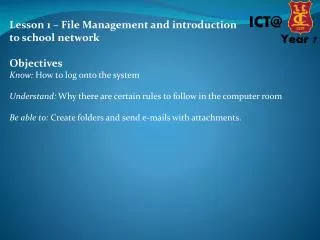
Lesson 1 – File Management and introduction to school network Objectives Know: How to log onto the system Understand: Why there are certain rules to follow in the computer room Be able to: Create folders and send e-mails with attachments.
Lesson 1 – File Management and introduction to school network RULES OF AN ICT CLASSROOM Rules of an ICT Classroom
Lesson 1 – File Management and introduction • to school network • Expectations in an ICT Classroom • Come in quietly and stand behind chairs • Listen when spoken to – do not talk when the teacher is talking • Listen when others are speaking. Respect other’s rights in this classroom • Following instructions at all time. • Focus on the task with the best of your ability • No Games or E-mail during lesson • Respect the equipment at all times - remember it is your classroom. • All homework in on time, no excuses • Make back-up copies of work at home • All work has a footer with name and class
Lesson 1 – File Management and introduction • to school network • How to log on. • What makes a good password?
Lesson 1 – File Management and introduction to school network Creating folders
Lesson 1 – File Management and introduction to school network Creating folders
Lesson 1 – File Management and introduction to school network Using the Email 1) How to access the e-mail system 2) How to create a new message. 3) Send a message to their neighbour. 4) Reply to the message.
Lesson 1 – File Management and introduction to school network Plenary: Can you name some rules for the computer room and expectations for lessons. Can you locate common programs e.g. Excel, PowerPoint etc.
Lesson 1 – File Management and introduction to school network Extension Sending attachments Write a couple of sentences about how they felt about coming to Crypt Save this document to their ICT folder. Send this document as an attachment as part of an email. Send their document to their neighbour. Ask their neighbour to open the attachment.