
Comprehensive Guide to Backup Systems
E N D
Presentation Transcript
Backup http://en.wikipedia.org/wiki/Backup
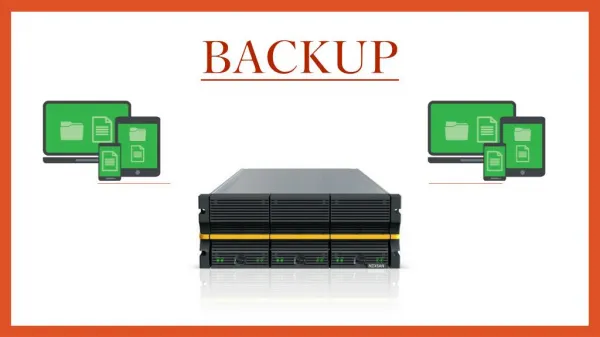
Backup • Backup refers to making copies of data • Copies may be used to restore the original after a data loss • Copies are typically called "backups" • Backups are useful primarily for two purposes: • Restore a computer to an operational state following a disaster (disaster recovery) • Restore small numbers of files after they have been accidentally (or deliberately) deleted or corrupted • Backups are typically that last line of defense against data loss • Consequently the least granular and the least convenient to use
Backup • Backup system contains at least one copy of all data worth saving • Data storage requirements can be considerable • Organizing this storage space and managing the backup process is can be a complicated undertaking • Data repository model can be used to provide structure to the storage • There are many different types of data storage devices that are useful for making backups • Many different ways in which these devices can be arranged to provide • geographic redundancy • data security • portability
Backup • Before data is sent to its storage location, it must be • Selected • Extracted • Manipulated • Many different techniques have been developed to optimize the backup procedure • Includes optimizations for dealing with • open files • live data sources • compression, encryption, and de-duplication
Backup • Many organizations and individuals try to have confidence that the process is working as expected and work to define measurements and validation techniques • It is also important to recognize the limitations and human factors involved in any backup scheme
Backup • Due to overlaps in technology, backups and backup systems are frequently confused with archives and fault-tolerant systems • Backups differ from archives: • archives are the primary copy of data • Originals no longer actively needed • backups are a secondary copy of data • Originals actively used • Backup systems differ from fault-tolerant systems • backup systems assume that a fault will cause a data loss event • fault-tolerant systems assume a fault will not
Storage The base of a backup system
Data repository models • Any backup strategy starts with a concept of a data repository • Backup data needs to be stored somehow • Needs to be organized to a degree • May be as simple as a sheet of paper • List of all backup tapes and the dates they were written • Usually need to be more sophisticated • Computerized index, catalog, or relational database • Different repository models have different advantages • Closely related to choosing a backup rotation scheme
Backup Rotation Schemes • Unstructured • An unstructured repository may simply be: • Stack of floppy disks or CD-R/DVD-R media • Minimal information about what was backed up and when • Easiest to implement • Probably the least likely to achieve a high level of recoverability
Backup Rotation Schemes • Full + Incrementals • Full + Incremental repository aims to make storing several copies of the source data more feasible • Initially, a full backup (of all files) is taken • Afterwards incrementalbackups can be taken • Only the files that have changed since the previous full or incremental backup • Restoring whole systems to a certain point in time requires: • Locating the full backup taken previous to that time • All the incremental backups taken between that full backup and the particular point in time to which the system is supposed to be restored • Offers a high level of security that something can be restored • Typically used with removable media such as tapes and optical disks • Downside: • Dealing with a long series of incrementals • Large storage media requirements
Backup Rotation Schemes • Full + Differential • Differs slightly from a full + incremental • After the full backup is taken • Each partial backup captures all files created or changed since the full backup • Even though some may have been included in a previous partial backup • Advantages: • Restore involves recovering only the last full backup and then overlaying it with the last differential backup • Less media • Less time to recover • Disadvantages: • Less granular recovery
Backup Rotation Schemes • Mirror + Reverse Incrementals • Similar to a Full + Incrementals repository • Instead of an aging full backup followed by a series of incrementals • Offers a mirror that reflects the system state as of the last backup and a history of reverse incrementals • One benefit of this is it only requires an initial full backup • Each incremental backup (change) is immediately applied to the mirror and the files they replace are moved to a reverse incremental • Model is not suited to use removable media • Every backup must be done in comparison to the mirror
Backup Rotation Schemes • Continuous data protection • Model takes the Mirror + Reverse a step further • Instead of scheduling periodic backups • System immediately logs every change on the host system • Generally done by saving byte or block-level differences • Rather than file-level differences • Differs from simple disk mirroring • Enables a roll-back of the log • Able to restore an old image of data
4 week rotation example • Full backup on Sunday at beginning of 4 week period • Incremental backup each Mon – Fri first week • Overwrite Mon – Fri following weeks • Only 6 tapes required • + Start of period always available • + Can restore to previous week • - Change between start and older than a week are lost
Another 4 week rotation- Keep Mondays for current month- Archive first of montha.k.a. Grandfather, Father, Son • First of month backups archived at end of month • Serves as long term backup • Each Monday backup kept • Tu-Fr backups overwritten next week • Can restore to: • First of month • First of week • Last day backup
Tower of Hanoi • Media set "A" is used every other backup session • Start Day 1 with "A" and repeat every other backup (every other day) • Media set "B" starts on the first non-"A" backup day • Repeats every fourth backup session • Media set "C" starts on the first non-"A" or non-"B" backup day • Repeats every eighth session • Media set "D" starts on the first non-"A," non-"B," or non-"C" backup day • Repeats every sixteenth session • Media set "E" alternates with media set "D" • Advantage to the Tower of Hanoi scheme: • For each new media set added to the rotation, the backup history doubles • Frequently used media sets have the most recent copies of a file • Less frequently used media retain older versions • This backup scheme can be difficult to keep track of manually • Generally done with the help of rotation schemes provided in backup software packages
Storage media • Regardless of repository model used: • Data has to be stored on some data storage medium somewhere
Tape backup Reel-to-reel Manual Cartridge Automated Robot
Storage media • Magnetic tape • Has long been the most commonly used medium for: • Bulk data storage • Backup • Archiving • Interchange • Tape historically: • Order of magnitude better capacity/price ratio when compared to hard disk • Recently the ratios for tape and hard disk have become a lot closer
Current LTO status ~$100 (2017)
Storage media • Magnetic tape • Myriad of formats • Many are proprietary or specific to certain markets • e.g. mainframes or a particular brand of personal computer • LTO seems to be the current favorite (open standard) • T10000 (Storage Tek) • TS series (IBM) • Tape is a sequential access medium • Access times may be poor • Especially random access • Rate of continuously writing or reading data can actually be very fast • Some new tape drives are even faster than modern hard disks (streaming)
Storage media • Hard disk • Capacity/price ratio of hard disk has been rapidly improving for many years • Making it more competitive with magnetic tape as a bulk storage medium • Main advantages of hard disk storage are low access times, availability, capacity and ease of use
Storage media • Hard disk • External disks can be connected via: • Local interfaces like SCSI, USB or FireWire • Longer distance technologies like Ethernet, iSCSI, or Fibre Channel • Some disk-based backup systems support data de-duplication which can dramatically reduce the amount of disk storage capacity consumed by daily and weekly backup data • e.g Virtual Tape Libraries
Storage media • Optical disc • Recordable CD/DVD/Blu-ray can be used as a backup device • Advantages of optical drives is that they can be restored on any machine with a commonly compatible drive • In addition, recordable CD's and DVD’s are relatively cheap • Blu-ray is getting there
Storage media • Optical disc • Many optical disk formats are WORM type • Makes them useful for archival purposes • Data can't be changed once written • Other rewritable formats can also be utilized • CDRW • DVD-RAM • BluRay Disks dramatically increase the amount of data possible on a single optical storage disk
Storage media • Solid state storage • Portable • Also known as flash memory, thumb drives, USB flash drives, CompactFlash, SmartMedia, Memory Stick, Secure Digital cards, etc. • These devices are relatively costly for their low capacity, but offer excellent portability, speed, and ease-of-use • Hard Drive replacement • Fast • Low power
Storage media - other • Floppy disk • During the 1980s and early 1990s, many personal/home computer users associated backup mostly with copying floppy disks • Low data capacity of a floppy disk makes it an unpopular and obsolete choice today
Storage media - other • Remote backup service • As broadband internet access becomes more widespread, remote backup services are gaining in popularity • Backing up via the internet to a remote location can protect against some worst-case scenarios such as fire, flood, earthquake or nuclear strike which would destroy any backups in the immediate vicinity along with everything else • Downsides: • Internet connections are typically much slower than the speed of local data storage devices • Can be a problem for people with large amounts of data • Risk associated with putting control of personal or sensitive data in the hands of a third party
Managing the data repository • Regardless of the data repository model or data storage media used for backups, a balance needs to be struck between • Accessibility • Security • Cost
Managing the data repository • On-line backup storage • Typically the most accessible type of data storage • Can begin restores in milliseconds • Example: an internal hard disk or a disk array (maybe connected to SAN). • Very convenient and speedy • But is typically relatively expensive • Vulnerable to being deleted or overwritten • By accident • In the wake of a data-deleting virus payload
Managing the data repository • Near-line • Typically less accessible and less expensive than on-line storage • Still useful for backup data storage • Example: a tape library with restore times ranging from seconds to a few minutes • A mechanical device is usually involved in moving media units from storage into a drive where the data can be read or written
Managing the data repository • Off-line • Similar to near-line • Requires human interaction to make storage media available • Can be as simple as storing backup tapes in a file cabinet • Typical media access time is more than an hour
Managing the data repository • Off-site vault • To protect against a disaster or other site-specific problem, many people choose to send backup media to an off-site vault • The vault can be: • Simple as the System Administrator’s home office -- or -- • Sophisticated as a disaster hardened, temperature controlled, high security bunker that has facilities for backup media storage
Managing the data repository • Backup site, Disaster Recovery Center (DR Center) • In the event of a major disaster, the data on backup media may not be sufficient to recover • Computer systems onto which the data can be restored and properly configured networks are necessary too • Some organizations have their own data recovery centers that are equipped for this scenario • Other organizations contract this out to a third-party recovery center • Note that because DR site is itself a huge investment, backup is very rarely considered preferred method of moving data to DR site • More typical way would be remote disk mirroring, which keeps the DR data as up-to-date as possible
Selection and extraction of file data • Deciding what to back up at any given time is non-trivial • Backing up too much or redundant data • Data repository will fill up too quickly • Waste time • Waste $$$ • Not backing up enough data • Critical information can get lost
Selection and extraction of file data • Key concept: only back up important files that have changed • Copying files • Copy the files to be backed up to another location • Typically uses the OS specific copy utility • Filesystem dump • Copy the filesystem that holds the files in question to another location • Usually involves unmounting the filesystem and running a program like dump • Also known as a raw partition backup. • Can run faster than a backup that simply copies files • Some dump software allows the restore specific files from the dump image
Selection and extraction of file data • Key concept: only back up important files that have changed • Identification of changes • Some filesystems have an archive bit for each file that says it was recently changed • Some backup software looks at the date of the file and compares it with the last backup, to determine whether the file was changed • Block Level Incremental • More sophisticated method of backing up changes to files is to only back up the blocks within the file that changed • Requires a higher level of integration between the filesystem and the backup software • Versioning file system • Keeps track of all changes to a file and makes those changes accessible to the user • Generally this gives access to any previous version, all the way back to the file's creation time • An example of this is the Wayback versioning filesystem for Linux
Selection and extraction of live data • If a computer system is in use while it is being backed up, the possibility of files being open for reading or writing can present a problem • If a file is open, the contents on disk may not correctly represent what the owner of the file intends • This is especially true for database files of all kinds
Selection and extraction of live data • When attempting to understand the logistics of backing up open files: • Backup process could take several minutes to back up a large file • To back up a file that is in use • It is vital that the entire backup represent a single-moment snapshot of the file? • Rather than a simple copy of a read-through • Represents a challenge when backing up a file that is constantly changing • Either the database file: • Must be locked to prevent changes • A method must be implemented to ensure that the original snapshot is preserved long enough to be copied, all while changes are being preserved. • Backing up a file while it is being changed, in a manner that causes the first part of the backup to represent data before changes occur to be combined with later parts of the backup after the change results in a corrupted file that is unusable, as most large files contain internal references between their various parts that must remain consistent throughout the file