SlideServe Logo
  • Browse
    • Recent Presentations
    • Recent Articles
    • Content Topics
    • Updated Contents
    • Featured Contents

    • PowerPoint Templates
    • Presentation
    • Article
    • Survey
    • Quiz
    • Lead-form
    • E-Book
  • Pro
  • Upload

Code area - PowerPoint PPT Presentation

Using SDA to Create Display Files

Using SDA to Create Display Files

Using SDA to Create Display Files. By Sally Tilstra 2003-2004. STRSDA, Enter. 1, Enter. Enter info for DDS code. 1 Opt, fill in a name for record. Press Enter. Work Screen Appears. Tips for using the workscreen. Use your scroll keys to move the cursor, not enter or backspace

★ ★ ★ ★ ★

868 views • 70 slides


Advanced Animation Techniques Part II

Advanced Animation Techniques Part II

Advanced Animation Techniques Part II. by Demetrios Halazonetis www.dhal.com. Using Macros for Animation. First create the object you wish to move. Then write a macro that moves the object. Add a custom action button on the slide.

★ ★ ★ ★ ★

662 views • 28 slides


AJAX for E-Business

AJAX for E-Business

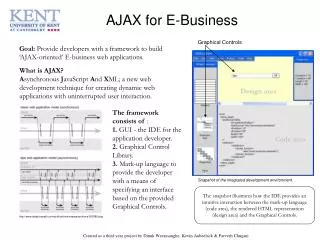
AJAX for E-Business. Graphical Controls. Goal: Provide developers with a framework to build ‘AJAX-oriented’ E-business web applications. What is AJAX?

★ ★ ★ ★ ★

162 views • 1 slides


View Code area PowerPoint (PPT) presentations online in SlideServe. SlideServe has a very huge collection of Code area PowerPoint presentations. You can view or download Code area presentations for your school assignment or business presentation. Browse for the presentations on every topic that you want.

  • English
  • Français
  • About
  • Privacy
  • DMCA
  • Blog
  • Contact
© 2026 SlideServe. All rights reserved