SlideServe Logo
  • Browse
    • Recent Presentations
    • Recent Articles
    • Content Topics
    • Updated Contents
    • Featured Contents

    • PowerPoint Templates
    • Presentation
    • Article
    • Survey
    • Quiz
    • Lead-form
    • E-Book
  • Pro
  • Upload

Graphics frames - PowerPoint PPT Presentation


Making Objects Visible in Indesign

Making Objects Visible in Indesign

Making Objects Visible in Indesign. To be visible, objects must be put into containers called frames. There are three types of frames: Text Graphics Unassigned (also called shapes). These frames are created using the tool panel. Text Frame. Graphics Frame. Unassigned Frame (Shape Frame).

★ ★ ★ ★ ★

218 views • 7 slides


Scenario – 21 st Century Celebrities

Scenario – 21 st Century Celebrities

Scenario – 21 st Century Celebrities. A celebrity will be making an appearance at KTC School fair. You are ask by the Head teacher to design a suitable Publications to advertise the KTC Summer Fair: Money raise will go towards a local Homeless Charity. Types of publications Design

★ ★ ★ ★ ★

164 views • 6 slides


Three-Quarter Fillable

Three-Quarter Fillable

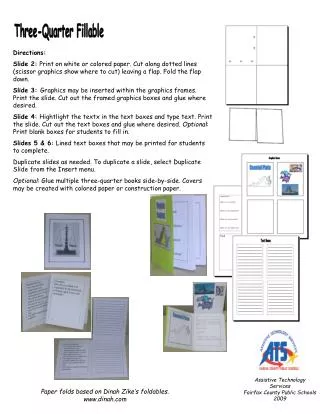
Assistive Technology Services Fairfax County Public Schools 2009. Three-Quarter Fillable. Directions: Slide 2: Print on white or colored paper. Cut along dotted lines (scissor graphics show where to cut) leaving a flap. Fold the flap down.

★ ★ ★ ★ ★

184 views • 6 slides


View Graphics frames PowerPoint (PPT) presentations online in SlideServe. SlideServe has a very huge collection of Graphics frames PowerPoint presentations. You can view or download Graphics frames presentations for your school assignment or business presentation. Browse for the presentations on every topic that you want.

  • English
  • Français
  • About
  • Privacy
  • DMCA
  • Blog
  • Contact
© 2026 SlideServe. All rights reserved