SlideServe Logo
  • Browse
    • Recent Presentations
    • Recent Articles
    • Content Topics
    • Updated Contents
    • Featured Contents

    • PowerPoint Templates
    • Presentation
    • Article
    • Survey
    • Quiz
    • Lead-form
    • E-Book
  • Pro
  • Upload

Trim video - PowerPoint PPT Presentation

Editing

Editing

Editing. Methods. Change the duration of video Split Video clip Trim Video clip Multi-trim editing Change playback speed Split/Insert Audio Reverse play back Save video frame as a picture. I. Split Video. Split a video clip into two clips. I. Split Video. Split the video clip by

★ ★ ★ ★ ★

440 views • 24 slides


Editing

Editing

Editing. Learning objectives. Able to change the duration of video Split Video clip Trim Video clip Multi-trim editing Able to change playback speed Able to reverse play back of a video clip Able to save video frame as a picture. I. Split Video. Split a video clip into two clips.

★ ★ ★ ★ ★

197 views • 18 slides


Mcafee.com/Activate

Mcafee.com/Activate

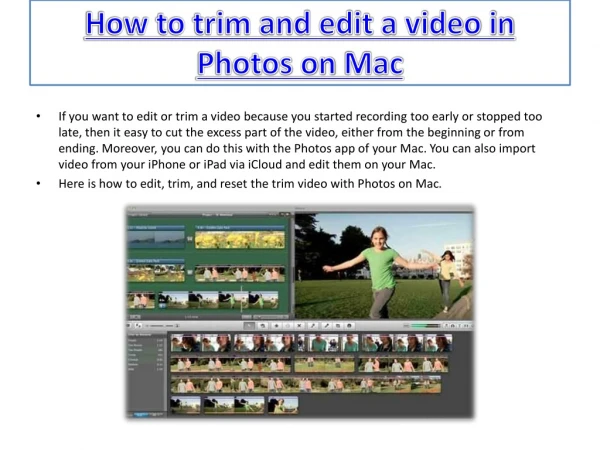
If you want to edit or trim a video because you started recording too early or stopped too late, then it easy to cut the excess part of the video, either from the beginning or from ending. Moreover, you can do this with the Photos app of your Mac. You can also import video from your iPhone or iPad via iCloud and edit them on your Mac.

★ ★ ★ ★ ★

48 views • 3 slides


View Trim video PowerPoint (PPT) presentations online in SlideServe. SlideServe has a very huge collection of Trim video PowerPoint presentations. You can view or download Trim video presentations for your school assignment or business presentation. Browse for the presentations on every topic that you want.

  • English
  • Français
  • About
  • Privacy
  • DMCA
  • Blog
  • Contact
© 2026 SlideServe. All rights reserved.