Essential Firewall Port Configurations for PlaceWare and Federated Servers v2.5
60 likes | 239 Vues
This guide outlines the necessary firewall port configurations for PlaceWare v2.5 and Federated Servers. For optimal operation, ensure that web server traffic flows through ports 80 or 443 (with 443 designated for secure connections). Audio traffic utilizes port 8084 for UDP and various optional ports for specific services, including Java RMI, HTTP forwarding, and H.323 call setup. Proper configuration allows seamless communication among servers and clients via specified TCP and UDP ports. For additional details, visit http://www.ezenia.com.


Essential Firewall Port Configurations for PlaceWare and Federated Servers v2.5
E N D
Presentation Transcript
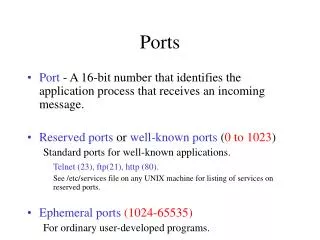
V2.5 Firewall Ports (Mandatory) Web Server: 80 or 443 One of these ports is TCP required. 443 is for secure (encrypted) web server. Audio: 8084 Only required when using UDP PlaceWare audio
V2.5 Firewall Ports (Optional) PlaceWare 8087 PlaceWare HTTP forwarding will be Server: TCP used to tunnel this traffic onto the web server port if 8087 is not available. Java RMI: 1099 RMI HTTP forwarding will be used to TCP tunnel this traffic onto the web server port if 1099 is not available.
V2.5 Federated Server Ports • Federated servers require clear, non-proxied traffic on port 8087. • Port 1521 (for direct database connections) has been eliminated.
V2.5 Firewall Ports (Optional) Sametime/NetMeeting/SunForumPort Packet Web Server 80 or 81 TCP [Depends on installation] Directory Information 389 TCP Web Server (Secure) 443 TCP SOCKS Proxy 1080 TCP T.120 Data Conferencing: 1503 TCP Server-to-Server 1516 TCP Client-to-Server 1533 TCP H.323 Call Setup: 1720 TCP Audio Call Control: 1731 TCP Java Application Sharing: 8081 TCP HTTP Tunneling: 8082 TCP Port Packet H.323 Call Control: Dynamic 1024-65535 TCP Audio Data: Dynamic 1024-65535 RTP/UDP Video Data: Dynamic 1024-65535 RTP/UDP These ports are only used in conjunction with NetMeeting and SunForum
More Information http://www.ezenia.com