Understanding Typed and UnTyped XML in SQL: Schema Creation and Data Validation
This guide explores the distinction between Typed and UnTyped XML in SQL database management. It details how to create tables allowing only specific XML formats, thereby ensuring data integrity. The concepts are illustrated through practical examples of schema creation for Typed XML, which enforces strict adherence to data types, and UnTyped XML, which permits a flexible range of formats. Learn how to generate XML schemas, handle insertion attempts, and manage validation errors to effectively utilize XML data in SQL environments.

Understanding Typed and UnTyped XML in SQL: Schema Creation and Data Validation
E N D
Presentation Transcript
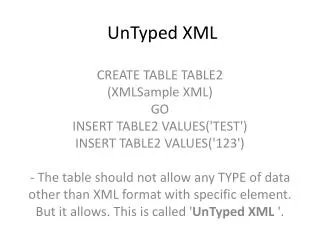
UnTyped XML CREATE TABLE TABLE2 (XMLSample XML) GO INSERT TABLE2 VALUES('TEST') INSERT TABLE2 VALUES('123') - The table should not allow any TYPE of data other than XML format with specific element. But it allows. This is called 'UnTyped XML '.
Create a schema to valide XML at update and insert time. • Typed XML : I create one Table with one column as XML datatype. It should allow only INTEGER type of data along with some specific XML Element. This is called 'Typed XML'.
Typed XML • We have to define a XML SCHEMA. CREATE XML SCHEMA COLLECTION IntegerInXMLSchema AS ' <schema xmlns="http://www.w3.org/2001/XMLSchema"> <element name=“OurElement" type="int"/> </schema>' GO
Thenwecreate the table with a specific type at the XML columns • CREATE TABLE TABLE2 (XMLTyped XML(IntegerInXMLSchema)) GO • Inserting this: INSERT TABLE2 VALUES('TEST') • Will give error: • - It will throw an Err Msg 6909, Level 16, State 1, Line 1 XML Validation: Text node is not allowed at this location, the type was defined with element only content or with simple content. Location: /
Typed XML • INSERT TABLE2 VALUES('<OurElement>123</OurElement>') • Will give result:(1 row(s) affected)