Understanding Wireless LAN: Configuration, Security, and Troubleshooting
210 likes | 381 Vues
This chapter explores the fundamental components and operations of wireless LAN topologies and security. It outlines various 802.11 wireless standards and discusses the appeal of wireless networks for small businesses. You will learn how to configure and verify basic wireless LAN access, troubleshoot client connectivity issues, and address common problems such as firmware discrepancies and RF interference. Additionally, security practices like implementing WPA2 and MAC address filtering are emphasized to safeguard wireless networks from potential threats.


Understanding Wireless LAN: Configuration, Security, and Troubleshooting
E N D
Presentation Transcript
Configure a Wireless Router LAN Switching and Wireless– Chapter 7
Objectives • Describe the components and operations of basic wireless LAN topologies. • Describe the components and operations of basic wireless LAN security. • Configure and verify basic wireless LAN access. • Configure and troubleshoot wireless client access.
Explain the Components and Operations of Basic Wireless LAN Topologies • Describe why wireless LANs are a popular choice for small business LAN implementations
Explain the Components and Operations of Basic Wireless LAN Topologies • Describe the 802.11 wireless standards
Explain the Components and Operations of Basic Wireless LAN Topologies • Describe the components of a 802.11-based wireless infrastructure
Explain the Components and Operations of Basic Wireless LAN Topologies • Describe how wireless networks operate
Explain the Components and Operations of Basic Wireless LAN Topologies • Describe how to plan a wireless LAN
Explain the Components and Operations of Basic Wireless LAN Security • Describe the threats to wireless LAN security
Explain the Components and Operations of Basic Wireless LAN Security • Describe the wireless protocols. The description will include a description of 802.1x, a comparison of WPA and WPA2 as well as comparison of TKIP and AES
Explain the Components and Operations of Basic Wireless LAN Security • Describe how to secure a wireless LAN from the key security threats
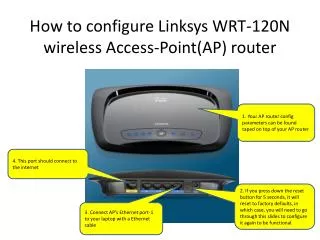
Configure and Verify Basic Wireless LAN Access • Configure a wireless access point
Configure and Verify Basic Wireless LAN Access • Configure a wireless NIC
Configure and Troubleshoot Wireless Client Access • Describe how to solve access point firmware issues
Configure and Troubleshoot Wireless Client Access • Describe how to solve incorrect channel settings
Configure and Troubleshoot Wireless Client Access • Describe how to solve common RF interference issues
Configure and Troubleshoot Wireless Client Access • Describe how to correct antenna misplacement
Configure and Troubleshoot Wireless Client Access • Describe how to solve the common problems associated with wireless LAN encryption types
Configure and Troubleshoot Wireless Client Access • Describe how to solve authentication problems associated with wireless LANs
Summary • Wireless LANs use standards such as • IEEE 802.11a • IEEE 802.11b • IEEE 802.11g • IEEE 802.11n • Basic Service set • Mobile clients use a single access point for connectivity • Extended service set • Multiple access point that share an SSID
Summary • WLAN security practices/methods include • MAC address filtering • SSID making • Implementing WPA2 • Configuration of wireless NIC and access point • Configure both of them the same way • SSID • Ensure that the latest firmware is installed • Troubleshooting WLANs include doing the following: • Check channel setting • Check for interference