Picture this: You’ve just moved into a temporary rental, an RV, or a cabin in a remote area. You need to work, stream, or connect with friends and family, but there’s no home internet provider available. What now? Is it possible to enjoy Wi-Fi without an internet provider?
The answer is yes! Wi-Fi doesn’t need a traditional ISP. With the right tools and setup, you can stay connected, share files, and stream content without paying for a home internet subscription. This guide will explore the best ways to get Wi-Fi without internet and practical solutions for staying online no matter the situation.
Why You Might Need Wi-Fi Without a Home Internet Provider?
Most people think Wi-Fi automatically means internet access, but that's not true. Wi-Fi is simply a local wireless network that allows devices to communicate with each other. You might want Wi-Fi without an internet provider in situations like these:
Remote living or travel: Stay connected in RVs, cabins, or temporary housing without a traditional ISP. Smart home control: Operate devices like cameras, lights, and thermostats over a local network. File sharing and gaming: Share files or play multiplayer games on a local area network (LAN). Backup or temporary access: Use the internet intermittently without subscribing to a full plan.
Understanding how to get Wi-Fi without the internet helps you stay connected wherever you are, whether online access is necessary or just nice to have.
1. Mobile Hotspots and Cellular Data
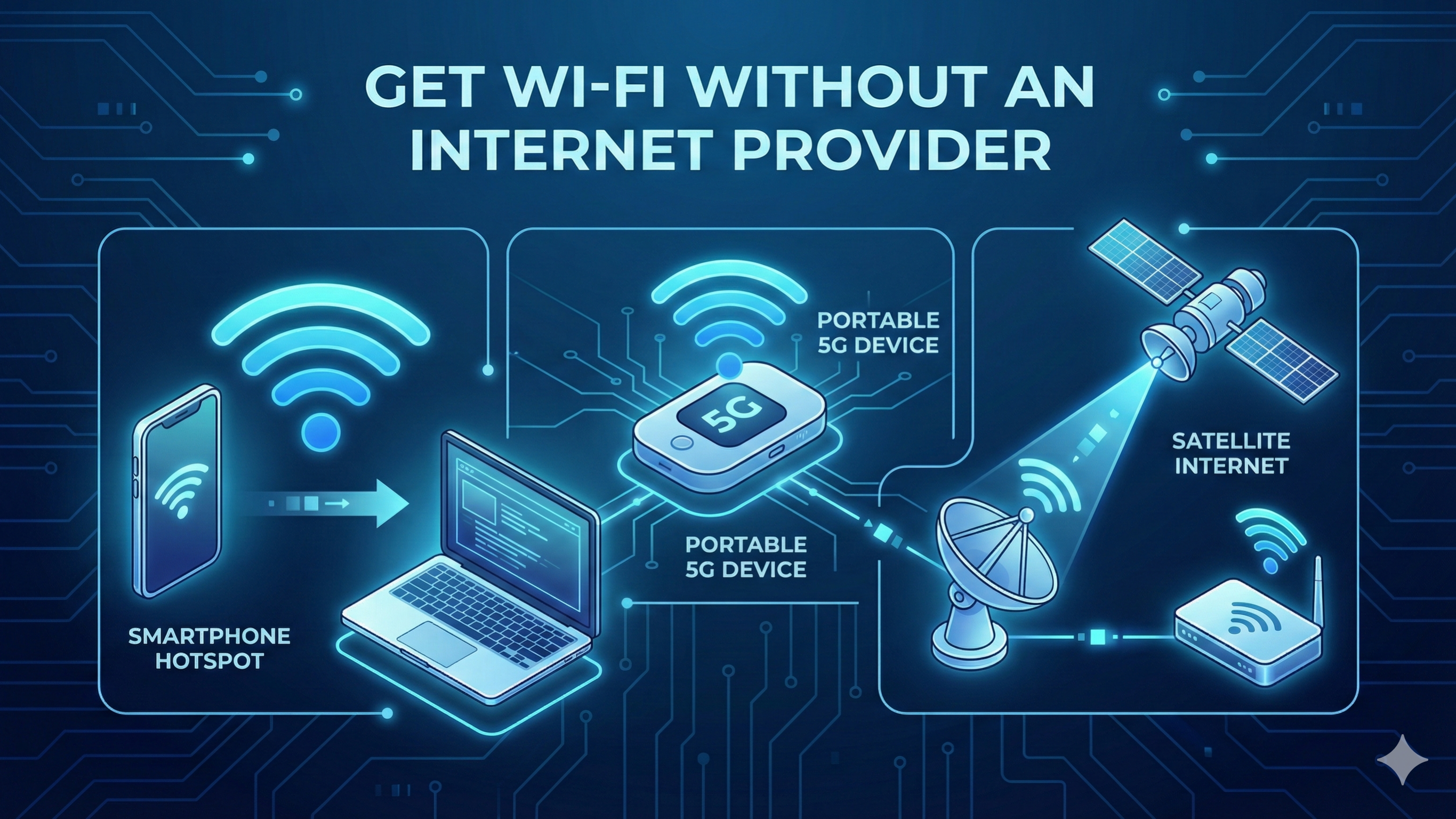
A mobile hotspot is one of the easiest ways to enjoy Wi-Fi without a home internet provider. Both smartphones and dedicated hotspot devices let you use cellular data to create Wi-Fi for multiple devices.
- How it works: Your device connects to a 4G or 5G cellular network and broadcasts the connection as Wi-Fi.
- Advantages: Portable, easy to set up, works almost anywhere with cellular coverage.
- Limitations: Your speed will depend on cellular signal strength. Data may be limited, and heavy usage can drain your device’s battery.
For more reliable coverage, dedicated cellular routers like UbiFi offer a strong Wi-Fi network. They're one of the best options for getting Wi-Fi without internet, especially for travelers and those living off the grid.
2. Satellite Internet Solutions
If you’re in a remote location with weak cellular coverage, satellite internet can provide Wi-Fi without an internet provider.
- How it works: A satellite dish communicates with orbiting satellites, providing internet connectivity that can then be shared as Wi-Fi.
- Advantages: Works in rural and off-grid areas, suitable for streaming, working remotely, and online communication.
- Limitations: Higher latency compared to cable or fiber, installation can be more complex, and subscription fees apply.
Satellite setups are great for RVs, cabins, or off-grid living, allowing you to create a reliable Wi-Fi network without traditional ISP infrastructure.
3. Offline Local Networks
Sometimes, you don’t need the internet at all. You can still have Wi-Fi without an internet provider by creating a local network among your devices.
- Use cases: Share files between laptops, tablets, or smartphones. Play multiplayer games on a LAN. Control smart home devices locally.
- How it works: A router or access point can create a Wi-Fi network. Devices can communicate with each other even without internet access.
Offline networks work best when connecting devices is more important than accessing the internet. This is a great way to get Wi-Fi without internet in homes, cabins, or RVs.
4. Public Wi-Fi Networks
Public Wi-Fi is another option for staying connected without a home internet provider. While it uses someone else’s ISP, you don’t need your own subscription.
- Examples: Cafes, libraries, hotels, coworking spaces
- Advantages: Convenient, free or low-cost, widely available in urban areas
- Limitations: Security risks, bandwidth may be limited, and connection reliability varies
Using a VPN when connected to public Wi-Fi helps protect your data, making it safer to access the internet without a personal ISP.
5. Device Tethering and Peer-to-Peer Sharing
You can also create Wi-Fi without a home internet provider by sharing connections between devices.
- Methods: Tether a laptop or tablet to a smartphone hotspot. Use Wi-Fi Direct or Bluetooth to connect devices directly.
- Benefits: Simple setup for a small number of devices, no need for a full network
- Limitations: Works best for local tasks like file sharing or gaming, not for full internet access
Tethering and peer-to-peer sharing can be especially useful for temporary setups or when only a few devices need connectivity.
6. Mesh Networks for Extended Coverage
Mesh networks provide a modern way to extend Wi-Fi across larger spaces without a home ISP.
- How it works: Multiple nodes work together to create a larger local network. Devices stay connected across different rooms or areas even without the internet.
- Advantages: Strong coverage for large homes, RVs, or cabins; great for smart home devices and local gaming
- Limitations: Internet access still requires cellular or satellite connectivity
Mesh networks are among the best ways to get Wi-Fi without internet, offering reliable local connectivity across multiple devices and spaces.
Conclusion
So, can you stay connected without a home internet provider? Absolutely. Options include mobile hotspots, satellite connections, offline networks, public Wi-Fi, device tethering, and mesh networks. There are many ways to enjoy Wi-Fi without an internet provider.
The key is to choose the solution that fits your situation. Whether you’re traveling, living off-grid, or just need a temporary setup, knowing how to get Wi-Fi without internet ensures that you can stay connected, productive, and entertained anywhere, without relying on a traditional ISP.
FAQs On Get Wi-Fi Without Internet
1. Can I have Wi-Fi without paying for a home internet provider?
Yes. You can create Wi-Fi using mobile hotspots, satellite internet, tethering, or offline local networks. These methods let you stay connected without subscribing to a traditional ISP.
2. How does offline Wi-Fi work?
Offline Wi-Fi creates a local network that connects devices without using the internet. It’s useful for tasks like file sharing, LAN gaming, and smart device control. However, you won’t be able to access online content.
3. Can I stream content on Wi-Fi without internet?
You can’t stream from online platforms without an internet connection. But offline Wi-Fi lets you stream movies, music, or files stored locally on your device or server. This works well for home media servers or downloaded content.
4. Are mobile hotspots faster than traditional home ISPs?
5G and high-quality LTE hotspots can be fast, sometimes matching home broadband speeds. However, speeds depend on network congestion, signal strength, and your mobile plan. Home ISPs generally offer more consistent speeds and unlimited data.
5. Is satellite Wi-Fi reliable in remote areas?
Yes, modern satellite internet works well in rural and off-grid locations. It provides stable connectivity when cable or fiber isn’t an option. Just keep in mind that latency may be higher compared to ground-based networks.