You’re in the middle of a match. Everything feels smooth; you’re focused, you’re winning; then suddenly, your screen stutters. Your character freezes. Your ping spikes. Just like that, it’s game over.
If this situation feels all too familiar, you might have asked yourself: “What internet speed is good for gaming?” More importantly, you may wonder: “Do I really need super-fast internet, or is something else causing the lag?”
These are great questions. Here’s the truth most internet providers won’t share: Gaming doesn’t need extremely high Mbps. What matters more is finding the right balance of speed, stability, and low latency. Once you grasp this balance, you can greatly improve your gaming performance, whether you’re in the city or using rural gaming internet. Let’s break it down simply.
So, What Is Considered a Good Internet Speed for Gaming?
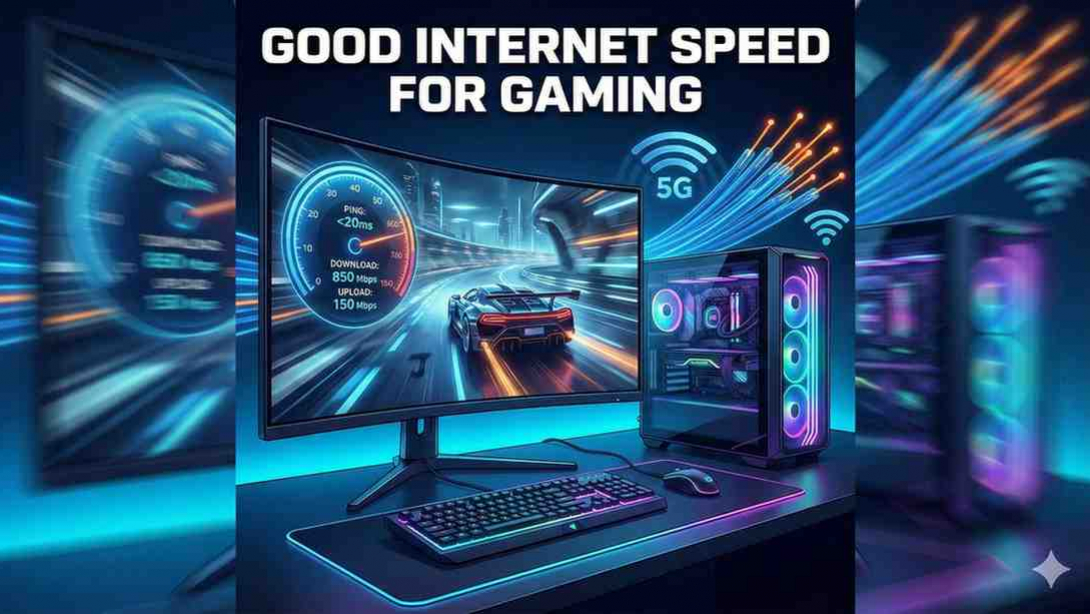
Most online games do not require huge download speeds. In fact, many work fine with 25 Mbps download and 5 Mbps upload. But that’s just the bare minimum. If you want smooth gameplay especially in fast-paced multiplayer games the recommended good internet speed for gaming is higher.
- 50–100 Mbps download
- 10–20 Mbps upload
- Ping under 30 ms (this is the real game-changer)
This combination gives you:
- Faster game updates
- Smoother online multiplayer
- Better voice chat
- Stable matchmaking
- Way fewer spikes and lag moments
And because the needs of each game vary, let’s break it down further.
Recommended Gaming Internet Speed by Game Type
Different genres demand different levels of performance.
FPS & Competitive Shooters (Fortnite, Call of Duty, CS2, Apex Legends)
These games rely heavily on timing and quick reactions. Ping and latency are more important than Mbps.
Recommended:
- 50–100 Mbps download
- 10+ Mbps upload
- Under 20–30 ms latency
Sports & Racing Games (FIFA, NBA 2K, Forza, Madden)
These don’t need insane speeds, but good stability matters.
Recommended:
- 25–50 Mbps download
- 10 Mbps upload
- Low latency
MMORPGs (World of Warcraft, Final Fantasy XIV, Elder Scrolls Online)
Gameplay uses more background data, especially in raids.
Recommended:
- 25–50 Mbps download
- 10 Mbps upload
- 30–50 ms latency
Cloud Gaming (Xbox Cloud, NVIDIA GeForce Now, Amazon Luna)
Cloud gaming streams gameplay like a video file, so it requires more speed.
Recommended:
- 40–100+ Mbps download
- 10–20 Mbps upload
- Consistent, low jitter
Mobile Gaming (PUBG Mobile, Free Fire, COD Mobile)
Mobile games need surprisingly little speed.
Recommended:
- 10–20 Mbps download
But they still need one thing: low-latency internet for gaming.
Download Speed vs Upload Speed: Which Matters More?
Many people think download speed is everything. While it’s important, download speed is just part of the picture.
For gamers, upload speed plays a bigger role than you think.
Upload speed affects:
- Player movement updates
- Voice chat with teammates
- Matchmaking data
- Input responsiveness
If you often have input delay, shots that don’t register, or lag spikes, your upload speed or latency is likely the problem. Aim for at least 10 Mbps upload. More is better if multiple gamers or streamers are sharing the connection in one house.
The Most Important Factor for Gamers: Latency (Ping)
Let’s be honest: You can have 500 Mbps internet and still lag so much you want to throw your controller. Why? Because Mbps is not the main factor for gaming. Latency is.
Ideal Latency Levels:
- 0–20 ms: Perfect for competitive gaming
- 20–50 ms: Very good
- 50–100 ms: Slight lag possible
- 100+ ms: Laggy
- 150+ ms: Nearly unplayable for fast games
If your games feel delayed, rubber-band, or freeze, the issue is latency, not speed. The type of internet connection you have greatly affects latency.
Best Internet Types for Gamers
Not all internet is the same. Some connections are great for gaming, while others aren’t as good.
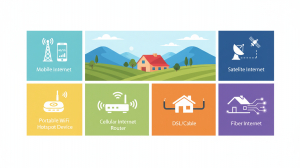
Fiber Internet
The absolute best internet for gamers.
- Very low ping
- Very stable
- Symmetrical speeds
- Handles multiple gamers easily
If you can get fiber, get it.
Cable Internet
- Good speeds
- Moderate latency
Great for 1–3 gamers in a home.
5G Home Internet
Amazing if you have strong coverage.
- Low latency
- Good speeds
- Highly competitive with cable
4G LTE Internet
This is a lifesaver for rural gaming internet users. With a good router + strong signal, LTE can offer:
- Reliable speeds
- Playable latency
- Stable connections
A dedicated LTE router (like MoFi or UbiFi-supported options) improves results massively.
Fixed Wireless
Decent, but latency varies.
Satellite Internet
Modern options are better, but still not ideal for competitive gaming due to higher latency. Good for casual gaming and downloads.
Gaming in Rural Areas: What Can You Expect?
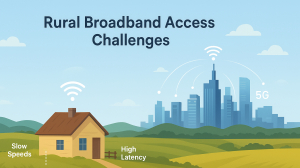
If you’re a gamer living in the countryside, you probably deal with:
- Slow speeds
- High latency
- Limited provider choices
- Spotty connections
But here’s the good news: You don’t need traditional broadband to game well anymore.
Top rural gaming internet options include:
- LTE home internet
- 5G routers
- Directional antennas
- Fixed wireless broadband
- Signal boosters
Rural players can absolutely achieve smooth, low-lag gaming with the right setup. Many rural gamers report latency under 40 ms with the right LTE equipment.
How to Improve Your Gaming Internet Speed (Easy Fixes)
Even if your internet isn’t perfect, small improvements can make a big difference.
1. Use Ethernet Instead of Wi-Fi
Nothing beats wired stability.
2. Move Your Router or Gaming Setup
Distance and walls cause major signal drops.
3. Restart Your Router Regularly
Clears congestion and refreshes your connection.
4. Disable Background Devices
Pause:
- Streaming
- Downloads
- Cloud backups
- Smart home devices
5. Update Router Firmware
This speeds up performance and security.
6. Use QoS (Quality of Service) Settings
Lets you prioritize gaming traffic.
7. Upgrade Your Router If It’s Old
Newer routers handle latency much better.
8. For LTE/5G Gamers: Improve Signal Strength
Use:
- External antennas
- MIMO antennas
- Signal boosters
These can reduce ping dramatically.
Final Answer: What Internet Speed Is Good for Gaming?
To play smoothly, without interruptions, aim for:
- 50–100 Mbps download
- 10–20 Mbps upload
- Under 30 ms ping
- Stable, low-latency connection
You don’t need gigabit internet. You don’t need the most expensive plan. You just need the right balance of speed, stability, and latency. Even rural gamers can enjoy a great experience with the right equipment.
FAQs About Gaming Internet Speed
1. What is a good internet speed for gaming?
50–100 Mbps download, 10+ Mbps upload, and ping under 30 ms.
2. Is 25 Mbps enough for gaming?
For casual gaming, yes. For competitive gaming, aim for 50+ Mbps.
3. Why is my ping high even with fast internet? Because ping is about latency—not speed. Routing, congestion, and connection type affect it.
4. Is 5G good for gaming?
Yes. 5G offers low latency and high speeds, often performing like fiber.
5. Is satellite internet good for gaming?
Not for competitive games. Latency is too high for shooters and fast-paced titles.