
SQL Syntax Error and Exception Handling in Doctrine Connection
This document outlines a critical issue encountered while executing a Doctrine database query in a PHP application. An uncaught exception of type 'Doctrine_Connection_Mysql_Exception' arises from a SQL syntax error, specifically a '1064' error code indicating an access violation. The problematic SQL statement includes a placeholder '?' in the WHERE clause of the query, which leads to failure when executed. Recommendations for troubleshooting and correcting SQL syntax issues in relation to your MySQL server version are discussed.

SQL Syntax Error and Exception Handling in Doctrine Connection
E N D
Presentation Transcript
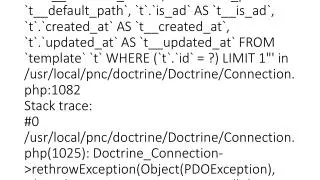
Notice: Trying to get property of non-object in /var/www/aoblaw.com/htdocs/themes/default/elements/helpers/global_generic.php on line 453 Fatal error: Uncaught exception 'Doctrine_Connection_Mysql_Exception' with message 'SQLSTATE[42000]: Syntax error or access violation: 1064 You have an error in your SQL syntax; check the manual that corresponds to your MySQL server version for the right syntax to use near '?) LIMIT 1' at line 1. Failing Query: "SELECT `t`.`id` AS `t__id`, `t`.`name` AS `t__name`, `t`.`machine_name` AS `t__machine_name`, `t`.`default_path` AS `t__default_path`, `t`.`is_ad` AS `t__is_ad`, `t`.`created_at` AS `t__created_at`, `t`.`updated_at` AS `t__updated_at` FROM `template` `t` WHERE (`t`.`id` = ?) LIMIT 1"' in /usr/local/pnc/doctrine/Doctrine/Connection.php:1082 Stack trace: #0 /usr/local/pnc/doctrine/Doctrine/Connection.php(1025): Doctrine_Connection->rethrowException(Object(PDOException), Object(Doctrine_Connection_Mysql), 'SELECT `t`.`id`...') #1 /usr/local/pnc/doctrine/Doctrine/Query/Abstract.php(976): Doctrine_Connection->execute('SELECT `t`.`id`...', Array) #2 /usr/local/pnc/doctrine/Doctrine/Query/Abstract.php(1026): Doctrine_Que in /usr/local/pnc/doctrine/Doctrine/Connection.php on line 1082 Notice: Trying to get property of non-object in /var/www/aoblaw.com/htdocs/themes/default/elements/helpers/global_generic.php on line 453 Fatal error: Uncaught exception 'Doctrine_Connection_Mysql_Exception' with message 'SQLSTATE[42000]: Syntax error or access violation: 1064 You have an error in your SQL syntax; check the manual that corresponds to your MySQL server version for the right syntax to use near '?) LIMIT 1' at line 1. Failing Query: "SELECT `t`.`id` AS `t__id`, `t`.`name` AS `t__name`, `t`.`machine_name` AS `t__machine_name`, `t`.`default_path` AS `t__default_path`, `t`.`is_ad` AS `t__is_ad`, `t`.`created_at` AS `t__created_at`, `t`.`updated_at` AS `t__updated_at` FROM `template` `t` WHERE (`t`.`id` = ?) LIMIT 1"' in /usr/local/pnc/doctrine/Doctrine/Connection.php:1082 Stack trace: #0 /usr/local/pnc/doctrine/Doctrine/Connection.php(1025): Doctrine_Connection->rethrowException(Object(PDOException), Object(Doctrine_Connection_Mysql), 'SELECT `t`.`id`...') #1 /usr/local/pnc/doctrine/Doctrine/Query/Abstract.php(976): Doctrine_Connection->execute('SELECT `t`.`id`...', Array) #2 /usr/local/pnc/doctrine/Doctrine/Query/Abstract.php(1026): Doctrine_Que in /usr/local/pnc/doctrine/Doctrine/Connection.php on line 1082
