Introduction to Linux Commands and Shells: Mastering User Command Execution
180 likes | 348 Vues
This guide introduces you to Linux commands and shells, essential tools for executing user commands. Explore various shell types like bash, sh, csh, tcsh, and ksh, and learn to format commands with options and arguments. Get familiar with crucial commands such as ls, cat, cp, and more for file management, process handling, and networking. Delve into I/O redirection and piping, allowing you to streamline command output. Additionally, discover the Windows command prompt and its basic functionalities.


Introduction to Linux Commands and Shells: Mastering User Command Execution
E N D
Presentation Transcript
Shells • Create processes that execute user commands. • bash • sh • csh • tcsh • ksh
Commands • Typically, programs. Format: $ command [command-options(s)] arguments … Some commands options have their own arguments. • Ex. ls –l *.dat fgrep –i foot f1.dat f2.dat f3.dat • Help is available. man ls
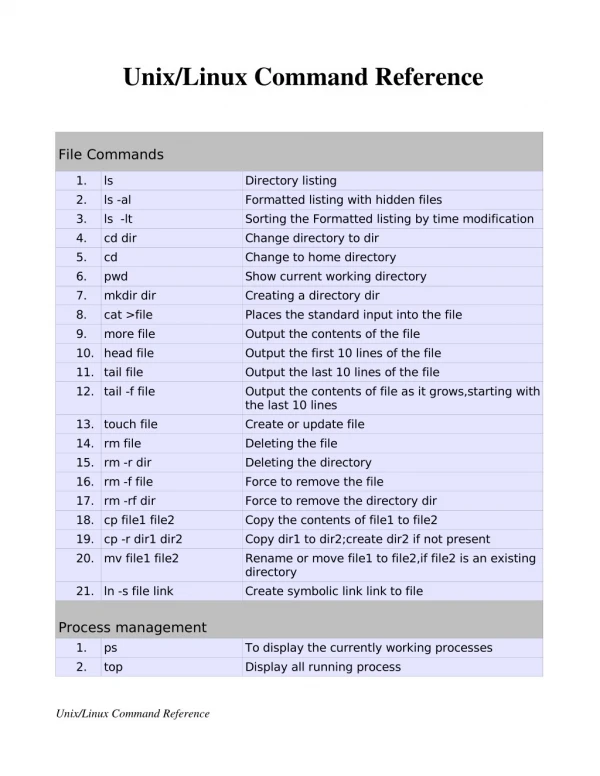
Categories • Files/file system • Processes • Networking • Program development • Misc.
cat cd chmod cp fgrep find gzip/gunzip head ls mkdir more mv od pwd rm tail tar wc Files/file system
Processes • & • ctrl-z, bg, fg • kill • nice, renice • ps • top
Networking • ftp • hostname • ping • ssh • traceroute
Program development • g++ • gdb • gprof • make • sccs, cvs • talk • vi
Misc. • date • echo • exit • history • man • sort • which • who • whoami
Pipes and I/O redirection • Programs (including commands) typically read from stdin (typically the keyboard) and write to stdout (typically the screen/window).
Input redirection • Input redirection is used to make input come from a file. sort 12 1 19 ctrl-d sort < junk.data sort junk.data
Output redirection • Output redirection is used to make output go to a file. sort junk.data sort junk.data > junk-sorted.data
Pipes • Chain the output of one program to the input of another. • Ex. fgrep –i xray f1.dat f2.data … fn.dat | more ls -l | fgrep –i chest | fgrep –i xray > results.txt
Windows • Windows has a rudimentary shell called the command prompt. • It supports pipes and I/O redirection as well (using the exact same characters: |, <, and >).