Comprehensive Overview of Customer TRAC: Tracking Requests & Automated Communication
The Customer TRAC system provides an efficient method for clients to track change requests (CRs) and receive updates through various channels, including eCare and automatic emails. Customers can monitor the status of CRs for key products like NNM, OmniBack, and Service Assurance. With a mechanism for feedback, decisions are communicated within a maximum of 90 days. Customers can register for email notifications regarding updates on specific requests. For further assistance, please contact ov.changerequests@hp.com.

Comprehensive Overview of Customer TRAC: Tracking Requests & Automated Communication
E N D
Presentation Transcript
Customer TRAC Tracking Requests& Automated Communication TRAC - Tracking Requests & Automated Communication
Customer TRAC Overview • Customers will receive status on change requests (CRs) via: • eCare, the OV support portal • Automatic email messages • Available for key products including: • NNM • OmniBack • OVO/OVOW • Service Assurance • Service Desk • GlancePlus Pak TRAC - Tracking Requests & Automated Communication
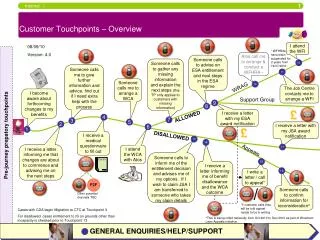
4 CR Lifecycle via the eCare Portal 3 Decision Messages communicated to customer In Plan Customer initiates CR 1 2 Lab conducts CR review process No Released Duplicate Work- around 5 Customer Feedback Mechanism Customer TRAC Process Model TRAC - Tracking Requests & Automated Communication
Customer TRAC Explained • Customer email address is captured when the change request is submitted • Email status messages sent when decision is yes or no, and when there is a solution or workaround. • Ability for customers to check status anytime over the web. • Customer can provide feedback electronically to HP and be guaranteed a rapid response. • A Yes or No decision should be provided within 90 days at maximum. TRAC - Tracking Requests & Automated Communication
Customer TRAC-Checking Status • Start athttp://openview.hp.com/sso/ecare/keyword • Select appropriate product, version and O.S. from pull down. • Select ‘known problems’ • Enter CR ID or description • Click the ‘Search’ button TRAC - Tracking Requests & Automated Communication
Customer TRAC – Checking Status Double Click on selected CR to get status. Text status of CR. Link to email registration. Graphic representation of state. State definitions. TRAC - Tracking Requests & Automated Communication
Customer TRAC- Registering for Email Notifications Do I need to register? Only customers that have not had a request submitted on their behalf need to register for notifications. This feature allows customers to be notified when another change request of interest is updated. TRAC - Tracking Requests & Automated Communication
Customer TRAC- Registering for Email Notification • Once you have clicked on “email me when this problem is resolved” • Select appropriate platform(s) you are interested in. • Select ‘register’ TRAC - Tracking Requests & Automated Communication
Customer TRAC- Registering for Email Notification Once you have created a hp passport ID. it can be used for easier access when returning to our support site. - Follow the directions to register or provide your existing passport ID. TRAC - Tracking Requests & Automated Communication
Customer TRAC- Registering for Email Notification Once registered – the Customer TRAC system will email you as decisions are made regarding the request. TRAC - Tracking Requests & Automated Communication
Customer TRAC- Managing your Email Notifications Once registered – you can delete or add new registrations. TRAC - Tracking Requests & Automated Communication
If you have any questions or feedback concerning this process, please email: ov.changerequests@hp.com