
Visual Unpacking Routine for Kids: Manage Tasks with Icons
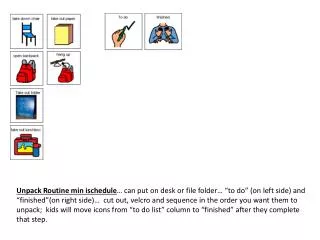
This unpacking routine is designed to help children manage their tasks effectively using a simple visual system. The icons can be placed on a desk or file folder, divided into two columns: "To Do" on the left and "Finished" on the right. Kids can cut out, Velcro, and sequence the icons in the order they prefer, moving them from the "To Do" list to the "Finished" column after completing each task. This encourages independence and helps them track their progress in a fun and engaging way.

Visual Unpacking Routine for Kids: Manage Tasks with Icons
E N D
Presentation Transcript
Unpack Routine min ischedule… can put on desk or file folder… “to do” (on left side) and “finished”(on right side)… cut out, velcro and sequence in the order you want them to unpack; kids will move icons from “to do list” column to “finished” after they complete that step.
