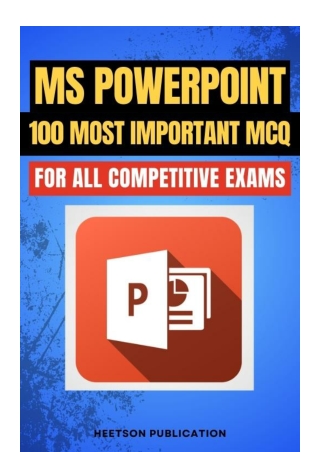
MS PowerPoint MCQ (Microsoft Power Point Question)
0 likes | 3 Vues
PowerPoint MCQ. MS Power Point Questions and answers pdf for competitive exams. Microsoft ppt Multiple choice objective type MCQs.


MS PowerPoint MCQ (Microsoft Power Point Question)
E N D
Presentation Transcript
1. Which contains miniature representation of slides?/ ककसमें स्लाइड्स के छोटे चित्र होते हैं? [ITI COPA 2023] A Slides B Handout C Template D Slide master Ans. b 2. Which button is used to add instant animation to the presentation and helps interactive presentation?/ प्रस्तुचत में त्वररत एनीमेशन जोड़ने और इंटरैचटटव प्रेजेंटेशन में मदद करने के चलए कौन सा बटन उपयोग होता है? A Add button B Start button C Insert button D Action button Ans. d" 3. Which tool allows user to select different layout for slide?/ कौन सा टूल यूज़र को स्लाइड के चलए अलग लेआउट िुनने की अनुमचत देता है? A Apply design B Bullets C New slide D Slide Layout Ans. a" "4. Which shortcut key is used to create new presentation in PowerPoint?/ PowerPoint में नई प्रस्तुचत बनाने के चलए कौन सा शॉटटकट की उपयोग होती है? Ans. Ctrl + N 5. How many panes are there in backstage view in PowerPoint 2010?/ PowerPoint 2010 के बैकस्टेज व्यू में ककतने पेन होते हैं? [IBPS PO 2018] A 3 B 5 C 7 D 9 Ans. a 6. Which menu is used to apply various effects to the text in a slide?/ स्लाइड में टेटस्ट पर चवचभन्न प्रभाव लागू करने के चलए कौन सा मेन्यू उपयोग होता है? [ITI COPA 2023] A Animation B Design C Transitions D Slide show Ans. a 7. Which menu is used to apply various visual effects to the slide in PowerPoint?/ PowerPoint में स्लाइड पर चवचभन्न दृश्य प्रभाव लागू करने के चलए कौन सा मेन्यू उपयोग होता है? [IBPS Specialist Officer 2018] A Animation B Design C Slide show D Transitions Ans. d 8. Which menu is used to select a predefined chart style?/ पूवटचनधाटररत िाटट स्टाइल िुनने के चलए कौन सा मेन्यू उपयोग होता है? A Animation B Design C Slide show D Transitions Ans. b
9. Which template specifies common design elements in all slides in the presentation?/ कौन सा टेम्पलेट प्रस्तुचत की सभी स्लाइड्स में सामान्य चडजाइन तत्व चनर्ददष्ट करता है? A Fax template B User template C Data template D Master template Ans. d 10. Which shortcut key is used to invoke thesaurus dialog box in PowerPoint?/ PowerPoint में थीसॉरस डायलॉग बॉटस खोलने का शॉटटकट की कौन सा है? Ans. Shift + F7 11. Which option is used to create a presentation automatically in PowerPoint?/ PowerPoint में प्रस्तुचत स्विाचलत रृप से बनाने के चलए कौन सा चवकल्प उपयोग होता है? A Template B Blank Presentation C Auto content wizard D Standard test bar Ans. c" 12. Which holder holds text, title and picture in PowerPoint?/ PowerPoint में कौन सा होल्डर टेटस्ट, टाइटल और चित्र रखता है? [ITI COPA 2022] A Content Holder B Image Holder C Place Holder D Slide Holder Ans. c" 13. Which option is used to insert the related hints of a slide?/ स्लाइड के संबंचधत नोट्स डालने के चलए कौन सा चवकल्प है? A Note Master B Presentation Master C Slide Master D Hints Master Ans. a" 14. Which combination of key is used to select all slides from current slide to first slide?/ वतटमान स्लाइड से पहली स्लाइड तक सभी स्लाइड्स िुनने के चलए कौन सा कुंजी संयोजन उपयोग होता है? A Alt + Home B Ctrl + Home C Shift + Home D Tab + Home Ans. c" 15. Which option is used to display the selected slides only for presentation?/ केवल ियचनत स्लाइड्स को प्रेजेंटेशन के चलए कदखाने के चलए कौन सा चवकल्प है? A From Beginning B From current slide C Broadcast slide show D Custom slide show Ans. d 16. Which one of the following is an effect option in PowerPoint presentation?/ चनम्न में से कौन सा PowerPoint प्रस्तुचत में इफेटट ऑप्शन है? A Diamond B Fade C Push D Reveal Ans. a"
17. Which combination of key is used to show the laser pointer during slide show?/ स्लाइड शो के दौरान लेज़र प्वाइंटर कदखाने के चलए कौन सा कुंजी संयोजन है? A) Alt + left mouse button/ Alt + बायााँ माउस बटन B) Alt + right mouse button/ Alt + दायााँ माउस बटन C) Ctrl + left mouse button/ Ctrl + बायााँ माउस बटन D) Ctrl + right mouse button/ Ctrl + दायााँ माउस बटन Ans. c" 18. The MS office tool used for preparation of presentations is called _______./ प्रस्तुचत बनाने के चलए उपयोग होने वाला एमएस ऑकफस टूल टया कहलाता है? Ans. MS PowerPoint 19. The command to invoke PowerPoint from command line is _____./ कमांड लाइन से PowerPoint खोलने के चलए कमांड टया है? Ans. powerpnt 20. The default extension for a presentation prepared in PowerPoint contained in MS Office version 2007 or later is ______./ MS ऑकफस 2007 या बाद के संस्करण में बनाए गए प्रेजेंटेशन की चडफॉल्ट एटसटेंशन टया है? Ans. .pptx 21. The default extension for a presentation prepared in PowerPoint contained in MS Office version 2003 or earlier is ______./ MS ऑकफस 2003 या पहले के संस्करण में बनी प्रस्तुचत की चडफॉल्ट एटसटेंशन टया है? Ans. .ppt 22. PowerPoint is suitable for creating ______ presentations./ PowerPoint चनम्नचलचखत में से ककस प्रकार की प्रस्तुचत बनाने के चलए उपयुक्त है? (a) business (b) educational (c) strategic (military) (d) all of them Ans. d 23. PowerPoint may be started using ____/PowerPoint शुरृ करने के चलए कौन सा तरीका इस्तेमाल ककया जा सकता है? (a) Start>All Apps>Microsoft Office>Microsoft PowerPoint/ शुरृ करें> सभी ऐप्स> माइक्रोसॉफ्ट ऑकफस> माइक्रोसॉफ्ट पावरपॉइंट (b) Pressing Windows+R, typing "powerpnt" and pressing enter/ ववडोज+R दबाएं, "powerpnt" टाइप करें और एंटर करें (c) both a & b (d) none of them Ans. c" 24. Delivering information through PowerPoint helps _____./ PowerPoint के माध्यम से जानकारी देने से ककस िीज़ में मदद चमलती है? (a) to keep the attention of audience/ दशटकों का ध्यान बनाए रखना (b) to create a collaborative environment/ सहयोगी माहौल बनाना (c) permits the speaker to maintain the flow of information/ वक्ता को सूिना के प्रवाह को बनाए रखने की अनुमचत देता है (d) all of them Ans. d 25. Creating a presentation in PowerPoint helps to share the information with those who _______ the direct session./ PowerPoint में प्रस्तुचत बनाकर जानकारी ककसके साथ साझा की जाती है? (a) who could attend/ जो उपचस्थत हो सके (b) who could not attend/ जो उपचस्थत नहीं हो सके (c) who become interested to know the information after completion of/ जो प्रस्तुचत समाचि के बाद जानकारी जानने में रूचि रखते हैं (d) all of them Ans. d
26. PowerPoint helps to create a mix of _______ to make the presentation lively and interesting./ PowerPoint प्रस्तुचत को जीवंत और रोिक बनाने के चलए ककस िीज़ों का चमश्रण बनाने में मदद करता है? (a) audio/video (b) text/table/lists/ टेटस्ट/ताचलका/सूचियां (c) images/graphs/ चित्र/ग्राफ (d) all of them Ans. d "27. PowerPoint can help to deliver content over ______./ PowerPoint कंटेंट को ककसके माध्यम से चवतररत करने में मदद करता है? [Bihar Secondary Teacher Computer Science 2024] (a) web (b) email (c) social media (d) all of them Ans. d" "28. New presentation in PowerPoint can be created using _____./ PowerPoint में नई प्रस्तुचत ककसके माध्यम से बनाई जा सकती है? [Bihar Secondary Teacher 2023] (a) File>New (b) Ctrl + N (c) both a & b (d) none of them Ans. c" "29. On choosing File>New, _____ can be chosen to start the presentation./ फाइल>नई िुनने पर प्रस्तुचत शुरृ करने के चलए टया िुना जा सकता है? [KVS Stenographer 2023] (a) Blank Presentation (b) Themes (c) either a or b/ या तो a या b (d) none of them/ इनमें से कोई नहीं Ans. c" 30. In PowerPoint, slide styles may be chosen from ______ menu./ PowerPoint में स्लाइड स्टाइल्स ककस मेन्यू से िुने जा सकते हैं? [UP PGT 2021] (a) Design>Themes (b) Home>Font (c) Home>Slides (d) Home>Paragraph Ans. a 31. In PowerPoint, font for presentation may be chosen from ______ menu./ PowerPoint में प्रस्तुचत के चलए फॉन्ट ककस मेन्यू से िुना जा सकता है? (a) Design>Themes (b) Home>Font (c) Home>Slides (d) Home>Paragraph Ans. b" "32. In PowerPoint, new slide, slide layout, slide reset and slide sectioning may be chosen from ______ menu./ PowerPoint में नई स्लाइड, स्लाइड लेआउट, स्लाइड रीसेट और स्लाइड सेटशवनग ककस मेन्यू से िुना जा सकता है? (a) Design>Themes (b) Home>Font (c) Home>Slides (d) Home>Paragraph Ans. c"
"33. In PowerPoint, paragraph style for presentation may be chosen from ______ menu./ PowerPoint में प्रस्तुचत के चलए पैराग्राफ स्टाइल ककस मेन्यू से िुना जा सकता है? (a) Home>Drawing (b) Home>Font (c) Home>Slides (d) Home>Paragraph Ans. d" "34. In PowerPoint, drawing for use in the presentation may be created using _______ menu./ PowerPoint में प्रस्तुचत के चलए ड्राइंग ककस मेन्यू से बनाई जा सकती है? (a) Home>Drawing (b) Home>Font (c) Home>Slides (d) Home>Paragraph Ans. a" 35. In PowerPoint, table can be inserted using _____ menu./ PowerPoint में टेबल ककस मेन्यू से डाली जा सकती है? (a) Insert>Tables (b) Insert>Images (c) Insert>Illustrations (d) Insert>Links Ans. a" "36. In PowerPoint, images like picture from file, clipart and photo albums can be inserted using ________ menu./ PowerPoint में फाइल से चित्र, चटलपआटट और फोटो एल्बम्स ककस मेन्यू से डाले जा सकते हैं? (a) Insert>Tables (b) Insert>Images (c) Insert>Illustrations (d) Insert>Links Ans. b" "37. In PowerPoint, geometric shapes, hyperlink and action link can be inserted using _____ menu./ PowerPoint में ज्याचमतीय आकार, हाइपरवलक और एटशन वलक ककस मेन्यू से डाले जा सकते हैं? (a) Insert>Tables (b) Insert>Images (c) Insert>Illustrations (d) Insert>Links Ans. d" "38. In PowerPoint, geometric shapes, smart art and chart can be inserted using ______ menu./ PowerPoint में ज्याचमतीय आकार, स्माटट आटट और िाटट ककस मेन्यू से डाले जा सकते हैं? (a) Insert>Tables (b) Insert>Images (c) Insert>Illustrations (d) Insert>Links Ans. c" "39. In PowerPoint, textbox, header & footer, word art, date & time, slide number and text objects from other applications can be inserted using ______ menu./ PowerPoint में टेटस्टबॉटस, हेडर & फुटर, वडट आटट, कदनांक & समय, स्लाइड नंबर और अन्य एचप्लकेशन से टेटस्ट ऑब्जेटट्स ककस मेन्यू से डाले जा सकते हैं? (a) Insert>Tables (b) Insert>Text (c) Insert>Symbol (d) Insert>Media Ans. b"
"40. In PowerPoint, equations and mathematical symbols can be inserted using_____ menu./ PowerPoint में समीकरण और गचणतीय प्रतीक ककस मेन्यू से डाले जा सकते हैं? (a) Insert>Tables (b) Insert>Text (c) Insert>Symbol (d) Insert>Media Ans. c" "41. In PowerPoint, media objects like video and audio can be inserted using ______ menu./ PowerPoint में मीचडया ऑब्जेटट जैसे वीचडयो और ऑचडयो ककस मेन्यू से डाले जा सकते हैं? (a) Insert>Tables (b) Insert>Text (c) Insert>Symbol (d) Insert>Media Ans. d" "42. In PowerPoint, page setup and slide orientation may be controlled using _______ menu./ PowerPoint में पेज सेटअप और स्लाइड ओररएंटेशन ककस मेन्यू से चनयंचत्रत ककए जा सकते हैं? (a) Design>Page Setup (b) Design>Themes (c) Insert>Colors (d) Insert>Fonts Ans. a" "43. In PowerPoint, slide transition effects may be controlled using ______ menu./ PowerPoint में स्लाइड ट्ांचजशन इफेटट्स ककस मेन्यू से चनयंचत्रत हो सकते हैं? (a) Design>Effects (b) Design>Themes (c) Insert>Colors (d) Insert>Fonts Ans. a" "44. In PowerPoint, slide theme can be controlled using ______ menu./ PowerPoint में स्लाइड थीम ककस मेन्यू से चनयंचत्रत की जा सकती है? (a) Design>Background (b) Design>Themes (c) Insert>Colors (d) Insert>Fonts Ans. b" "45. In PowerPoint, color themes (background, foreground, title color, etc.) can be controlled using ________ menu./ PowerPoint में कलर थीम (बैकग्राउंड, फोरग्राउंड, टाइटल रंग आकद) ककस मेन्यू से चनयंचत्रत ककए जाते हैं? (a) Design>Background (b) Design>Themes (c) Insert>Colors (d) Insert>Fonts Ans. c" "46. In PowerPoint, fonts can be chosen using ______ menu./ PowerPoint में फॉन्ट ककस मेन्यू से िुने जा सकते हैं? (a) Design>Background (b) Design>Themes (c) Insert>Colors (d) Insert>Fonts Ans. d" "47. In PowerPoint, background fill colour, hide background graphics using ______ menu./ PowerPoint में बैकग्राउंड कफल कलर और बैकग्राउंड ग्राकफटस छुपाने के चलए ककस मेन्यू का उपयोग होता है? (a) Design>Background (b) Design>Themes (c) Insert>Colors (d) Insert>Fonts Ans. a"
48. In PowerPoint, presentation preview can be started using _______ menu./ PowerPoint में प्रस्तुचत का पूवाटवलोकन ककस मेन्यू से शुरृ ककया जा सकता है? (a) Transition>Preview (b) Transition>Transition to this slide (c) Timing (d) None of them Ans. a" 49. In PowerPoint, slide transition effects can be applied using _____ menu./ PowerPoint में स्लाइड ट्ांचजशन इफेटट्स ककस मेन्यू से लागू ककए जा सकते हैं? (a) Transition>Preview (b) Transition>Transition to this slide (c) Timing (d) None of them Ans. b" "50. In PowerPoint, sound effects for slide transition, automatic-transition time, etc. can be applied using ______ menu./ स्लाइड ट्ांचजशन के चलए ध्वचन प्रभाव, स्विाचलत ट्ांचजशन समय आकद PowerPoint में ककस मेन्यू से लागू ककए जा सकते हैं? (a) Transition>Preview (b) Transition>Transition to this slide (c) Timing (d) None of them Ans. c" "51. In PowerPoint, animated flow of text and images in presentation can be applied using _______ menu./ PowerPoint में प्रस्तुचत में टेटस्ट और छचवयों के एचनमेटेड फ्लो को ककस मेन्यू से लागू ककया जा सकता है? (a) Animations>Advanced Animation (b) Animations>Preview (c) Animation>Timing (d) None of them Ans. a" "52. In PowerPoint, slide animation preview can be opened using _______ menu./ PowerPoint में स्लाइड एनीमेशन का पूवाटवलोकन ककस मेन्यू से खोला जा सकता है? (a) Animations>Advanced Animation/ एनीमेशन>उन्नत एनीमेशन (b) Animations>Preview (c) Animation>Timing (d) None of them Ans. b" "53. In PowerPoint, animation timings can be controlled using _____ menu./ PowerPoint में एनीमेशन टाइवमग ककस मेन्यू से चनयंचत्रत की जा सकती है? (a) Animations>Advanced Animation (b) Animations>Preview (c) Animation>Timing (d) None of them Ans. c" 54. In PowerPoint, slide shows from beginning, slide show from current slide and custom slide show can be started using ______ menu./ PowerPoint में स्लाइड शो शुरृ करने के चलए कौन सा मेन्यू उपयोग होता है? (a) Slide show>Start slide show (b) Slide show>Set up (c) Slide show>Monitors (d) None of them Ans. a"
"55. In PowerPoint, slide shows can be setup, slide can be hidden, timing can be rehearsed and slide transition times can be recorded using _____ menu./ PowerPoint में स्लाइड शो सेट करना, स्लाइड छुपाना, टाइवमग का अभ्यास और ट्ांचजशन टाइम ररकॉडट करना ककस मेन्यू से ककया जाता है? (a) Slide show>Start slide show (b) Slide show>Set up (c) Slide show>Monitors (d) None of them Ans. b" "56. In PowerPoint, proofing, language, comments and comparison of 2 slide shows can be accomplished using ______ menu./ PowerPoint में प्रूफफग, भाषा, रटप्पचणयााँ और 2 स्लाइड शो की तुलना ककस मेन्यू से की जाती है? (a) Review (b) View (c) Slide show (d) Animations Ans. a" "57. In PowerPoint, presentation views, master views, ruler, gridlines, guides, zoom, fit to window, color, grayscale, black and white, new window, arrange all, cascade, move split, switch windows and macros can be accessed using ___ menu./PowerPoint में प्रस्तुचत दृश्य, मास्टर दृश्य, रृलर, चग्रडलाइन, गाइड्स, ज़ूम, कफट टू ववडो, रंग, ग्रेस्केल, ब्लैक एंड व्हाइट, नई ववडो, अरेंज ऑल, कैस्केड, मूव चस्प्लट, चस्वि ववडो और मैक्रोज़ ककस मेन्यू से एटसेस ककए जा सकते हैं? (a) Review (b) View (c) Slide show (d) Animations Ans. b" 58. To make effective presentation, minimize text and maximize ______./ प्रभावी प्रस्तुचत बनाने के चलए टेटस्ट को कम करें और ______ को अचधकतम करें। [NTA DU 2024] (a) images (b) graphs (c) videos (d) all of them Ans. d "59. To make an effective impact, a presentation should be _____./ प्रभावशाली प्रस्तुचत के चलए प्रस्तुचत कैसी होनी िाचहए? [MPPSC Assistant Prof 2025] (a) very long, running to 2 or 3 hours/ बहुत लंबी, 2 या 3 घंटे तक की (b) short and sweet/ संचिि और प्रभावी (c) unorganized, mixing head and tail at one place/ अव्यवचस्थत, जहााँ चसर और पूंछ एक साथ हों (d) blank from first to last slide/ पहली से आचखरी स्लाइड तक खाली Ans. b" "60. Optimum duration for making a presentation is_______ ./ प्रस्तुचत बनाने की उपयुक्त अवचध ककतनी होनी िाचहए? (a) 7 hours/ 7 घंटे (b) 3 to 4 hours/ 3 से 4 घंटे (c) 1 minute/ 1 चमनट (d) 22 to 35 minutes/ 22 से 35 चमनट Ans. d 61. In presentation, the rule of 3 means, _______/प्रस्तुचत में, 3 का चनयम ककसका मतलब है? [NVS Librarian 2022] (a) people forget the first 3 items/ लोग पहले 3 आइटम भूल जाते हैं (b) people forget the last 3 items/ लोग आचखरी 3 आइटम भूल जाते हैं (c) people remember the best 3 items/ लोग सबसे अच्छे 3 आइटम याद रखते हैं (d) people remember the worst 3 items/ लोग सबसे खराब 3 आइटम याद रखते हैं Ans. c"
62. After preparing a presentation, it should______ to make it effective./ प्रस्तुचत तैयार करने के बाद, इसे प्रभावी बनाने के चलए टया ककया जाना िाचहए? [RPSC Assistant Professor 2024] (a) be kept in a pen drive or CD till delivery/ चडलीवरी तक पेन ड्राइव या सीडी में रखा जाए (b) never be opened till delivery/ चडलीवरी तक कभी खोला न जाए (c) be opened just for delivery/ केवल चडलीवरी के चलए खोला जाए (d) be rehearsed many times/ कई बार अभ्यास ककया जाए Ans. d" "63. To make an effective presentation, one should _____ the text typed in the slides./ प्रभावी प्रस्तुचत बनाने के चलए स्लाइड्स में टाइप ककए गए टेटस्ट के साथ टया करना िाचहए? (a) simply keep reading/ बस पढ़ते रहें (b) add spice to the text through stories and fables/ टेटस्ट को कहाचनयों और उपाख्यानों के माध्यम से रोिक बनाएं (c) keep reading (whether the audience listens or not)/ लगातार पढ़ते रहें (िाहे श्रोता सुनें या नहीं) (d) none of them/ इनमें से कोई नहीं Ans. b" "64. One should record the presentation in ______ and watch it again to find the mistakes done during delivery./ प्रस्तुचत ररकॉडट करके गलचतयों को पहिानने के चलए टया ररकॉडट करना िाचहए? [BSST 2024] (a) paper (b) video (c) text (d) transcript Ans. b" "65. To make an effective presentation, one should________ ./ प्रभावी प्रस्तुचत बनाने के चलए टया करना िाचहए? (a) forget what is on the current slide/ वतटमान स्लाइड को भूल जाएं (b) forget what is on the next slide/ अगली स्लाइड को भूल जाएं (c) remember offer a lead to the next slide/ अगली स्लाइड के चलए संकेत याद रखें (d) never care for the order of slides/ स्लाइड्स के क्रम की परवाह न करें Ans. c" "66. One should have_________ to cater to the unexpected situations of projector failure, power failure, computer failure, disk error, etc./ प्रोजेटटर फेल्योर, पावर फेल्योर, कंप्यूटर फेल्योर, चडस्क एरर आकद जैसी अप्रत्याचशत पररचस्थचतयों के चलए टया होना िाचहए? (a) a backup plan for alternate delivery (like through paper handouts)/ वैकचल्पक चडलीवरी के चलए बैकअप योजना (जैसे पेपर हैंडआउट) (b) a style to say sorry/ माफी मांगने का तरीका (c) a practice to weep in front of the audience over the failure/ दशटकों के सामने रोने की आदत (d) guts to say good bye without making the presentation/ प्रस्तुचत न बना कर चवदा कहने का साहस Ans. a" "67. Before making a presentation, the presenter should __./ प्रस्तुचत बनाने से पहले प्रस्तुतकताट को टया करना िाचहए? (a) arrive at the room early/ समय से पहले रृम में पहुाँिें (b) verify the presentation loaded on the projector/ प्रोजेटटर पर प्रस्तुचत लोड की हो या नहीं जााँिें (c) choose the best place to stand during the presentation/ प्रस्तुचत के दौरान खड़े होने के चलए सबसे अच्छा स्थान िुनें (d) all of them Ans. d" "68. The PowerPoint dialog box is useful to create a new presentation by using:/ PowerPoint डायलॉग बॉटस नए प्रस्तुचत बनाने में ककस चलए उपयोगी है? a) Installed templates/ इंस्टॉल ककए गए टेम्पलेट्स b) Open/ खोलना c) Installed themes/ इंस्टॉल ककए गए थीम्स d) Both A and C Ans. d"
69. How many slide layouts are available in new slide dialog box?/ नई स्लाइड डायलॉग बॉटस में ककतने स्लाइड लेआउट उपलब्ध हैं? a) 9 b) 7 c) 14 d) 16 Ans. a 70. Which view is shown in the presentation of slides in a conference?/ सम्मेलन में स्लाइड की प्रस्तुचत में कौन सा व्यू कदखाया जाता है? a) Slide sorter view b) slide view c) slide show view d) outline view Ans. c" 71. How do you insert text in a slide?/ स्लाइड में टेटस्ट कैसे डाला जाता है? a) Using outline text/ आउटलाइन टेटस्ट का उपयोग करके b) inserting text boxes/ टेटस्ट बॉटस डालकर c) right clicking/ राइट चटलक करके d) Both A and B Ans. d" 72. How do you move from one slide to another slide?/ एक स्लाइड से दूसरी स्लाइड कैसे जाते हैं? a) Using scroll bars/ स्क्रॉल बार का उपयोग करके b) using next and previous slide/ अगले और चपछले स्लाइड का उपयोग करके c) using outline pane/ आउटलाइन पेन का उपयोग करके d) All of these Ans. d" 73. Every presentation contains_______/ हर प्रस्तुचत में टया शाचमल होता है? a) Title slide b) Speaker’s notes/ प्रस्तुतकताट के नोट्स c) Audience Handouts/ दशटकों के हैंडआउट d) All of these Ans. d 74. Different type of slides are_______/ स्लाइड के चवचभन्न प्रकार हैं: a) text slide b) Title slide c) Chart slide d) all of these Ans. d" "75. Which tab is not available on left panel when you open a presentation?/ प्रस्तुचत खोलने पर बाएं पैनल में कौन सा टैब उपलब्ध नहीं होता? a) Outline b) slides c) Notes d) All of these Ans. c" 76. Which of the following statements is not true?/ चनम्नचलचखत में से कौन सा कथन सही नहीं है? a) You can type text directly into a PowerPoint slide but typing in text box is more convenient./ आप सीधे स्लाइड में टेटस्ट टाइप कर सकते हैं लेककन टेटस्ट बॉटस में टाइप करना अचधक सुचवधाजनक है b) From insert menu choose picture and then file to insert your image./ इन्सटट मेन्यू से चपटिर िुनकर अपनी छचव डालें Ans. a"
77. Which of the following sections does not exist in a slide layout?/ स्लाइड लेआउट में चनम्नचलचखत में से कौन सा सेटशन मौजूद नहीं होता? a) Titles/ शीषटक b) Lists/ सूचियााँ c) Charts d) Animations Ans. d" 78. PowerPoint presentations are widely used as/PowerPoint प्रस्तुचतयााँ व्यापक रृप से ककसके रृप में उपयोग होती हैं? a) Note outlines for teachers/ चशिकों के चलए नोट आउटलाइन्स b) Project presentations by students/ छात्रों की पररयोजना प्रस्तुचतयााँ c) Communication of planning/ योजना संिार d) All of these Ans. d" 79. _______ controls are the main slide control tasks for your presentation./ _______ चनयंत्रण आपके प्रस्तुचत के मुख्य स्लाइड चनयंत्रण कायट हैं। a) Task pane b) Task Bar c) Control Panel/ चनयंत्रण कि d) None of these Ans. a" "80. A new presentation can be created from:/ नई प्रस्तुचत ककससे बनाई जा सकती है? a) blank presentation b) From existing presentation/ मौजूदा प्रस्तुचत से c) From Design template/ चडजाइन टेम्पलेट से d) All of these Ans. d" "81. In slide layout panel how many layouts are available for text layout by default?/ स्लाइड लेआउट पैनल में चडफॉल्ट रृप से टेटस्ट लेआउट के ककतने लेआउट उपलब्ध हैं? a) 4 b) 7 c) 12 d) None of these Ans. a" "82. Which of the following statements is false?/ चनम्नचलचखत में से कौन सा कथन गलत है? a) If you choose to select from one of the pre-made slide layouts, you can change the positioning./ यकद आप पहले से बने स्लाइड लेआउट में से िुनते हैं, तो आप पोचजशन बदल सकते हैं b) If you choose to select from the pre-made slide layouts, you cannot delete the objects in the layout./ यकद आप पहले से बने स्लाइड लेआउट िुनते हैं, तो आप लेआउट के ऑब्जेटट हटाने में असमथट होते हैं c) blank Slide is at the top of the ‘content layouts’ area in the slide layout panel./ ब्लैंक स्लाइड स्लाइड लेआउट पैनल में ‘कंटेंट लेआउट’ िेत्र के शीषट पर होती है d) All of these false/ ये सभी गलत हैं Ans. b" 83. What lets you create new presentation by selecting ready-made font color and graphics effects?/ टया िीज़ आपको रेडीमेड फॉन्ट रंग और ग्राकफटस प्रभाव िुनकर नई प्रस्तुचत बनाने देती है? a) Presentation Template b) Master slide c) Design Template d) Animation Scheme Ans. c"
84. Which command will you use in PowerPoint if you need to change the color of different objects without changing content?/ PowerPoint में कंटेंट बदले चबना अलग-अलग ऑब्जेटट्स का रंग बदलने के चलए आप कौन सा कमांड उपयोग करेंगे? [NVS Lab Attendant 2025] a) Design Template b) Color scheme c) Font color d) Object color Ans. b 85. What PowerPoint feature will you use to apply motion effects to different objects of a slide?/ स्लाइड के चवचभन्न ऑब्जेटट्स पर मूवमेंट इफेटट्स लगाने के चलए PowerPoint की कौन सी सुचवधा उपयोग करेंगे? a) Slide Transition b) Slide Design c) Animation Objects d) Animation Scheme Ans. d 86. The difference between slide design and Auto content wizard is:/ स्लाइड चडजाइन और ऑटो कंटेंट चवज़ाडट में टया अंतर है? a) Auto content wizard is just the wizard version of slide design/ ऑटो कंटेंट चवज़ाडट स्लाइड चडजाइन का चवज़ाडट संस्करण है b) Slide design does not provide sample content but auto content wizard provides sample content tool/ स्लाइड चडजाइन सैंपल कंटेंट नहीं देता, पर ऑटो कंटेंट चवज़ाडट सैंपल कंटेंट टूल देता है c) Slide design asks your choice in steps but auto content wizard does not let you make choice/ स्लाइड चडजाइन में चवकल्प मांगता है, ऑटो कंटेंट चवज़ाडट नहीं d) All of these Ans. b" 87. In which menu can you find features like slide Design, Slide Layout etc.?/ आप ककस मेन्यू में स्लाइड चडजाइन, स्लाइड लेआउट जैसी सुचवधाएाँ पाएंगे? a) Insert menu b) Format menu c) Tools menu d) Slide show menu Ans. b" 88. Which menu provides you options like Animation scheme, custom Animation, slide transition?/ कौन सा मेन्यू एनीमेशन स्कीम, कस्टम एनीमेशन, स्लाइड ट्ांचजशन जैसे चवकल्प देता है? a) Insert menu b) Format menu c) Tools menu d) Slide show menu Ans. d" 89. What happens if you select first and second slide and then click on New slide button on toolbar?/ यकद आप पहली और दूसरी स्लाइड का ियन करें और कफर टूलबार पर नई स्लाइड बटन दबाएं तो टया होगा? a) A new slide is inserted as first slide in presentation/ प्रस्तुचत में नई स्लाइड पहली स्लाइड के रृप में डाली जाएगी b) A new slide is inserted as second slide in presentation/ नई स्लाइड दूसरी स्लाइड के रृप में डाली जाएगी c) A new slide is inserted as third slide in presentation/ नई स्लाइड तीसरी स्लाइड के रृप में डाली जाएगी d) None of these Ans. c
90. What is the best way to create another copy of a slide?/ ककसी स्लाइड की दूसरी कॉपी बनाने का सबसे अच्छा तरीका टया है? a) click the slide then press ctrl + A and paste in new slide/ स्लाइड पर चटलक करें, Ctrl + A दबाएं और नई स्लाइड में पेस्ट करें b) From insert menu choose duplicate slide/ इंसटट मेन्यू से डुचप्लकेट स्लाइड िुनें c) Redo everything on a new slide that you had done on previous slide/ चपछली स्लाइड पर ककए कायट को नयी स्लाइड पर कफर से करें d) None of these Ans. b 91. If you want to insert some slides from other presentation into current one choose/ यकद आप ककसी अन्य प्रस्तुचत से कुछ स्लाइड वतटमान प्रस्तुचत में डालना िाहते हैं, तो िुनें a) from insert menu choose slides from files/ इंसटट मेनू से स्लाइड्स फाइल्स से िुनें b) from insert menu choose slides from presentation/ इंसटट मेनू से स्लाइड्स प्रस्तुचत से िुनें c) from insert menu choose slides/ इंसटट मेनू से स्लाइड्स िुनें d) None of these/ इनमें से कोई नहीं Ans. a" "92. To insert slide numbers/ स्लाइड नंबर डालने के चलए a) insert a text box and select insert > page number/ टेटस्ट बॉटस डालें और इंसटट > पेज नंबर िुनें b) insert a text box and select insert > number > page number/ टेटस्ट बॉटस डालें और इंसटट > नंबर > पेज नंबर िुनें c) choose insert > slide number/ इंसटट > स्लाइड नंबर िुनें d) insert a new text box and select insert > slide number/ नया टेटस्ट बॉटस डालें और इंसटट > स्लाइड नंबर िुनें Ans. d" "93. In a PowerPoint presentation/ PowerPoint प्रस्तुचत में [NVS Junior Secretariat Assistant 2022] a) sound clips can be inserted but not movie clips/ साउंड चटलप्स डाले जा सकते हैं लेककन मूवी चटलप्स नहीं b) movie clips can be inserted but not sound clips/ मूवी चटलप्स डाले जा सकते हैं लेककन साउंड चटलप्स नहीं c) Both cannot be inserted/ दोनों नहीं डाले जा सकते d) Both can be inserted/ दोनों डाले जा सकते हैं Ans. d" "94. To insert a hyperlink in a slide/ स्लाइड में हाइपरवलक डालने के चलए a) choose insert > hyperlink b) press ctrl + K c) Hyperlinks can’t be inserted in slides/ स्लाइड्स में हाइपरवलक नहीं डाले जा सकते d) Both A and B Ans. d" 95. Which of the following statement is true/ चनम्नचलचखत में से कौन सा कथन सत्य है? a) You can insert text boxes from drawing toolbar in PowerPoint/ आप PowerPoint में ड्राइंग टूलबार से टेटस्ट बॉटस डाल सकते हैं b) You cannot insert text boxes from drawing toolbar in Powerpoint/ आप PowerPoint में ड्राइंग टूलबार से टेटस्ट बॉटस नहीं डाल सकते c) Text boxes are provides when you choose a layout and can’t be inserted afterwards/ टेटस्ट बॉटस लेआउट िुनने पर चमलते हैं और बाद में नहीं डाले जा सकते d) None of these/ इनमें से कोई नहीं Ans. a"
"96. When you delete a text box object from a slide in PowerPoint Presentation/ जब आप PowerPoint स्लाइड में टेटस्ट बॉटस ऑब्जेटट चडलीट करते हैं [NVS Junior Secretariat Assistant 2019] a) The object is deleted but text box and the text inside is left on the slide/ ऑब्जेटट चडलीट होता है लेककन टेटस्ट बॉटस और टेटस्ट स्लाइड पर रहता है b) The text box is deleted and the text is pasted on the slide/ टेटस्ट बॉटस चडलीट होता है और टेटस्ट स्लाइड पर रहता है c) The text box and text both are deleted/ टेटस्ट बॉटस और टेटस्ट दोनों चडलीट हो जाते हैं d) None of these Ans. c" "97. Which of the following font effect is not available in PowerPoint Font dialog box?/ PowerPoint फॉन्ट डायलॉग बॉटस में चनम्नचलचखत में से कौन सा फॉन्ट इफेटट उपलब्ध नहीं है? [NVS Junior Secretariat Assistant 2017] a) Underline b) Shadow c) emboss d) Strikethrough Ans. d" 98. Which of the following should you use if you want all the slides in the presentation to have the same ‘look’?/ यकद आप िाहते हैं कक प्रस्तुचत की सभी स्लाइड्स का एक समान रृप हो तो आप इनमें से टया उपयोग करेंगे? a) The slide layout option b) Add a slide option c) Outline view d) A presentation design template Ans. d" "99. To exit the PowerPoint/ PowerPoint से बाहर चनकलने के चलए a) click the application minimize button/ एचप्लकेशन चमचनमाइज़ बटन चटलक करें b) Click the document close button/ डॉटयूमेंट टलोज़ बटन चटलक करें c) Double click the applications control menu icon/ एप्लीकेशन कंट्ोल मेनू आइकन डबल चटलक करें d) Double click the document control menu icon/ डॉटयूमेंट कंट्ोल मेनू आइकन डबल चटलक करें Ans. b" "100. You can create a new presentation by completing all of the following except/ आप इन सभी तरीकों से नई प्रस्तुचत बना सकते हैं चसवाय: a) Clicking the new button on the standard toolbar/ स्टैण्डडट टूलबार पर नया बटन चटलक करना b) Clicking file new/ फाइल > new चटलक करना c) Clicking file open/ फाइल > open चटलक करना d) Pressing ctrl + N Ans. c Computer Best MCQ Book for all Competitive Exams [11000 Question] Rs.25/- Computer GK by HEETSON /computergk_heetson WhatsApp Channel & WhatsApp: 8901025610 /computerquestion.heetson /computerquestion.heetson