Step-by-Step Tutorial for Using WinDesign in Sustainable Building Projects
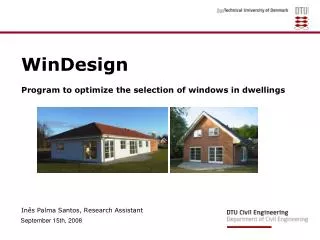
This tutorial provides a comprehensive, step-by-step guide to using the WinDesign program, tailored for Assignment 1 in the Sustainable Buildings course (11116). It includes detailed instructions to optimize window selection for classrooms and guidance on renovating a single-family house for improved energy efficiency. Users will learn how to analyze net energy gains, seasonal energy consumption, and hourly energy consumption using WinDesign. Access notes in PowerPoint and utilize the 'Outline' menu for easy navigation through the tutorial.

Step-by-Step Tutorial for Using WinDesign in Sustainable Building Projects
E N D
Presentation Transcript
This step-by-step tutorial guides you through the program WinDesign. It will help you to understand how the program works and therefore be as a help while working with Part 3 in Assignment 1 in course 11116 Sustainable buildings. Two examples of how to use the program will be given in this tutorial. The first example is related to the optimization of the selection of windows for a classroom, whereas the second example considers the renovation of an existing single-family house. In PowerPoint open ‘View Notepage’ to view the slides with notes in A4 format or simply view the notes in the note editor. Use the ‘Outline’ menu to be able to navigate in the step-by-step tutorial. BYG•DTU Updated January 2010 Tutorial for WinDesign