Enhancing Vehicle Safety with Anti-Lock Braking System (ABS)
130 likes | 325 Vues
This presentation by Josh Walworth, demonstrated by Ryan Stephenson, explores the Anti-Lock Braking System (ABS) featuring unique partitions that create two functional divisions suggested by specifications. These partitions simplify models, enhance cohesion, and clarify misinterpreted requirements, ensuring that normal braking continues even if ABS hardware fails. Key components include a class diagram that captures dynamic interactions in the vehicle’s ABS. The demo showcases user interface features and runs scenarios under varying road conditions to evaluate system performance and safety.


Enhancing Vehicle Safety with Anti-Lock Braking System (ABS)
E N D
Presentation Transcript
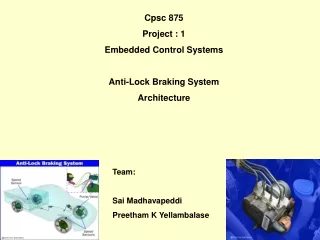
Anti-Lock Braking System ABS1 Presenter: Josh Walworth Demo Given by: Ryan Stephenson
Unique Feature: Partitions • Two distinct functional divisions • Suggested by specifications • Manifested in diagrams and prototype • Components: • Vehicle • Anti-Lock Braking System
What do partitions provide? • Advantages of partitioned structure • Simplifies the models • Encourages cohesion • Highlights any misinterpreted requirements • When ABS hardware fails, this division ensures that normal braking still occurs.
Key Model: Class Diagram • Two levels of aggregation form abstract foundation for requirements analysis • Why class diagram is key: • Developed first • Implies dynamic component interactions • Connection to problem domain • Structure for OO solution design • Relatively Simple
Vehicle Wheel Caliper ABS Sensor Controller PM Model
Critical Properties 1. ABS braking state will eventually be exited • Liveness • [] (state==absbrake -> <> state!=absbrake) 2. ABS braking will never disable normal braking (ie. during a failure) • Safety • [] (!systemTestPassed -> <> state==normalbrake)
Promela and XSpin • Results of analysis • LTL formulas input to XSpin • Exhaustive checking • Both properties reported valid • Property #1: This is good news • Property #2: Must go through reset (not feasible)
Demo of Prototype • High-level features of User Interface: • Condition Settings (to provide road and independent wheel slip information) • Vehicle Action Buttons/Sliders (to start the car, accelerate, and brake) • Readouts (providing speed and braking information)
Scenario(s) • 3 Scenarios will be run through: normal road conditions, icy conditions, and wet conditions. • 1) Set Conditions • 2) Accelerate to top speed • 3) Apply Brakes • 4) View Results