Download
1 / 24
240 likes | 359 Vues
This guide covers fundamental terms and concepts in spreadsheet applications, including cells, columns, rows, and basic formulas. Learn how to identify and manipulate distinct pieces of information, use operators for calculations, and create graphs and charts to visualize data trends. Understand the significance of descriptive labels, cell references, and statistical functions like average, median, and mode. Whether classifying data or predicting outcomes, mastering these terms will enhance your ability to effectively organize and analyze information in spreadsheets.

E N D
DATA • Distinct pieces of information, usually formatted in a special way -- variety of forms -- as numbers or text
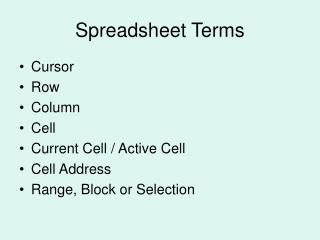
CELL In spreadsheet applications, this is a box in which you can enter a single piece of data. The data is usually text, a numeric value, or a formula. Each has its own address, such as B3.
COLUMN • a vertical line of characters extending from the top to the bottom of the screen.
ROW • a horizontal line of characters extending from the top to the bottom of the screen.
VALUE • Numerical data
LABEL • In spreadsheet programs, it is any descriptive text placed in a cell.
CELL REFERENCE • The location of a cell in a spreadsheet. This address consists of a column letter (A) followed by a row number (1). Together they make A1.
GRAPH/CHART A picture created from a set of numbers. They can help you recognize trends that are not obvious in a simple list of numbers. Popular types include line, bar, area, and pie.
FORMULA an expression/equation that defines how one cell relates to other cells =A4*D7
FUNCTION • calculation that reuse frequently repeated complex worksheet formulas
OPERATORS +, (add) -, (subtract) / (divide) * (multiply)
AVERAGE • The arithmetic mean • It is calculated by adding a group of numbers and then dividing by the count of those numbers. For example, 2, 3, 3, 5, 7, and 10 is 30 divided by 6, which is 5.
RANGE • The labels of columns and rows on a worksheet which refer to the cells within those columns and rows
MEDIAN • The middle number of a group of numbers; that is, half the numbers have values that are greater than this, and half the numbers have values that are less than this. For example, 4 is this for the following numbers. 2, 3, 3, 5, 7,10.
MODE • The most frequently occurring number in a group of numbers. For example 3 is this for the following numbers - 2, 3, 3, 5, 7,10 .
SORT • To organize a list of information in a different order. For example, you can place items in alphabetical order (a to z), ascending order (a to z, 1 to 10), or descending order (z to a, 10 to 1).
COLLECT • To bring together in a group or mass; to gather.
ORGANIZE • To arrange in a desired pattern or structure.
CLASSIFY • To arrange or organize according to class or category
MANIPULATE • To move, arrange, operate, or control
DISPLAY • To present or view
CALCULATE • To ascertain by computation
PREDICT • To state, tell about, or make known in advance