
Updating VMware Host Configuration in NCS OES Files
This guide provides step-by-step instructions for modifying the VMware configuration files for NCS OES. Specifically, it outlines the necessary changes to the green label boxes in the settings. The changes involve updating references from "OES.Host.(Xen)" to "VMware.Host" and ensuring that "VM" is capitalized while "ware" is lowercase when referring to VMware. Additionally, this guide mentions the relevant virtual machine and storage configurations for optimal functionality, ensuring all components align with the new VMware specifications.

Updating VMware Host Configuration in NCS OES Files
E N D
Presentation Transcript
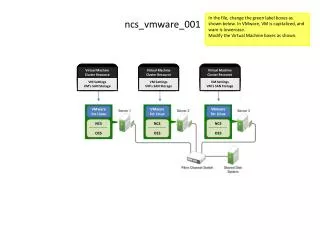
In the file, change the green label boxes as shown below. In VMware, VM is capitalized, and ware is lowercase. Modify the Virtual Machine boxes as shown. Virtual MachineCluster Resource Virtual MachineCluster Resource Virtual MachineCluster Resource VM SettingsVM’s SAN Storage VM SettingsVM’s SAN Storage VM SettingsVM’s SAN Storage ncs_vmware_001 VMware for Linux VMware for Linux VMware for Linux NCS OES NCS OES NCS OES
In the file, change the green “OES Host (Xen)” block to “VMware Host”. ncs_vmware_002 VMware Host VMware Host VMware Host
In the file, change the green “OES Host (Xen)” block to “VMware Host”. ncs_vmware_003 VMware Host
In the file, change the green “OES Host (Xen)” block to “VMware Host”. ncs_vmware_004 VMware Host
In the file, change the green “OES Host (Xen)” block to “VMware Host”. VMware Host VMware Host ncs_vmware_005
This graphic is new. This graphic is new. ncs_vmware_006 ncs_vmware_007 Virtual Machine Virtual Machine AppResources Storage Resources AppResources Storage Resources SLES for VMware VMware vSphere or vSphere Hypervisor VMware vSphere NCS OES NCS OES Add-On
This graphic is new. ncs_vmware_008 Virtual Machine AppResources Storage Resources VMware for Linux OES . SLES, or OpenSUSE NCS OES
