Guide to using Whop Apps - Coaching
0 likes | 3 Vues
Concise playbook for coaches who want to build once and scale on autopilot. It lays out a five-part roadmap: automate admin, systemize offers, grow revenue, market your coaching, and remain human where it matters. Guide to using Whop Apps - https://whop.com/blog/online-coaching-platforms/


Guide to using Whop Apps - Coaching
E N D
Presentation Transcript
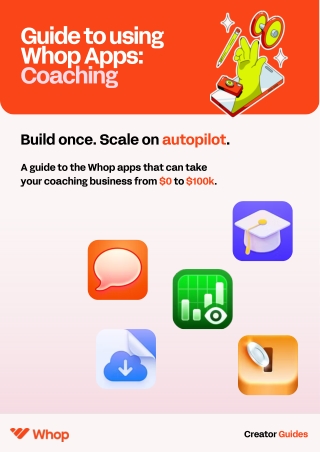
Guide to using Whop Apps: Coaching Build once. Scale on autopilot. A guide to the Whop apps that can take your coaching business from $0 to $100k. Creator Guides
You’re the coach. We’ll handle the rest. You don’t need to code, hire a VA, or plug into five tools to grow your coaching business. Everything — onboarding, sessions, payments, upsells, community, even your AI assistant — can run from one Whop, using apps built to do the work for you. This guide shows how to automate, systemize, and scale your coaching offer using real Whop apps like Coach AI, Calendar Bookings, Courses, Announcements, Upsell, and Content Rewards. Creator Guides
Contents: Automate your admin Reclaim your hours with background automations that onboard clients, handle bookings, and send updates while you coach. 1 Systemize your offers Turn your coaching into a repeatable system. Deliver lessons, host live sessions, and engage your community (all from one whop). 2 Grow your revenue Layer in upsells, bundles, renewals, and reward programs that drive new income while your main offer runs itself. 3 Market your coaching offereasily Whop app stacks to help you grow, retain, and build your marketing within one central hub – not twelve different platforms. 4 Remaining human where it matters Automation doesn’t replace the coach. It just removes everything that gets in your way. 5 Creator Guides
Free your time and automate the admin 1 You became a coach to help people — not to chase invoices, schedule sessions, or reply to endless DMs. Whop Apps let your admin run quietly in the background. Onboarding, Calendar Bookings, Announcements, and Chat take care of the repetitive steps that eat up your time, so you can stay focused on what actually grows your business. Automate your onboarding: Stop sending the same welcome messages and setup instructions every time a new client joins. With the Onboarding app, new members instantly receive a guided welcome, your session checklist, and links to the apps they’ll use. Setup flow: Add the Onboarding app → write a welcome guide → auto-link your Chat app for immediate community access. Automate your bookings: No more DMs to confirm times. Use Calendar Bookings to let clients choose open time slots that sync to your calendar. You can charge per booking or include sessions in your membership. Setup flow: Add the Calendar Bookings app → connect your calendar → set prices and session limits → share booking link in your Chat or onboarding. Automate your communication: Keep clients informed without lifting a finger. Use the Chat app for open discussions, Forums for threaded questions and feedback, and Announcements to send scheduled updates, reminders, and new content drops. Setup flow: Create recurring messages → segment by product or membership → send updates automatically each week. Creator Guides
Scale your impact and systemize your offers 2 Once you’ve got your admin running itself, the next step is to build repeatable systems that deliver your coaching experience at scale. These Whop apps let you teach, host, and engage automatically, so every client gets the full experience, even when you’re offline. The more you automate, the more consistent (and scalable) your coaching becomes. Automate your learning and delivery: The Courses app turns your frameworks into structured programs with videos, quizzes, and progress tracking. You can drop lessons weekly, pre-record modules, or sell evergreen access. Setup flow: Install the Courses app →Create modules → upload content → set release dates → auto-enrol buyers from checkout Go live without hassle: Run real-time sessions directly in Whop. Use Livestreaming to run masterclasses, host Q&As, offer workshops, or offer accountability calls. You can even record replays for late joiners. Setup flow: Install Livestreaming →Start broadcasts with one click → stream directly with chat and reactions → save replay to Files app Streamline client support: Go AI gives your clients 24/7 access to a smart assistant that knows your material inside out. It can answer questions, summarize your YouTube or PDF content, generate images, and even switch between AI models depending on the task. Setup flow: Install Go AI and choose plan → upload docs + YouTube links → enable community access → connect Whop checkout if you want to charge Creator Guides
Grow your income by automating revenue 3 By now, your coaching setup’s running smoothly: lessons drop automatically, clients book themselves in, and your admin basically works on autopilot. So what’s next? Getting paid while you sleep. These apps help you stack new income streams without touching a thing. You can build upsells that trigger the second someone finishes your course, auto-renew memberships, and even pay clients to hype you up on socials. Add tip jars and gratuity payments: Sometimes people just want to say thanks — or pay a little extra for the value you bring. The Tips app lets clients drop donations, bonuses, or small payments straight inside your Whop. Use it for appreciation tips after a live session, too. Setup flow: Add the Tips app → link it to your active product → toggle “show on product page” → watch spontaneous payments roll in Monetize paid accountability: Running coaching check-ins through Telegram? You can gate your group or channel through Whop and let the Telegram bot manage everything. Members get instant access once they pay, and access is removed automatically if they cancel. Setup flow: Install the Telegram app → enable automated membership handling → connect Whop checkout → start selling access. Charge for recurring group coaching calls: Turn coaching sessions into sellable, scheduled events. Weekly group calls, monthly workshops, or in-person intensives, the Events app handles RSVPs, recurring schedules, reminders, and access links automatically. Setup flow: Install Events → create your session → set it as one-off or recurring → enable RSVPs → connect Whop checkout Creator Guides
Market your coaching offers without headaches 4 Good marketing doesn’t mean chasing followers, paying too much, or juggling 10 different tools. With the right Whop apps, you can build buzz, grow reach, and keep your community active, all from one place. These tools help your content travel further, your emails hit the right people, and your members stay hyped to show up. Go viral with content rewards and clips: Let your people market for you. The Content Rewards app streamlines clipping, paying creators and community members to post clips, reviews, or shout-outs about your coaching. You set the brief, choose the platforms, and decide what a view is worth. Setup flow: Create campaign with CR app → upload brand assets → set payment per view → approve posts → auto-pay verified views Boost retention and sales with automated emails: Stay top-of-mind with your clients. The Emails app makes it easy to send onboarding sequences, newsletters, upsell offers, and win-back campaigns, all from inside Whop. Your members sync automatically, so you can skip the integrations and focus on connection, not tech. Setup flow: Install Emails → choose a trigger → add actions → set delays and conditions → turn on your workflow. Turn engagement into a game: If your community’s gone quiet, make it fun again. Growth turns participation into challenges with rewards, entry fees, and leaderboards. Think mini competitions that keep members showing up. Setup flow: Install Growth and create a challenge → set entry fee → pick rewards → auto-notify winners → track participation live Creator Guides
Automation helps, but you’re the key to sales 5 Automation isn’t about disappearing behind systems; it’s just about giving yourself space to show up where it matters. The apps we’ve gone through handle the time-consuming stuff – but your voice, ideas, and energy are what make people stay. When you build your business on Whop, you’re creating a system that supports your coaching instead of draining it. From onboarding to marketing, everything works together, so you can focus on the part that no app can replace: You. Build a $100k coaching empire with Whop apps today. Install app flows Creator Guides