Download
1 / 8
80 likes | 197 Vues
This guide provides updated instructions for reporting scores on the YLM Homepage. Navigate to your team's page by selecting Leagues, then Choose a Team, Age Group, West District, and finally, your team. Once there, sign in, click the yellow Edit box in the Actions column, enter the result details, and submit. You can scroll down to fill in additional details, even without officials' names. After submitting, results are complete and standings are updated. A confirmation email will be sent to you.

E N D
YLM Score Reporting Updated 6/11/2014
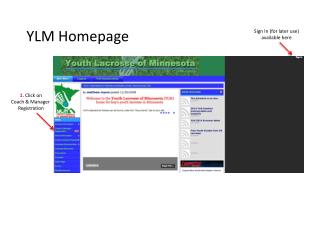
Sign in at YLM Homepage: http://leag1.com/?org=YouthLaxMN.org • From the horizontal menu above the YLM logo, navigate to your team page by selecting Leagues, Choose a Team, Age group, West District, and finally, your team • Select RESULTSfrom the left menu list
1. Sign In here YLM Homepage
5. Enter the result details and submit to save. Scroll down the page to fill out most details (don’t worry if you don’t know officials names)