Understanding Malicious URL Executions and File Removal Commands in Netscape
This document explores the vulnerabilities associated with executing malicious URLs and file removal commands within the Netscape browser. It illustrates different command formats, including single quotes, backticks, and plain commands, which lead to potential system abuses, particularly referencing www.nba.com. The analysis emphasizes the need for careful handling of shell metacharacters and user inputs to prevent unauthorized command executions. A practical example demonstrates how these commands operate and the risks they pose to system security.

Understanding Malicious URL Executions and File Removal Commands in Netscape
E N D
Presentation Transcript
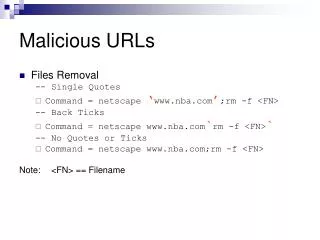
Malicious URLs • Files Removal -- Single Quotes • Command = netscape ‘www.nba.com’;rm -f <FN> -- Back Ticks • Command = netscape www.nba.com`rm -f <FN>` -- No Quotes or Ticks • Command = netscape www.nba.com;rm -f <FN> Note: <FN> == Filename
Results • Single Quote • Netscape opened with URL: www.nba.com • <FN> deleted on Netscape Exit • Back Ticks • Shell executed [rm –f <FN>] BEFORE Netscape • Netscape opened with URL: www.nba.com • No Quotes or Ticks • Netscape opened with URL: www.nba.com • <FN> deleted on Netscape Exit
Single Quotes system(netscape ‘www.nba.com’;rm –f <FN>) System calls: execv(“/bin/sh”, {“sh”,”-c”,“netscape ‘www.nba.com’;rm –f <FN>”,0}) /bin/sh calls: execvp(“netscape”, {“netscape","www.nba.com",0}) execvp(“rm”, {“rm",“f”,“<FN>”,0}) Executing: netscape www.nba.com rm –f <FN> Therefore Runs netscape www.nba.com On Netscape Exit, Runs rm -f <FN> Note: It is identical for <No Quotes or Ticks> Example
Back Ticks • Back Ticks are interpreted by the Shell as • “Output of the Command in the Back Tick” • or simply, Command Substitution • Commonly used to assign Output of Command to Var • bin/sh > today=`date` • bin/sh> echo $today • bin/sh> Wed Apr 20 14:09:33 GMT-8 2005 • Thus, Command in Back Ticks • Executed and Evaluated above all
Back Ticks system(netscape www.nba.com`rm –rf` <FN>) System calls: execv(“/bin/sh”, {“sh”,”-c”,“rm –f <FN>”,0}) execv(“/bin/sh”, {“sh”,”-c”,“netscape www.nba.com”,0}) /bin/sh calls: execvp(“rm”,{“rm",“f",“<FN>”,0}) execvp(“netscape”,{“netscape","www.nba.com",0}) Executing: rm –f <FN> netscape www.nba.com; Therefore Runs rm -f <FN> Runs netscape www.nba.com
Conclusion • system() invokes /bin/sh Subshell • Vulnerable to Attacks • With UNCHECKED Shell MetaCharaters • Prudent to check ALL User Inputs