Mastering Derived Function Blocks in Quantum IEC: Objectives and Implementation
This lesson on Quantum IEC focuses on mastering Derived Function Blocks (DFBs). By the end of the course, participants will be able to create and use DFBs in a Concept project, as well as identify their role within various projects. Key features include online monitoring during runtime, support for 32 input/output pins, and variable management. Learners will also explore how to develop, simulate, save, and modify DFBs in the Concept environment. Understanding DFBs is essential for effective programming and logic encapsulation in automation projects.

Mastering Derived Function Blocks in Quantum IEC: Objectives and Implementation
E N D
Presentation Transcript
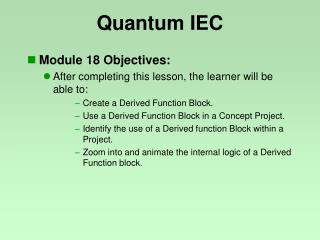
Quantum IEC • Module 18 Objectives: • After completing this lesson, the learner will be able to: • Create a Derived Function Block. • Use a Derived Function Block in a Concept Project. • Identify the use of a Derived function Block within a Project. • Zoom into and animate the internal logic of a Derived Function block.
Quantum IEC • The Derived Function Block
Quantum IEC • Downloaded only one time independent from the number of invocations. • Allows online monitoring at runtime for every invocation.
Quantum IEC • A DFB is user logic encapsulated in a reusable module / block. • It supports 32 input pins and 32 output pins. • DFB variables are internal and local to that DFB..... • It is created with CONCEPT DFB Editor, using FBD, LD, IL or ST languages. • A DFB is graphically depicted with double vertical lines.
Quantum IEC • Variables: • Internal / Local assignments: • DFB Variables • NO located Variables • Constants • Literals • Inputs / Outputs (unlocated): • These variables are used to define the pins of DFBs
Quantum IEC • NOTE: If Security is enabled, the User MUST have Supervisor or Tools access rights
Quantum IEC • The Process • Develop logic in new CONCEPT program and simulate • Select all and copy logic code to Windows clipboard • Close CONCEPT software • Open CONCEPT DFB • Open new DFB: • Create new Section • Paste logic code from clipboard • Test / simulate finished DFB in CONCEPT project
Quantum IEC • DFB Programming • Programs the same as CONCEPT projects • Multiple sections allowed • All specific Elements and Objects of the current Program language can be used, Including other DFBs • Languages available: FBD, LD, IL or ST • Languages NOT available: SFC
Quantum IEC • DFB Variables: • Variable Editor, Inputs / Outputs / Variables
Quantum IEC • DFB Variable Lookup Table: • Inputs / Outputs / Variables
Quantum IEC • Saving DFB’s: Save as Global DFB • CONCEPT software distinguishes between global and local DFBs. • Global DFBs can be used in every project and DFB. • Global DFBs have to be saved under x:\concept\dfb.
Quantum IEC • Saving DFB’s: Save as Local DFB • Local DFBs can be used only by projects saved in the same project directory and its local DFBs. • Local DFBs have to be saved under x:\project\dfb. • A Local DFB with the same name as a Global DFB will have priority
Quantum IEC • Selection of Existing DFBs (Example)
Quantum IEC • Modifying a DFB: • If you modify a DFB • Every usage of the DFB in every project using that DFB will be changed. • NOTE: Remember Local DFBs have priority over Global. • Concept distinguishes 4 different kinds of modification. All 4 types will result in the project file being “Not Equal” to the PLC!!
Quantum IEC DFB Demonstration and Lab