Comprehensive Guide to Wireless LANs: Types, Configurations, and Security
This guide offers an in-depth exploration of Wireless Local Area Networks (WLANs), covering their introduction, various configurations, and communication types. It discusses wireless technology essentials, including the definition, applications, and practical examples, while addressing common problems like excessive connections and direct computer linking. Additionally, it outlines the functioning of networking, key components of wireless networks, and critical security measures such as WEP, WPA, and MAC filtering. Learn about the evolution, standards, and protocols that have shaped WLANs since their inception.

Comprehensive Guide to Wireless LANs: Types, Configurations, and Security
E N D
Presentation Transcript
Introduction • Types of Communication Networks. • LAN’s Configurations. • Wireless Technology. • Definition. • Applications. • Example. • Communications Area. - Problems: * Direct Connection of computers. * Huge Number of connections. - Solution * Networking.
How it Works • Brief Introduction. • Components of wireless Network. • Security.
Brief Introduction : • Wi-Fi Network. • Radio waves. • Mobile phones, TV and Walkie-Talky. • Similarities: • Sending and Receiving. • Converting 0’s and 1’s. • Differences: • Higher Frequencies. 2.4 GHz or 5 GHz
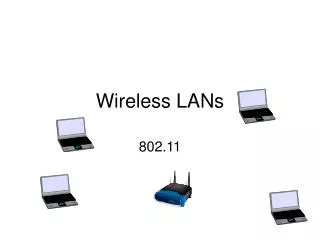
Components of Wireless Network: 1- Wireless Transmitter (wireless adapter). PC card slot USB port Built-in
Continued …….. 2- Wireless Router consisting of: - DSL or Cable port. - router. - Ethernet hup. - Firewall . - wireless access point.
* This Network works in the following way: • Data wireless adapter radio signal antenna wireless router signals decoding Ethernet connection information to the internet or other device.
Continued……. • The process also goes in reverse : Information router radio signal antenna adapter data used by the computer.
Security • Security is an important part of home wireless network. • Some precautions or methods should be used to keep the network private. - WEP - WPA - MAC
Wired Equivalency Privacy (WEP): • WEP key : numerical password . • Must be known to access the network. • WIFI Protected Access (WPA): • Development of WEP . • Part of 802.11i security protocol. • Like WEP, it uses a password.
Media Access Control (MAC): - very secure. • It uses different technology ( Address Filtering). • No use of password. • It uses computer’s physical hardware. • MAC addresses should be matched in order to access the network. - MAC addresses should be added to the list for new computers.
Wireless LANs 1] History 2] Standards & protocols Faisal Nawab
Why History? • A way of thinking • experience
The beginning of wireless communication • Gugliemo Marconi – 1896 • His goal? • A key to the gate
Beginning of Wireless LANs • Dr. Norman Abramson – 1970s • Major events since:- • 1980: first modems with 9600 bit/s • 1991: Wireless LAN workshop (why/results?) • 1990s: wireless hardware drop (benefits?)
ٍStandards and Protocols • Why standardization? • IEEE • 1990: 802.11 family
802.11 • 802.11: 2Mbps, 2.4GHz • 802.11a: 54Mbps, 5Ghz • 802.11b: 11Mbps, 2.4GHz • 802.11g: 54Mbps, 2.4GHz • IEEE 802.11-2007
802.11n • MIMO support • 500 Mbps
802.11s • Mesh networks • Why?
Thank you.. Questions?