Download
1 / 8
80 likes | 196 Vues
Discover a range of tools for creating web pages in this 2013 guide. From free options like Notepad and Notepad++ to advanced WYSIWYG editors like SeaMonkey and Dreamweaver, each tool offers unique features catering to different skill levels. Learn about HTML editors, word processors, and text editors that help in crafting simple to complex websites. Find out which tools are best suited for beginners and which ones provide greater formatting control. Whether you're looking for ease of use or powerful features, this guide covers it all.

E N D
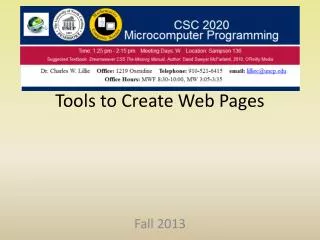
Tools to Create Web Pages Fall 2013
Tools • Some HTML, some WYSIWYG • SeaMonkey (free) • WYSIWYG • Dreamweaver (expensive) • Complete list of HTML Editors • http://en.wikipedia.org/wiki/List_of_HTML_editors • Text Editors • Notepad (free) • Notepad++ (free) • Word Processor • MS Word (Expensive) • HTML • HTML Kit (free, but there is a commercial version)
Text Editor:Notepad <!DOCTYPE HTML PUBLIC "-//W3C//DTD HTML 4.01 Transitional//EN"> <html> <head> <title>Untitled</title> </head> <body> <big><big><b>Simple Web Site</b></big></big><br> <big><b><font color="#ff0000">Different Size Fonts</font></b></big><br> <small><small>Smaller</small></small><br> <small>Small</small><br> Regular<br> <big>Medium</big><br> <big><big>Large</big></big><br> <big><big><big>Larger</big></big></big><br> <big><big><big><big>Even Larger</big></big></big></big> </body> </html> • Easy to use • Doesn’t add clutter to code • Need to know HTML • Not good for large or complicated web sites Open with Notepad
Text Editor:Notepad++ <!DOCTYPE HTML PUBLIC "-//W3C//DTD HTML 4.01 Transitional//EN"> <html> <head> <title>Untitled</title> </head> <body> <big><big><b>Simple Web Site</b></big></big><br> <big><b><font color="#ff0000">Different Size Fonts</font></b></big><br> <small><small>Smaller</small></small><br> <small>Small</small><br> Regular<br> <big>Medium</big><br> <big><big>Large</big></big><br> <big><big><big>Larger</big></big></big><br> <big><big><big><big>Even Larger</big></big></big></big> </body> </html> • Easy to use • Doesn’t add clutter to code • Need to know HTML • Not good for large or complicated web sites • Provides color coded syntax checking Open with Notepad++
Word Processor:MS Word Sample MS Word Web Page saved as HTML Open in Web Browser sampleWord.html Open in Notepad++ or Notepad sampleWord.txt Open in MS Word • Familiar • Adds formatting capability • Don’t need to know HTML • Can do more complicated web sites • WYSIWYG to some extent • Adds clutter to maintenance
HTML Editor:HTML Kit HTML Kit Example Do HTML Kit demonstration • Work directly in HTML • Has Preview tab • Tabs to help format, add links and objects • Need to know HTML, but has some help • Can do more complicated web sites • More control over web pages, but need to know HTML
HTML/WYXIWYG Editor:SeaMonkey SeaMonkey Example Do SeaMonkey demonstration • See what the page looks like as you develop it • Can switch to HTML • Provides better formatting control, especially for tables • Keeps up with latest changes to technology • Can do some complicated web things • I use it primarily to work with tables
WYSIWYG Editor:Dreamweaver Dreamweaver Example Do Dreamweaver demonstration • See what the page looks like as you develop it • Can switch to HTML • Uses CSS for formatting control • Can work with Javascript • Provides better formatting control • Keeps up with latest changes to technology • Can do complicated web sites