
LOCAL AREA NETWORK
E N D
Presentation Transcript
LOCAL AREA NETWORK • Presented by : Tan Teng Meng WET010148 Chan Choi Ngor WET020019 Philip Lim Loong Hin WET020144
Table of Contents • LAN Definition • Presented by Tan Teng Meng • LAN Topology and Device • Presented by Chan Choi Ngor • LAN Cabling, ATM and wireless LAN • Presented by Philip Lim Go To Slide Go To Slide Go To Slide
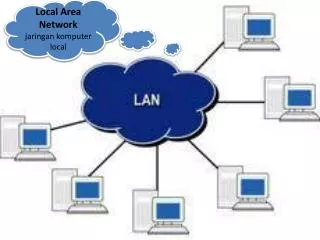
What is LAN? • High speed, fault-tolerant data network • Cover a relatively small geographic area • Connects workstations, personal computers, printers, and others devices.
LAN Technologies • Ethernet • Token Ring • FDDI
Ethernet • Most widely-installed • Specified in a standard, IEEE802.3 • Connected to the cable and compete for access using a CSMA/CD protocol • shared media - media access is controlled on a “first come, first serve” basis • 10BASE-T provides transmission speeds up to 10 Mbps • 100BASE-T provides transmission speeds up to 100 Mbps
Token Ring • Second most widely-used • Specified as IEEE 802.5 • Connected in a ring or star topology • Provides for data transfer rates of either 4 or 16 Mbps
FDDI • A set of ANSI and ISO standards for data transmission • Can extend in range up to 200 km • Based on the Token Ring protocol • Used on the backbone for a WAN
Types of LANs • Server-based LAN • Has a dedicated machine/computer, that has the file server software located on it. • All the workstations point towards this computer for accessing the resources • Peer-to-Peer LAN • Small & has the files server software installed on each of the workstations • Acting as both a file server & a workstation.
LAN Transmission Methods • Unicast - a single packet is sent from the source to a destination on a network. • Multicast - consists of a single data packet that is copied and sent to a specific subset of nodes on the network • Broadcast - consists of a single data packet that is copied and sent to all nodes on the network HOME
LAN Topologies • Physical topologies • Bus topology • Ring topology • Star topology • Extended star topology • Hierarchical topology • Mesh topology • Logical topologies • Broadcast topology • Token passing
Bus Topology • uses a single backbone segment (length of cable) • the hosts connect to it directly.
Ring Topology • connects one host to the next and the last host to the first
Star Topology • connects all cables to a central point ( Hub or Switch )
Extended Star topology • links individual stars together by linking the hubs or switches • extend the length and size of the network
Hierarchical topology • similar to an extended star • linking the hubs/switches together, the system is linked to a computer • The computer controls the traffic on the topology
Mesh topology • is used when there can be absolutely no break in communications.
Broadcast topology • Each host sends its data to all other hosts on the network medium • First come, first serve • Is the way that Ethernet works
Token Passing • Controls network access by passing an electronic token sequentially to each host • The host receives the token can send data on the network • If the host has no data to send, it passes the token to the next host & the process repeats itself
Devices in LAN • A LAN consists of PC and external hardware, named hosts. • Apart from hosts, there are other devices functioning as the connecting medium : • Repeater • Hub • Bridge • Switch • Router
Network Interface Card • Printed circuit board, also called network adapter. • Carries a MAC address ( Layer 2 device ) • Each hardware and PC in the network must have a NIC to be connected to a network.
Repeater • Used to lengthen the range in the network. • Layer 1 device which receive and transmit the data. • Will not check for error, or determine the destination.
Hub • Layer 1 device also called multi-port repeater • Receive and transmit data without checking for error or consistency of data packet. • Advantage – decrease wiring and increase reliability.
Bridge • Operates via MAC address ( Layer 2 device ) • Connect different part of the LAN while filtering the traffic to keep local traffic local, yet allow connectivity to other parts. • Keeps track on MAC address on each side
Switch • Layer 2 device also called multi – port bridge. • Filters data by switching data only to the port where the appropriate destination is located • Can be used to segment networks.
Router • Layer 3 device used to regulate traffic • Forward the data packet to appropriate host via IP address. • It also examine data packets and choose the best path for it. • Can connect different Layer 2 technologies. HOME
Wire / Cable • Another essential component of a network, example LAN • There are different wire / cable types to be chose based on the range and bandwidth the network requires. • Example of cable : • UTP • STP • Fiber Optic • Coaxial Cable
Unshielded Twisted Pair • Consists of 2 – 4 unshielded copper solid or stranded wires. • Most network protocol using the UTP will require 2 pairs of wires, one for transmission and one for reception. • General choice of wiring in office and home, with the RJ45 connectors • Comes in 5 categories based on the EIA/TIA standards
Unshielded Twisted Pair ( cont ) • Advantage – Inexpensive and easy to work with. Flexible and can fit in full conduits. Many people familiar with UTP. • Disadvantage – Prone to interference. Short range of distance. • Speed and throughput – 10 – 100 Mbps • Media and connector size – small • Maximum range of connection – 100m
Shielded Twisted Pair • Similar to the UTP in operation and design. • Reduction of noise and interference, from both within and outside. • More expensive and difficult to install compared to UTP
Fiber Optic • Cable with glass and plastic medium • Uses light ( laser ) to transmit data. • Multimode fiber is often used in LAN. • Has a low error rate and degrading is lower. High performance and longer range. • Expensive and difficult to implement. • Normally used as backbone in a LAN.
Coaxial Cable • Consists of a central copper core encased in a plastic sheath • Quite easy to implement, and popular choice in LAN • Speed and throughput – 10 – 100 Mbps • Media and connector size – medium • Maximum cable length – 50m
Coaxial Cable • Divided into 2 types : • Baseband • One channel – single message a time at a high speed • Able to handle 10 – 80 Mbps • An important component in Ethernet • Easy to plug in / out a network without disturbing network flow • 500m optimum range • Unable to send integrated signals
Coaxial Cable • Broadband • Can carry several different signals broadcasted at different frequency simultaneously • Possible to allocate 6-346 MHz for forward and 25 MHz for reception channels • Can be single cable or dual – cable. • Can have 50 channels broadcast at 5 Mbps maximum • Require more planning, and installation of amplifiers are needed
Asynchronous Transfer Mode • Another popular networking technology working in a different way compared to LAN • It is possible to implement ATN in a LAN, and vice – versa, by emulating the 2 technologies.
Differences between LAN and ATM • Connection : • LAN is connectionless, ATM is connection – oriented. • Size of transmission : • LAN have variable packet size, up to 1.5 kilobytes, while in ATM, each cell is 53 bytes. • Broadcast : • LAN support broadcast and MAC address, while ATM is switch-based • Mode : • LAN work in best – effort mode, ATM is similar except how it provide effective congestion control
Wireless LAN • A traditional LAN uses electricity and light as medium of data transmission. • Wireless technology uses the atmosphere as transmission medium • While it is applicable, wireless LAN is costly, and have high error rate HOME