Introducing Scratch: A Fun Way to Learn Computer Programming for Kids
60 likes | 164 Vues
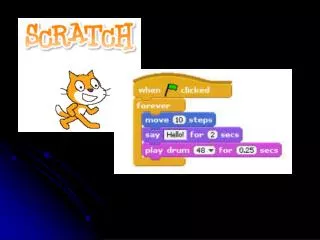
Scratch is an easy-to-use computer program developed by MIT, designed to teach children the basics of programming through creative media manipulation and global sharing of digital projects. It's a versatile educational tool, not content-specific, and effective for assessment. Scratch fosters problem-solving, higher-order thinking, and logical troubleshooting skills. By creating and sharing projects, students learn to communicate their ideas effectively. Explore lesson plans and resources to get started with Scratch today at the MIT website and the Irish Software Engineering Research Centre.


Introducing Scratch: A Fun Way to Learn Computer Programming for Kids
E N D
Presentation Transcript
What is Scratch? • An easy to use computer program • Developed by MIT • Used to: • Teach kids the basics of computer programming • Manipulate media in new ways • Globally share digital media • An even better explanation…
Scratch in the classroom • It is NOT content specific • It IS a viable tool for assessment • It is NOT just for engagement • It IS built-in problem solving, higher order thinking, and logic based
Troubleshooting Scratch • Most programming issues can be easily resolved if the student remembers… • …the computer is not human! • …instructions must be explicit!
Let’s create a Scratch project together, then complete one on your own
Resources • The Scratch MIT website: • http://scratch.mit.edu/ • Irish Software Engineering Research Centre • http://www.lero.ie/EducationOutreach/Secondlevel/ScratchLessonPlans/Overview.html • Extensive lesson plans, free registration required