Implementation of Audio Effects on Blackfin BF533 DSP with Volume and Storage Control
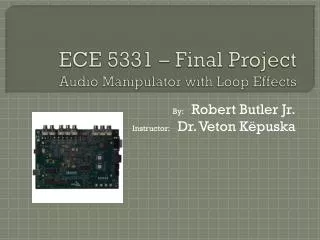
This project explores the implementation of audio effects using the Blackfin BF533 DSP, designed to enhance audio output quality. Key features include reverberation, chorus, echo, and volume control. The system utilizes SDRAM to store audio data and process effects efficiently. The reverberation effect is achieved by manipulating sample delays, allowing for a blend of sound layers, while careful volume adjustments ensure clarity. The code implements functionalities like storing input samples and applying real-time audio effects, aiming to create an immersive audio experience.

Implementation of Audio Effects on Blackfin BF533 DSP with Volume and Storage Control
E N D
Presentation Transcript
Audio effects implementation ECE 3551 – Microcomputer Systems I By Md. Raqiq Islam
Overview • This project was created to use the Blackfin BF533 DSP to control audio output.Thefollowing features were included: • Audio effect Reverberation • Audio effect Chorus • Audio effect Echo • Volume control • Using SD RAM to store audio and play
Process data.c for the code • void reverberation_effect_volume_gain(void) • { • delay = temp - 400; // delay of 500 samples. If we increase the number of samples the reverberation effect tend towards the echo effect. • if(delay < 0) • { • delay = delay + 3000; // keeping the delay constant. If the value of temp is 0 then the delayed sample if 2500th sample in the array. • } • input1 = iChannel0LeftIn>>8; // bit shifting the input sample by 8 bits to make it compatible with short data type. • input2 = iChannel0RightIn>>8; // same as above • buffer_out1[temp] = input1 + 0.6*buffer_out1[delay]; // equation for the implementation of reverberation sound effect. • buffer_out2[temp] = input2 + 0.6*buffer_out2[delay]; // equation for the implementation of reverberation sound effect. • vol1 = buffer_out1[temp]<<16;
vol2 = buffer_out2[temp]<<16; • vol1_temp = vol1 + vol1*(.8)*(PF9_counter); // bit shifting the output 8 bits to the left to play 24 bit audio out. • vol2_temp = vol2 + vol2*(.8)*(PF9_counter); // bit shifting the output 8 bits to the left to play 24 bit audio out. • iChannel0LeftOut = vol1_temp>>8; • iChannel0RightOut = vol2_temp>>8; • temp++; • temp = temp%3000; // circular buffering to set the value of temp back to 0 if it exceeds 3000 or the array limit. • }
void SDRAM_store(void) • { • if(pSDRAM_var1 <= pSDRAM_end_address) • { • *pSDRAM_var1 = iChannel0LeftIn; // storing the input samples to the memory banks in SDRAM • *pSDRAM_var1 = iChannel0RightIn; • iChannel0LeftOut = iChannel0LeftIn; • iChannel0RightOut = iChannel0RightIn; • pSDRAM_var1++; // incrementing the position of memory bank by 1 place • } • }