Download
1 / 33
330 likes | 487 Vues
This overview covers the concepts of orthogonal and perspective projection, detailing the view volumes and clipping cuboids in OpenGL. It explains how to define clipping planes and the importance of ensuring the view volume fits the clipping cuboid. The handling of projection transformations is discussed, including the application of `glOrtho()` for orthogonal projection and `gluPerspective()` for perspective projection. The text addresses the necessity of creating a custom clipping cuboid and techniques for managing intersections, such as the Cohen-Sutherland algorithm.

E N D
Projection and Clipping 網媒所林宏祥2012.10.02
Orthogonal Projection X xcamera xviewport -Z
Perspective Projection X xcamera xviewport -Z d z
View Volume—orthogonal projection y -z x Left Clipping Plane Far Clipping Plane Top Clipping Plane Bottom Clipping Plane Near Clipping Plane Right Clipping Plane
View Volume—Perspective projection model y -z x Left Clipping Plane Far Clipping Plane Top Clipping Plane Near Clipping Plane Bottom Clipping Plane Right Clipping Plane
Clipping Cuboid: transformed volume after projection Y viewport coordinates x z
In OpenGL, the clipping cuboid is fixed. (Since the screen size is fixed)
Clipping Cuboid: enclosed by: xviewport= 1,xviewport=-1,yviewport=1,yviewport=-1,zviewport =1,zviewport=-1 Y x z
The openGL functions ensure the view volume fits clipping cuboid.
glOrtho(left, right, bottom, top, nearVal, farVal) left farVal top bottom nearVal right
Orthogonal Projection X xcamera xviewport -Z some scaling
A canonical view.. Clipping cuboid Viewing Volume 1 left right -1 xviewport 0 xcamera
gluPerspective(fovy, aspect, zNear, zFar) Left Clipping Plane Far Clipping Plane Top Clipping Plane Near Clipping Plane Bottom Clipping Plane Right Clipping Plane
Perspective Projection X X xcamera xcamera xviewport xviewport -Z -Z d d = 1 z z some scaling
A canonical view.. Y -zFar -zNear ycamera fovy zcamera -Z
Y -zFar -zNear ycamera fovy zcamera -Z
Y -zFar -zNear ycamera fovy zcamera -Z After projection, the boundaries should map to 1, -1
Mapping on z: To present more details in closer objects, the viewport coordinate is inverse proportional to camera coordinates.
Remember perspective projection? (xcamera, ycamera coordinates will be divided by zcamera)
Perspective projection <--> maintaining homogeneous coordinates
You need to create your own clipping cuboid which is different from openGL clipping cuboid. NOT modify the viewing volume. (eg: xviewport: [-0.5,0.5], yviewport:[-0.5,0.5], zviewport:[-0.5, 0.5]) You need to adjust the coordinates in glVertex3f()
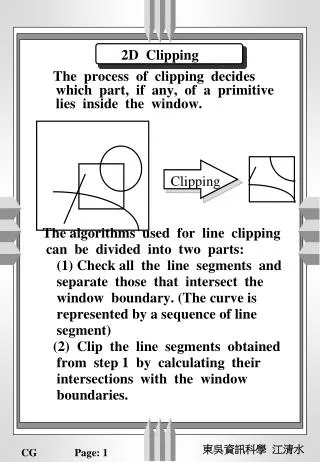
You need to calculate intersection In 2D example, screen One capable way to handle it: Cohen-Sutherland Algorithm