Microsoft Azure Training 221
GoLogica's expert-led training program provides hands-on experience and comprehensive knowledge to deploy, manage and scale applications on Azure cloud. Our trainers will guide you through the platform's infrastructure, security, storage, networking, and other advanced features. With flexible training options and personalized attention, you'll gain the skills to drive business agility and efficiency using Azure. Enroll now and take the first step towards building a successful career in cloud computing with Microsoft Azure.

Microsoft Azure Training 221
E N D
Presentation Transcript
Microsoft Azure Training GoLogica's Microsoft Azure Training helps professionals learn how to build, manage, and deploy cloud applications using Microsoft Azure. The course covers Azure Virtual Machines, Azure Storage, Azure Active Directory, and Azure Networking. Participants learn how to create and manage Azure Web Apps, work with Azure SQL Database, and configure and deploy Azure Virtual Networks. Certified Azure experts conduct the training with hands-on exercises, case studies, and real-world scenarios. You will also learn how to manage security and identity within Azure, identify data storage options, design a hybrid cloud/on-premise connectivity scenario, measure throughput and structure of data access, create web applications using PaaS, and develop Azure Cognitive services solutions. Microsoft Azure Training GoLogica is offering "Microsoft Azure Online training". Microsoft Azure course aims at teaching the Azure solution Architecture. By the end of the course, you should be able to understand the concepts of Microsoft Azure and how and where is used. This course covers Microsoft Azure training in detail for you to be able to take up the certification examination with ease. On successful completion of the course and exam, you will be certified Microsoft Azure Professional. Microsoft Azure is a cloud computing service created by Microsoft for building, testing, deploying, and managing applications and services through Microsoft-managed data centers. It provides software as a service (SaaS), platform as a service (PaaS) and infrastructure as a service (IaaS) and supports many different programming languages, tools and frameworks, including both Microsoft-specific and third- party software and systems. The course also includes hands-on exercises and assignments, case studies, and access to learning resources such as video tutorials and documentation. Participants will gain practical skills and knowledge in building, managing, and deploying cloud applications using Microsoft Azure. The training is conducted by certified Azure experts with extensive industry experience, and participants will receive a certification of completion upon finishing the course. Some of the key benefits of taking the Microsoft Azure Training course include: Learning how to leverage the power of Azure to build, manage, and deploy cloud applications. Developing practical skills and knowledge in working with Azure Virtual Machines, Azure Storage, Azure Active Directory, and Azure Networking. Gaining an understanding of Azure Web Apps, Azure SQL Database, Azure Security and Monitoring, and other key Azure services and products. Access to a community of peers and certified Azure experts for collaboration and support. An opportunity to apply the concepts and techniques learned to real-world scenarios, and make data-driven decisions to achieve better results.
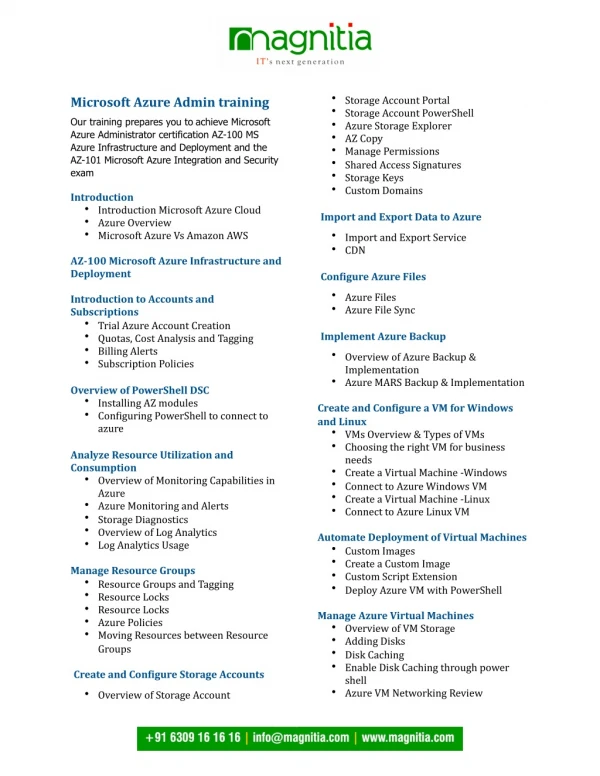
Microsoft Azure can be used to build deploy or manage applications. Several DevOps tools have been integrated into azure platform. Azure offers a range of uses and benefits for organizations. It provides the ability to scale on demand. It provides simple and reliable data storage on huge scale. With the rise of cloud technology, it is much more cost-effective and useful for companies to use cloud services and the most popular one is Microsoft Azure. Course Content: Introduction to Azure Overview of cloud computing Introduction to Microsoft Azure Azure services and products Azure portal and Azure Resource Manager Azure Virtual Machines Creating and configuring virtual machines Azure VM sizing and pricing Virtual machine disks and images Availability sets and load balancing Azure Storage Blob storage, table storage, and file storage Azure storage redundancy Azure storage security Data transfer and migration Azure Active Directory Introduction to Azure AD Managing Azure AD users and groups Configuring Azure AD authentication Azure AD integration with Office 365 and other cloud apps Azure Networking Virtual networks and subnets Azure DNS and traffic routing Azure VPN Gateway Azure ExpressRoute Azure Web Apps Creating and deploying Azure Web Apps Web App scaling and performance optimization
Azure App Service plans Azure Functions Azure SQL Database Introduction to Azure SQL Database Creating and configuring Azure SQL Databases SQL Database security and backups Data migration and disaster recovery Azure Security and Monitoring Azure Security Center Azure Log Analytics Azure Application Insights Azure Site Recovery