Understanding Phishing: Patterns, Threats, and Prevention Strategies
This lecture note delves into the various facets of phishing attacks, focusing on strategies that cybercriminals employ to deceive users. It explores the use of look-alike characters, international character sets, and how URLs can mislead users into thinking they are visiting legitimate sites. The notes discuss the significance of HTTPS indicators, the role of legitimate partners, and the importance of Extended Validation Certificates in ensuring safe online browsing. Learn to recognize red flags and protect yourself against phishing threats.

Understanding Phishing: Patterns, Threats, and Prevention Strategies
E N D
Presentation Transcript
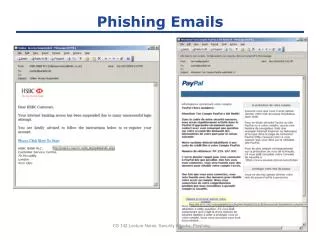
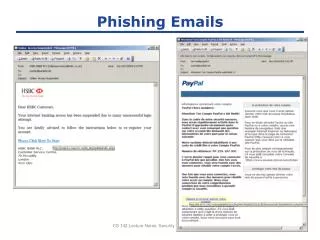
Phishing Emails CS 142 Lecture Notes: Security Attacks: Phishing
Obviously Illegitimate http://rusprory.mass.hc.ru/old_site/update/index.php CS 142 Lecture Notes: Security Attacks: Phishing
Look-alike Characters CS 142 Lecture Notes: Security Attacks: Phishing
International Character Sets • What does this URL refer to? www.bank.com/accounts/login.php?q=me.badguy.cn • This is a host name only! Chinese characters that look like "/", "?", and "=" CS 142 Lecture Notes: Security Attacks: Phishing
Picture in picture CS 142 Lecture Notes: Security Attacks: Phishing
Legitimate Partners Can Look Fishy ??? ??? CS 142 Lecture Notes: Security Attacks: Phishing
HTTPS Indicators HTTP HTTPS Firefox 10 IE 8 Chrome 17 CS 142 Lecture Notes: Security Attacks: Phishing
Extended Validation Certificates CS 142 Lecture Notes: Security Attacks: Phishing
Extended Validation Certificates Extended Normal HTTPS Firefox 10 IE 8 Chrome 17 Certificate Authority CS 142 Lecture Notes: Security Attacks: Phishing