OUTPUT DEVICES
This guide covers the various output devices, including video display terminals, printers, plotters, CD-ROMs, and computer output microforms (COM). It delves into the capabilities of monitors like VGA, Super VGA, and XGA, along with resolution details. The comparison between inkjet and laser printers highlights their unique features, costs, and speed. Additionally, the advantages of storage solutions like COM and applications of plotters and optical media are discussed, making it a comprehensive resource for understanding output technology in computing.

OUTPUT DEVICES
E N D
Presentation Transcript
OUTPUT DEVICES Stephen W. Logan
OUTPUT DEVICES Adaptation to New System
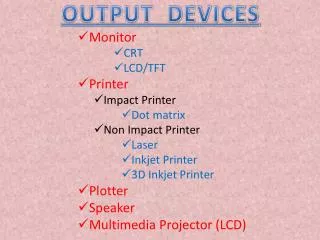
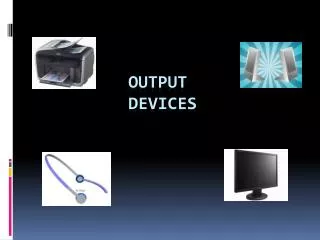
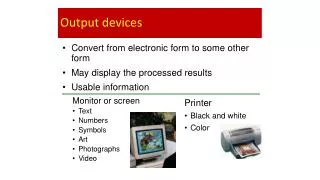
TYPES OF OUTPUT DEVICES • Video Display Terminals (Monitors) • Printers • Plotters • CD-ROM's • Computer Output Microforms (COM) • Audio Response Units
MONITORS • VGA (Video Graphics Array) • Super VGA (Super Video Graphics Array) • XGA (Extended Graphic Array)
MONITORS • RESOLUTION CAPABILITIES • CGA 320 X 200 Pixels 4 Colors • EGA 640 X 350 Pixels 16 Colors • VGA 640 X 480 Pixels 16 Colors • VGA 320 X 200 Pixels 256 Colors • SUPER VGA has 800 X 600 Pixels 256 Colors • SUPER VGA 1024 X 768 Pixels 256 Colors • XGA 1024 X 768 Pixels 65536 Colors
Building a Character with PixelsProducing a Near-Letter Quality Image Dot-Matrix Printing
INK-JET COLOR PRINTERS • Produce brilliant color images • Resolution variations • 360 X 360 dpi black text printing • 720 X 720 dpi color printing • 1440 X 720 dpi photo-realistic color images • Produce business presentation charts in color • Produce overhead transparencies in color
INK-JET VERSUS LASER PRINTERS • Ink-Jet Printers are lower in cost • Ink-jet cost range ($200’s up to $1,000’s) • Laser cost range ($700’s up to $5,000’s) • Laser Printers are faster than Ink-Jet • Ink-Jet Speeds range 2-6 pages per minute • Black text averages 2-4 pages per minute • color averages 54 seconds per page • Laser Speeds generally double or triple Ink-Jet Speeds
INK-JET VERSUS PLOTTERS • Ink-Jet printers are faster than plotters • Plotters often produce dull patterns and colors • Ink-Jet printers have more type styles • Ink-Jet droplets are smaller • Gives text a finer resolution
PLOTTERS Flatbed
PLOTTERS Drum
PLOTTERS Type of applications
PLOTTERS Type of applications
PLOTTERS Type of applications
PLOTTERS Type of applications
DIGITAL CHARTS Panaboards
CD-ROM's • OPTICAL DISK • Data “Burned” on Disk with Laser Light. • Very High Density • Some CD-ROM's store a gigabyte plus on a disk
CD-ROM DISK • Types of Output • Software for Installation • Legal Investigations • Court Cases • Search for wanted individuals (name, street, zip, or area code) • Search for businesses by category and proprietor names • Provide access to all the nation’s telephone directories
COMPUTER OUTPUT MICROFORMS(COM) • Older technology for storing large volumes of data indefinitely • Requires a COM Viewer • Corporations Archived Decades of Information
COM ADVANTAGES • Less Storage Space • About 2% of space required for printer paper • Faster Retrieval Time • Faster Printing Speed • 30,000 Frames/Hour (Equiv. To 30,000 LPM Printer
COM ADVANTAGES • Lower Materials Cost • 1 Carton Printer Paper (3500 pages): $25 • 13 Microfiche (3510 Frames): $1.69 • Less Weight • 1 Carton Paper: 40 lbs • 13 Microfiche 2 oz. • Lower Mailing Cost
SPEAKING COMPUTERS • TELEPHONY • Applications are rule-based systems • Generate speech that replicates human speech • Some telephony software can generate speech in a variety of accents • a deep Southern draaaawl • a nasal Noo Yawk