1 / 18

Digital Audio Editing

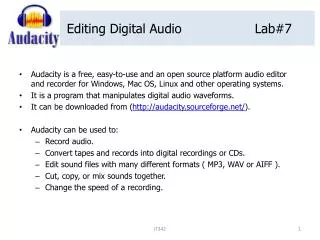
Discover the power of Audacity for digital audio editing. This guide covers essential features including track management, timeline recording, and input/output controls. Learn how to add new tracks, import audio, and utilize multimedia card volume control for your microphone. Explore advanced recording settings to ensure optimal audio quality. Save projects in .aup format and learn how to export your audio as WAV or MP3 files, including downloading necessary components like lame_enc.dll for MP3 export. Perfect for beginners and experienced users alike.
vera
Télécharger la présentation

Digital Audio Editing

An Image/Link below is provided (as is) to download presentation Download Policy: Content on the Website is provided to you AS IS for your information and personal use and may not be sold / licensed / shared on other websites without getting consent from its author. Content is provided to you AS IS for your information and personal use only. Download presentation by click this link. While downloading, if for some reason you are not able to download a presentation, the publisher may have deleted the file from their server. During download, if you can't get a presentation, the file might be deleted by the publisher.

E N D

Presentation Transcript


  1. Digital Audio Editing http://audacity.sourceforge.net/

  2. Tracks and timeline

  3. Record/ New Tracks / Import

  4. Input / Output Controls & Monitors

  5. Multimedia Card Volume Control (Mic) • Start • Programs • Accessories • Entertainment • Volume Control or

  6. Select Properties

  7. Select Recording

  8. Select Advanced Controls if not checked

  9. Click Advanced

  10. Check Mic Boost if an option

  11. Effects

  12. Save Project (.aup)

  13. Export As WAV or MP3 Export as MP3 may require lame_enc.dll – Free Download – Check Angel
More Related