
Uploaded by
vian
31 SLIDES
655 VUES
310LIKES
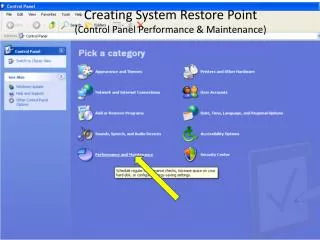
Creating System Restore Point (Control Panel Performance & Maintenance)
DESCRIPTION
Creating System Restore Point (Control Panel Performance & Maintenance). System Restore. Select Create. Name the Restore Point. Restore Point Created. Go to Restore Point. Select Restore Point. Check Firewall1. FW2. FW3. Chk FW4. Auto Updates1. Auto Updates2. Redneck Fire Alarm.
Download
1 / 31
Télécharger la présentation 
Creating System Restore Point (Control Panel Performance & Maintenance)
An Image/Link below is provided (as is) to download presentation
Download Policy: Content on the Website is provided to you AS IS for your information and personal use and may not be sold / licensed / shared on other websites without getting consent from its author.
Content is provided to you AS IS for your information and personal use only.
Download presentation by click this link.
While downloading, if for some reason you are not able to download a presentation, the publisher may have deleted the file from their server.
During download, if you can't get a presentation, the file might be deleted by the publisher.
E N D
Presentation Transcript
Creating System Restore Point(Control Panel Performance & Maintenance)
All in One System Information http://www.belarc.com/free_download.html
Free Anti Virus Software - AVG http://free.avg.com/
Free Anti Virus Software - Norton http://security.symantec.com/sscv6/WelcomePage.asp
Connection Speed Test http://www.wugnet.com/myspeed/speedtest.asp
More Related