Design Your Own Pop Bottle: A Creative Project
This project invites you to design a unique pop bottle that holds either 12 fl. oz, 16 fl. oz, or 20 fl. oz. Using the given volume conversion information, calculate the radius and height of your bottle. Develop a creative body for the bottle, ensuring the neck is separate. Emphasize artistic flair by incorporating curves and bumps into your design. Once completed, revolve your shape, add a cap, select colors, render the final design, and prepare a drawing file to showcase your creativity and mathematical skills.

Design Your Own Pop Bottle: A Creative Project
E N D
Presentation Transcript
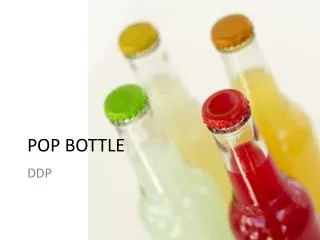
POP BOTTLE DDP
Fluid Ounce Conversion h floz = 175.84 x .5541 floz= 97.432944 x14 x4x14 floz= 97.5 x56 175.84
Project • You are to create a pop bottle of your own design. • The bottle needs to hold either 12fl oz, 16fl oz, or 20fl oz. • Use the information above to come to your bottles radius and height. I want to see the math
Project • Once you have your radius and height us that to create the overall body of your bottle. Bottle neck is separate form the floz body. • Be creative in your design, you can create curves and bumps. Remember, whatever you take from you rectangle you need to add somewhere else. • Revolve your shape, add a cap, color render it, create a drawing file, and you’re done.