Top Security Plugins to Protect Your WordPress Website
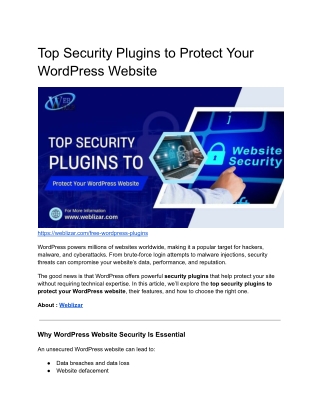
Top Security Plugins to Protect Your WordPress Website focuses on essential WordPress tools that help defend your site against cyber threats. It highlights plugins offering features such as malware scanning, firewall protection, secure logins, and real-time monitoring to ensure your website remains safe, stable, and trustworthy.

Top Security Plugins to Protect Your WordPress Website
E N D
Presentation Transcript
Top Security Plugins to Protect Your WordPress Website https://weblizar.com/free-wordpress-plugins WordPress powers millions of websites worldwide, making it a popular target for hackers, malware, and cyberattacks. From brute-force login attempts to malware injections, security threats can compromise your website’s data, performance, and reputation. The good news is that WordPress offers powerful security plugins that help protect your site without requiring technical expertise. In this article, we’ll explore the top security plugins to protect your WordPress website, their features, and how to choose the right one. About : Weblizar Why WordPress Website Security Is Essential An unsecured WordPress website can lead to: ● Data breaches and data loss ● Website defacement
● Malware infections ● SEO penalties and blacklisting ● Loss of customer trust and revenue Implementing strong security measures is essential for maintaining a safe and reliable website. What Does a WordPress Security Plugin Do? A WordPress security plugin helps protect your site by: ● Blocking malicious traffic ● Preventing brute-force attacks ● Scanning for malware ● Securing login pages ● Monitoring suspicious activity ● Alerting you to security issues These plugins act as a defensive layer against common cyber threats. Check out : Premium WordPress themes Top Security Plugins to Protect Your WordPress Website 1. Wordfence Security Wordfence is one of the most popular and comprehensive WordPress security plugins. Key features: ● Web Application Firewall (WAF) ● Malware scanning ● Login attempt protection ● Real-time threat defense ● Live traffic monitoring Best for: All types of WordPress websites Check More At : Premium WordPress Plugins 2. iThemes Security
iThemes Security focuses on strengthening your website against common vulnerabilities. Key features: ● Brute-force protection ● Two-factor authentication (2FA) ● File change detection ● Security hardening tools ● User activity logging Best for: Beginners and small businesses Read More : Top Free WordPress Themes 3. Sucuri Security Sucuri is a trusted name in website security and malware protection. Key features: ● Malware scanning ● Security activity auditing ● Website firewall (premium) ● Blacklist monitoring ● Post-hack security actions Best for: High-traffic and business websites 4. All In One WP Security & Firewall This plugin offers a user-friendly approach to WordPress security. Key features: ● Firewall protection ● Login security ● User account security ● File system security ● Visual security grading system Best for: Beginners looking for free security tools
5. WP Cerber Security WP Cerber specializes in protecting login pages and blocking malicious activity. Key features: ● Anti-brute-force protection ● Malware scanning ● IP access control ● Activity logging ● REST API security Best for: Sites with frequent login activity check the plugin : School Management Software 6. MalCare Security MalCare is known for fast and accurate malware detection. Key features: ● One-click malware removal ● Real-time firewall ● Daily automated scans ● Login protection ● Minimal server load Best for: Websites needing quick malware cleanup 7. Jetpack Security Jetpack offers security features as part of its all-in-one WordPress toolkit. Key features: ● Brute-force attack protection ● Downtime monitoring ● Automated backups (premium) ● Malware scanning Best for: Users already using Jetpack services
Next Read : Premium HTML Templates How to Choose the Right Security Plugin When selecting a WordPress security plugin, consider: ● Website size and traffic ● Level of protection needed ● Ease of use ● Compatibility with hosting ● Performance impact ● Free vs premium features Avoid installing multiple security plugins simultaneously, as this may cause conflicts. Best Practices to Enhance WordPress Security In addition to using security plugins: ● Use strong passwords ● Enable two-factor authentication ● Keep WordPress, themes, and plugins updated ● Use reliable hosting ● Take regular backups ● Limit admin access Security plugins work best when combined with good security habits. Also Check : Free WordPress Plugins Collection Common Mistakes to Avoid ● Ignoring security alerts ● Using outdated plugins ● Allowing unlimited login attempts ● Not backing up your website ● Relying only on free security measures Proactive security is always better than recovery after an attack. Also Read : Weblizar Premium WordPress Plugins For 2026
Final Thoughts Protecting your WordPress website is not optional — it’s essential. The right WordPress security plugin can safeguard your site against malware, hackers, and vulnerabilities while giving you peace of mind. Whether you run a blog, business website, or online store, investing in a reliable security plugin ensures long-term stability and trust.


![Top 10 Sports Plugins for WordPress Website – [2018]](https://cdn4.slideserve.com/7829786/top-10-sports-plugins-for-wordpress-website-2018-dt.jpg)