Understanding Passing Arguments and Generating Random Numbers in Sub Procedures
This guide explores two main methods for sub procedures to access external variables: module-level variables and passing arguments. We provide clear examples for both methods, demonstrating how to calculate the area of a circle using user input for the radius. Additionally, we discuss the importance of passing arguments by reference and by value, the effects on variable values, and the handling of arrays. Furthermore, we explain how to concatenate strings and generate random numbers with examples, ensuring you understand how to manipulate and utilize these features effectively.

Understanding Passing Arguments and Generating Random Numbers in Sub Procedures
E N D
Presentation Transcript
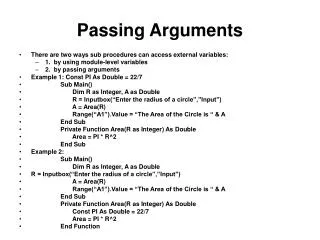
Passing Arguments • There are two ways sub procedures can access external variables: • 1. by using module-level variables • 2. by passing arguments • Example 1: Const PI As Double = 22/7 • Sub Main() • Dim R as Integer, A as Double • R = Inputbox(“Enter the radius of a circle”,”Input”) • A = Area(R) • Range(“A1”).Value = “The Area of the Circle is “ & A • End Sub • Private Function Area(R as Integer) As Double • Area = PI * R^2 • End Sub • Example 2: • Sub Main() • Dim R as Integer, A as Double • R = Inputbox(“Enter the radius of a circle”,”Input”) • A = Area(R) • Range(“A1”).Value = “The Area of the Circle is “ & A • End Sub • Private Function Area(R as Integer) As Double • Const PI As Double = 22/7 • Area = PI * R^2 • End Function
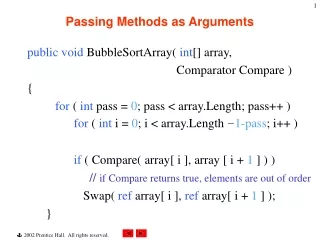
Passing Arguments By Reference and By Value • Arguments passed by Reference is the default method and passes a reference to the variable being passed. • When variables are passed by Reference, the original value of the variable can be changed permanently. • When variables are passed by Value only a copy of the original variable’s contents are available to the calling procedure. • Arrays are passed to procedures (Sub or Function) by Reference since the elements are generally manipulated. The physical address in memory cannot be changed and passed by Value. • Function subroutines always return either a value, Boolean, or string result.A = Area(R) is an example of invoking a Function. The variable A will also receive the result passed from Area.
Concatenating Names And Random Numbers • You can concatenate names two ways: • 1. You can use the + sign, “Joe ” + “College” • 2. You can use the & symbol, “Joe “ & “College” • The second rendition is the preferred style. • Random numbers are generated using the function Rnd. You can use Int function to retrieve the integer portion generated. The actual function generates numbers between 0 and 1. • The function Randomize is a seed function that assures the numbers generated each time are random. • Example: number = 1 + Int (Rnd * 100) will generate numbers between 1 and 100.