Comprehensive Guide to E-Readers and Tablets: February 2014 Workshop Insights
Join Andrea Gannon in this February 2014 workshop, exploring the evolving landscape of e-readers and tablets. Discover key players like Amazon, Apple, and Barnes & Noble and their offerings, including black-and-white e-readers and color tablets. Compare features, prices, and ecosystems across devices like the Kindle Paperwhite, Nook Simple Touch, and Google Nexus 7. Learn about screen types, weight considerations, and the importance of app ecosystems for accessing a vast selection of books. Whether opting for e-ink or full-color tablets, find the best fit for your reading needs!

Comprehensive Guide to E-Readers and Tablets: February 2014 Workshop Insights
E N D
Presentation Transcript
E-Reader Workshop Andrea Gannon February 21, 2014
Let’s get digital • Black and white E-readers • 7 inch LCD media tablets • Mid-size LCD tablets (7.9-9 inches) • Full-size color tablets like the iPad
Who owns the market? • Amazon • Apple • Barnes & Noble (for now) • Google • Kobo • Samsung • Sony • Android
So many options! • Price • Functions and capabilities • Weight • Likelihood of “upgrade” • Screen type • App “ecosystem”
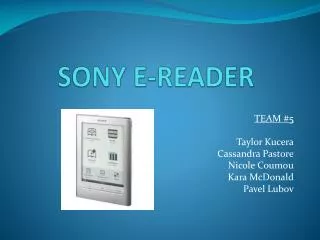
Just for bookin’ • E-ink reader is your best bet • $69 to $149 (up to $200 for the ones that blur the lines) • Kindle Paperwhite ($119 - Amazon) • Ads unless you pay $20 one time fee • Huge selection of books • Not a touch screen • Nook Simple Touch /with GlowLight ($99 – Barnes & Noble) • No ads • Medium selection of books • Touch screen • Works with third party E-PUB book purchases • Kobo Glo ($129 – Best Buy) • Small selection of books • Works with third party E-PUB book purchases
Meet me in the middle - $200 • Nexus 7 (Google) • Offers full Google Play app store • Might want to download Kindle/Nook app, however • Kindle Fire HD (Amazon) • Nook HD (Barnes & Noble) • Tablets + E-readers
Full-size reading • iPad ($399 and up – Apple) • Free reading apps for all aforementioned platforms • Full access to their E-book content • iBooks • Can read, edit, and annotate PDF files • Android Tablet • Free reading apps as well • Bargain vs. Status
App ecosystems • Kindle : books are accessible on everything from smart phones to web browsers as well as different OS • Nook : similar, except not accessible on some smart phones (like BlackBerrys) • Kobo : Apple, Android, Windows, PC, Mac • iBooks : Apple iOS devices only • Sony Reader : Android, Windows, Mac, and some Apple devices • Synced positioning!
He ain’t heavy, he’s my brother • 2012 Kindle – no touch screen or light, but under 6 ounces • Kobo mini - 4.7 ounces • Nook HD – 11.1 ounces • Google Nexus 7 – 12 ounces • Kindle Fire HD – 13.9 ounces • 9.7 inch Apple iPad2 – 1.35 pounds (21.6 ounces) • Font size • Hand strength
My future’s so bright, I gotta wear shades • All tablets (iPad, Android, Kindle Fire, Nook HD, etc) have touch screens as do all current models of major brand e-ink readers except $69 entry-level Kindle • Consider how much time you spend looking at screens and computers • Earlier version of E-readers can be difficult to see in the sun, but this issue has mostly been corrected • Can also buy low cost screen protectors
Now what? • Your local library via OverDrive! • Pixel of Ink • Booklending • Project Gutenberg • Open Library • Amazon • Free Kindle Ebooks • Kindle Owners’ Lending Library – (need Prime)